Be sure to also check out the Best Articles page!
|
Why Do I Get Spam Not Addressed to Me?Getting spam that isn't addressed to you isn't a mistake. Spammers use a simple email feature to hide who else they're sending it to. I'll describe how it works, why it still reaches you, and what to do about it.2026-11-02 - #11244 |
|
How Do I Bypass Keyloggers? The Guaranteed Way to Avoid Having Your Keystrokes Maliciously RecordedPeople swear by tricks that can beat a keylogger. I'll show you why none of them are completely effective. Only one approach keeps your keystrokes safe.2026-10-30 - #3294 |
|
Why Am I Being Asked to Turn Off My Adblocker When I Don’t Use One?I'll explain the browser setting that's most likely to blame, show you how to test it in seconds, and help you decide what to do next.2026-10-29 - #197116 |
|
How to Select Text Faster with the KeyboardI'll show you keystrokes that let you select a letter, word, line, or whole document without your hands ever leaving the keyboard.2026-10-28 - #197123 |
|
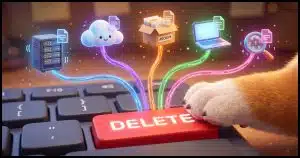
How Do You Delete Things from the Internet?We say the internet is forever. We also say that once you delete something, it's gone. Both are true, and usually at the worst possible moment. I'll describe why deleting rarely removes every copy, why you still can't get those copies back, and two simple habits that protect you.2026-10-26 - #27274 |

|
Microsoft Is Shrinking 365 Family Plan Storage: Check Before You RenewMicrosoft is changing how much OneDrive storage comes with Microsoft 365 Family. If you share your subscription, you could run out of room. I'll show you what's changing, walk through an example, and explain how to tell if you're affected and what to do about it.2026-10-23 - #196954 |
|
How Can a PIN Be as Secure as a Password?A short PIN seems weaker than a long password, yet for signing in to Windows, it can be just as safe and maybe safer. The secret is where the PIN works, not how long it is. I'll explain and show you how to make yours stronger if you're uneasy.2026-10-22 - #24089 |

|
Microsoft Listened: You Can Move the Taskbar Now!Windows 11 removed the ability to move the taskbar, and people weren't happy, including me. Five years later, it's back. I'll show you where the new setting lives, what to do if you don't see it yet, and which taskbar complaints are still waiting for a fix.2026-10-21 - #196844 |
|
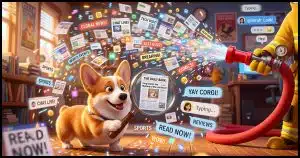
How Much Can I Trust Information on the Internet?There's so much information at your fingertips online, but how much of it can you believe? I'll show you how to spot trustworthy sources, why seeing something everywhere doesn't make it true, and four steps to help you sort fact from fiction.2026-10-19 - #5639 |
|
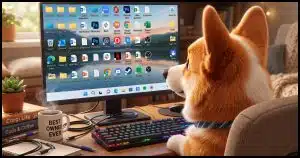
Is It Safe to Store Files on My Desktop?A reader's desktop folders suddenly emptied, and some files vanished completely. Here's why the desktop is a risky place to keep anything that matters, where your files really belong, and a cleaner, faster way to reach the programs and documents you use every day.2026-10-16 - #8459 |
|
Which Files Were Affected by a Hack or Malware?Once a hacker's had access to your machine, there's no guaranteed way to know everything they touched. I'll discuss why backups, not scans, are your best defense, and what to do if you don't have one.2026-10-15 - #77257 |
|
How Do I Know Whether to Trust AI?AI sounds sure of itself, but it can be wrong. How can you tell when you don't know much about the subject? I'll show you simple ways to check an AI's work, why this problem is older than AI, and the sniff test I rely on.2026-10-14 - #196697 |
|
Sometimes, the Threat Is in the HardwareWhen it comes to security, you probably think about viruses and scams, but what about the hardware you touch every day? I'll cover four hardware threats and the habits that can keep you safe from all of them.2026-10-12 - #27772 |
|
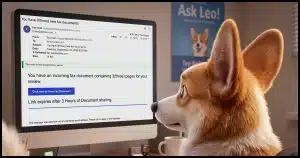
No, You Don’t Have a Fax. An Analysis of a Spam EmailA fake fax notice landed in my inbox and turned out to be a perfect teaching tool. I'll walk you through the clues that gave it away, from the sender's address to the hidden headers, and show you how AI is about to make spotting spam much harder.2026-10-09 - #196519 |
|
Don’t Finish Authorizations You Didn’t Start, and Be Cautious With Those You DidThere are scams that don't need your password or even your two-factor code to get into your account. They use real sign-in pages and a fake app with a harmless name to sneak in. I'll describe how it works and remind you of one simple habit that keeps you safe.2026-10-08 - #196489 |
|
How to Select Text Faster: Six Tricks You May Not KnowDragging a mouse across text works, but it's slow and awkward. I'll show you how to double-click, triple-click, or click in the margin to select words, paragraphs, and lines. Learn several easy selection tricks plus one small catch that can break a password.2026-10-07 - #196468 |
|
What’s the Best Registry Cleaner? What to Use and What to AvoidRegistry cleaners can be dangerous. I'll review when they might be appropriate, which I'd use, and how to use them safely.2026-10-05 - #2710 |
|
What External Drive Should I Get?I'll review what matters when buying an external backup drive, plus a few current picks worth considering. Capacity, USB speed, SSD versus traditional hard disk, and portable versus desktop can all be confusing.2026-10-02 - #17616 |

|
Should I Repair or Replace My Computer?Is it time to fix or replace your computer? The right choice depends on your budget, the machine's age, your warranty, and how much time you're willing to spend. I'll review the key factors and tell the story of my own laptop replacement.2026-10-01 - #138316 |
|
Why Do They Make It So Hard to Recover Accounts?There's a good reason why getting back into a locked account can feel impossible. I'll discuss why account recovery has to be difficult, what you can do to make it easier on yourself, and how to avoid losing an account for good.2026-09-30 - #196377 |

|
Checking and Repairing a Disk with CHKDSKYour computer has a built-in tool for catching hard drive problems before they turn into bigger headaches. I'll walk you through running CHKDSK from Windows Explorer and the command line, explain what it checks, and show you where to find results after a scheduled scan.2026-09-28 - #8363 |
|
Does All This Talk of AI Mean I Should Choose a Different Career?Worried that AI is making coding skills useless? Understanding how to code still gives you an edge, even in the age of AI tools and vibe coding. Find out why your passion and interests, not trends, should guide your tech career choices.2026-09-26 - #196133 |
|
Responses to Your Three Common Password Manager ObjectionsMany people avoid password managers because they seem hard to set up, difficult to trust, or easy to lock yourself out of. I'll look at each objection and show you why they're not as concerning as they seem. Security experts say a password manager is the smartest step you can take.2026-09-25 - #136938 |

|
How Do Websites Keep Passwords Secure?I'll give you a high-level overview of how websites know you typed the right password without actually storing it. The trick is something called hashing, and once you understand it, you'll know what to look for the next time a data breach hits the news.2026-09-24 - #136163 |
|
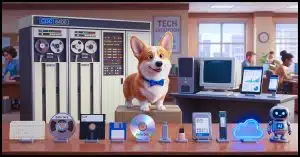
The 50-year TakeawayI'll look back at the pace of change in my 50 years in tech and ask the question, "What should today's kids learn for a future none of us can predict?" The answer isn't a skill at all. It's a way of thinking that remains critical no matter what you choose to do.2026-09-23 - #67362 |
|
I’m Drowning in Spam. What Can I Do?Three hundred spam emails a day? You're not alone, and no, blocking senders won't fix it. I'll discuss why blocking is pointless, why a full spam folder means things are working, and how to trains your email program to keep more junk out of your inbox.2026-09-21 - #13576 |
|
What Happened When My “Bank” Called MeYour bank calls about a suspicious charge. The caller ID matches, they know your account details, and everything sounds legit. But is it really your bank, or is it a scammer? It happened to me. I'll share the steps I took to protect myself.2026-09-19 - #195987 |

|
5 Steps to Better Wi-Fi In Your HouseI'll walk you through easy ways to place your router, cut interference, pick better channels, and boost your signal so every device connects faster.2026-09-18 - #123219 |
|
How to Reformat a DiskI'll walk you through four easy ways to erase and prepare a disk in Windows using File Explorer or the command line, plus tips on choosing the right file system and format type.2026-09-17 - #135005 |
|
How Passkeys Work (A No-Tech Version)Passwords are on their way out. I'll discuss what passkeys actually are, how they work, what happens if you lose your device, and how they protect you from phishing, malware, and data breaches... without the technical jargon.2026-09-16 - #195933 |
|
How Do I Protect My Laptop Data From Theft?Lose your laptop, and your data could end up in the wrong hands. I'll walk you through the best ways to encrypt your files, from simple zip passwords to full disk encryption with BitLocker, VeraCrypt, or Cryptomator, so your secrets stay safe no matter what.2026-09-14 - #2343 |

|
Why Are There So Many Jerks Online?Are people are getting ruder online? You're not imagining the jerks, but you might be missing the bigger picture. I'll discuss why the internet doesn't really create more jerks, and why the good people around you still outnumber them by a mile.2026-09-12 - #13887 |
|
I’m Told to Change My Password. Why?If you get a warning that your password has leaked, don't panic, but don't ignore it, either. I'll talk about the difference between a real password breach and a scam, why passwords are risky once exposed "in the wild", and the habit that keeps you safe no matter what.2026-09-11 - #145068 |
|
Back Up Your Email Using ThunderbirdIf your email only lives in your inbox online, it's not backed up. I'll show you how to use a free program to download a full copy of your email to your own computer, plus how to save your contacts. That way, a hacked account never means losing everything.2026-09-10 - #17883 |
|
What’s the Best Two-Factor Authentication Method?Not all two-factor authentication works the same way. Some methods are more secure, some are more convenient, and some leave you open to sneaky attacks like SIM swapping. Here's my breakdown of hardware keys, authenticator apps, texts, email, and voice codes so you can pick what fits you best.2026-09-09 - #195723 |
|
How Do I Recover My Outlook Account?Whether you forgot your password, got hacked, or can't verify your identity while traveling, I'll point you to the steps to try if you're locked out of your Microsoft account.2026-09-07 - #4445 |
|
Should I Avoid Windows Update? It Burned MeA bad Windows Update can cripple your computer. Once it happens to you, it's tempting to swear off updates forever. I'll explain why that's the wrong move, and share one habit that makes any update failure, from Windows or anything else, easy to recover from.2026-09-05 - #4489 |
|
Why Don’t I Get Sound From My Computer?Computer gone silent? Here's a checklist to get your sound working again in minutes.2026-09-04 - #11930 |
|
If Too Many Bad Password Attempts Cause Account Locks, How Do Hackers Hack In?Ever wonder why hackers don't get locked out after a few failed password attempts, the way you do? It turns out they rarely even try. I'll describe the sneakier "back door" methods -- data breaches, malware, and phishing -- that hackers use to break into accounts, and what you can do to stop them.2026-09-03 - #5549 |
|
What’s Better, NAS or Cloud Storage?NAS or cloud? Each has real strengths and real risks, and a recent story about a broadcaster losing 50TB of archives shows what can go wrong. I'll detail pros and cons for each and show how combining both keeps your data safer than relying on just one.2026-09-02 - #195499 |

|
What Security Software Do You Recommend? (2026 Q3 update)My updated guide cuts through the hype with four no-nonsense steps to keep your PC safe. Learn what works, what to avoid, and how to stay secure without overspending or overcomplicating.2026-08-31 - #3517 |
|
How Do I Fix Windows Update?Windows Update can get stuck, and it's rarely obvious why. I'll walk you through Microsoft's troubleshooter, and provide a full manual reset using command line tools, so you can get your updates flowing again.2026-08-29 - #21798 |
|
Facebook Hacked? What You Need to Do NOW!Facebook account hacks happen. Here's how to recover access, lock down your password and recovery info, warn your friends, and protect yourself from it happening again.2026-08-28 - #7708 |
|
How Do I Make Sure I Don’t Have Malware?The hard truth is that you can never fully prove your computer is malware free... but you can still stack the odds in your favor. I'll discuss why, the habits that keep you safer online, and what to do if something slips through.2026-08-27 - #44103 |
|
How Often Should I Scan My Computer for Malware?Find out when a manual scan makes sense, and how often you should run one for peace of mind.2026-08-26 - #195348 |
|
Will Ransomware Encrypt My Backups?Worried that ransomware could sneak past your defenses and encrypt your backups? Most ransomware won't, but it's not impossible. I'll discuss how ransomware picks its targets, why your backup image files are usually safe, and one simple habit to keep your files protected.2026-08-24 - #21259 |
|
Where Do I Get Driver Updates?I'll explain when driver updates matter, why most scanning tools aren't worth your trust, and where to find real updates when you truly need them.2026-08-22 - #4487 |

|
Why ANY Two-Factor Is Better Than No Two-FactorYou may have heard that hackers can sometimes beat two-factor authentication. It's true, but that doesn't make it useless. I'll describe how each type of two-factor works, which ones hackers can trick, and why skipping 2FA is still the riskiest choice of all.2026-08-21 - #70786 |
|
Why You — Yes, You — Are a Target of HackersEvery online account you own is valuable to criminals looking to steal your identity, spread malware, or empty your accounts. Here's why you're a target no matter what, and how to protect yourself before it's too late.2026-08-20 - #153830 |
|
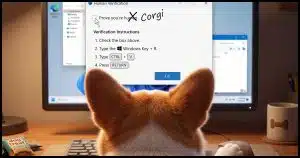
Clickfix: What It Is and How to Avoid ItClickFix is a scam that turns a simple "prove you're human" (or other fake message) pop-up into a malware trap, using your own keystrokes to install it. I'll discuss how it works, where you'll find it, and the one red flag that gives it away every time.2026-08-19 - #195093 |
