Articles in Category: Security

How to Protect Your Credit Card Information
Your credit card info can be stolen in stores or online. From tap-to-pay to virtual card numbers, I’ll walk you through the best ways to keep your credit card safe.

I Lost My Two-Factor Authentication Device. How Do I Recover?
Losing your phone can lock you out of your accounts if it’s your second factor for authentication. Here’s how I recovered while traveling, the backup options that saved me, and the steps you can take now so you’re never stuck without access.

What If My Passkey Doesn’t Work or I Lose the Device It’s On?
Passkeys are supposed to make signing in easier and safer, but what happens when it stops working or your device is gone? I’ll show you what to do if your passkey fails or is lost and a technique that makes passkeys work everywhere.

How Do I Find Who Hacked My Email Account?
Someone hacked your email and you want answers. Who did it? Where are they? Can you track them down? Here’s what you should do.

What’s a Zero-Day Attack? A Diagram of the Vulnerability Timeline
Yes, your computer can get hacked even when it’s fully updated. Zero-day attacks exploit vulnerabilities that your antivirus software doesn’t yet know exist. I’ll explain how these attacks work and what you can do to protect yourself.

Why Password Managers Are [Still] Safer than the Alternatives
If you’re not using a password manager, you’re likely compromising your security more than necessary. Here’s why using one is safer.

Can I Have Different Passwords for YouTube and Gmail?
A Google account includes Gmail, YouTube, and much more. If you want to keep those services separate, you’ll need separate Google accounts.

Don’t Fall for It: Social Engineering and How Scammers Hack Your Brain
Think you’re too smart to fall for a scam? Think again. Scammers aren’t targeting your intelligence; they’re targeting your humanity. I’ll share the sneaky mind tricks they use every day and help you spot the red flags before it’s too late.

Can You Get Hacked When Your Computer Is Sleeping?
Worried your sleeping computer might get hacked? The short answer is no, but there’s a catch. I’ll explain what that is and why you’re still probably safer than you think with basic security in place.

What Do I Do If I’m Being Harassed, Bullied, or Stalked Online?
Online harassment can happen to anyone, but what can you actually do about it? I’ll break down whether it’s illegal, how to identify who’s behind it, ways to make it stop, and the critical mistakes to avoid so you can protect yourself and your loved ones.
How Do I Decrypt Files Encrypted by Ransomware?
Prevention and preparation are the best solutions to ransomware.

Has My Computer Been Hacked?
It’s easy to jump to the conclusion your computer has been hacked, but it’s usually not the case. Regardless, preventing a hack is easier than recovering from one.
Unexpected Authenticator Alerts: Annoying, Scary, or Harmless?
Random authenticator requests can be unsettling. Are you being hacked, or is something else going on? I’ll discuss why these alerts might happen, what they really mean, and what to do.

The Top Five Small Business Security Risks
Running a small business, especially from home, puts your data at risk in ways you might not expect. I’ll discuss what I see as the five biggest security threats facing small teams.

Is it Safe to Put Two-Factor Codes in My Password Vault?
Storing 2FA codes in your password vault might slightly reduce security, but the risk is minimal compared to the convenience.

An Unexpected Way Videos Can Expose Your Location
Something many people do every day may expose their location in ways they aren’t aware of.

How Can I Tell If a Web Address Is Safe?
URLs are simple in concept, but can be constructed in ways that might fool you. I’ll look at some examples and discuss what’s important.

Help! Someone Is Inside My Computer, Controlling It!
When things behave unexpectedly, many people assume their computer has been compromised by remote hackers. Most of those people are wrong.

Privacy and Searching for Phone Numbers Online
You have an email address and you want the associated phone number. It’s unlikely you’ll find it, but there are a few things to try.

Three Reasons You Can’t Get Your Account Back
I hear from people who have lost their accounts permanently way too often. Here’s how to avoid being one of them.

Do I Really Need a Recovery Email?
Alternate email addresses can allow you to regain access to your account if it’s hacked or you forget your password.

Do Complex Passwords Still Matter If You Use 2FA Everywhere?
Do you think your passwords don’t matter because you use 2FA everywhere? I’ll break down why weak passwords still put you at risk, how attackers work around 2FA, and the steps that keep your accounts safe.

Scammers’ Three Common Lies
Scammers’ favorite tricks include old lies told in new ways. I’ll show you how these scams work, how to spot them before it’s too late, and the simple steps you can take to protect yourself, your money, and even your identity.

Does Whole-disk Encryption Impact Computer Performance?
Does whole-disk encryption slow your computer? You might be surprised. The bigger risk is losing access to your data if you’re not careful with your encryption keys and backups.
Why Don’t Anti-Malware Tools Work Better?
Ever wonder why your antivirus program didn’t catch that virus? It’s not broken. Security is a race, and the bad guys are usually ahead. Learn why security tools can’t stop everything, what that means for you, and the most important step you can take to stay safe.
I’ve Lost My Password Vault. What Do I Do?
Lost your password vault? You’re not locked out forever. It’s just an inconvenience. With some patience and the right steps, you can reset your accounts, rebuild your vault, and protect yourself from future mishap.

How Do Websites Store Passwords Securely?
Not all websites protect your password the same way. Some do it well, others badly, and a few dangerously poorly. I’ll walk through the good, the bad, and the ugly of password storage, and share one simple step you can take to keep your accounts safe.

Can the Owner of an Open WiFi Hotspot See What Files I’m Downloading?
Internet cafe owners can monitor the activity on open WiFi hotspots. Whether or not they take the time to do it is another story!

Are VPNs Safe for Online Banking?
Think a VPN makes online banking safer? Banking is already protected by strong encryption, but a VPN adds a twist. I’ll explain what’s really protected, what isn’t, and where the real risks lie when you bank on the go.

Can My Computer or Signed-In Account Be Hacked from the Internet?
Worried that staying signed in leaves you open to hackers? I’ll explain why your router, firewall, and smart habits protect you, what the real risks to your accounts are, and the simple steps you can take to stay safe online.

I Opened Something I Shouldn’t Have — Now What?
Accidentally run or opened something suspicious? We’ve all done it. I’ll walk you through the options from scans to resets, and consider what to learn from the experience.

How Do I Encrypt a Disk?
Worried about your data if your computer goes missing? Whole-disk encryption can keep prying eyes out. I’ll show you simple, practical ways to encrypt your entire drive so your information stays safe even if your computer doesn’t.
Is Syncing Passkeys Across Devices Safe?
Passkeys promise more security and less hassle, but is syncing them across devices safe? Learn how password managers handle passkeys and what happens if a device is stolen.

How Do I Encrypt a Folder?
Want to keep your folders private? This article shows three ways to encrypt everything inside a folder. Each method has pros and cons, so you’ll learn which one best protects your files while balancing ease of use.

How Do I Encrypt a File?
Want to send a file safely by email? I’ll show you how to use the simple .zip format with a strong passphrase so your private documents stay protected across Windows, Mac, or Linux platforms.

7 Reasons You Could Lose Your Google Account Forever
Losing access to Gmail can mean losing years of email, contacts, and memories. Learn the most common pitfalls, from outdated recovery info to ignored warnings, and how to avoid them so you never risk losing your account.
On Trusting and Not Trusting Microsoft
Worried Microsoft is peeking at your files in OneDrive? The truth is more complicated and perhaps surprising. I’ll look at what scanning really means, why avoiding OneDrive may not be enough, and how trust in Microsoft’s products comes down to risk, reality, and choice.

Can Your Video Chat Be Intercepted and Recorded?
Your video chats are usually private and encrypted, but nothing is foolproof. The real risk isn’t hackers; it’s the person on the other end, who can record everything. Learn why interception is rare, where the real danger lies, and the one rule to follow if you’re unsure.

How Do I Remove Myself From a Computer?
Leaving a job and worried about what’s on your work computer? From browser history to email accounts, traces of you remain. Learn what you can (and can’t) erase, and the smartest way to protect your privacy before you walk out the door.

Can Malware Survive If I Reset My PC?
Worried a reset won’t wipe out malware? While it’s technically possible for some infections to survive, it’s extremely rare. Learn where malware can hide, which reset options are safest, and the extra steps you can take to ensure a truly clean and secure Windows reinstall.
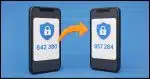
How to Safely Change Two-factor Authentication
Changing two-factor authentication apps isn’t hard, but doing it incorrectly can lock you out of your accounts. Here’s a safe step-by-step approach to make the switch smoothly, protect your access, and keep your accounts secure.

How to Save or Recover Your BitLocker Recovery Key
BitLocker could be running on your PC without your knowledge. Without the recovery key, you risk losing everything. I’ll show you three ways to check, find, and save your key.
Are There Hidden Files that Save Every Keystroke I’ve Ever Typed?
Worried your computer is secretly saving everything you type? It’s not. While there are hidden files and places keystrokes can live temporarily, there’s no master file of your entire typing history (unless malware is involved). Learn what’s real, what’s myth, and how to truly erase your data.

Prepare to Lose Your Phone
Your phone holds the keys to your digital life. If it’s lost or stolen, things can get messy fast. I’ll show you simple steps like locking, tracking, and backing up that protect your data and give you peace of mind before the worst happens.
Is It OK to Reuse Passwords on “Unimportant” Sites?
Reusing passwords on sites you don’t care about might feel harmless, but it still can open the door to bigger problems. I’ll look at why even “unimportant” accounts matter more than you think, the risks of cutting corners, and simple ways to stay safe.
Two-Factor Might Be Hackable. USE IT ANYWAY!
Another scare about two-factor authentication being hackable? DO NOT let that stop you from using it.

Faking Reality: How AI Images Are Being Used to Scam You
Scammers take advantage of AI’s ability to create fake photos that look very real. From phony images of your car to completely made-up situations, it’s easier than ever to be fooled. Learn how they’re made, why they’re dangerous, and what you need to do to protect yourself.

Do I Need a New Email Address if Mine Is Involved in a Breach?
Was your email exposed in a data breach? Don’t rush to get a new address. I’ll discuss what really matters, like strong passwords, staying alert, and simple steps to keep your account secure.

How to Protect Your Cloud Storage and Backups from Ransomware
Do you worry that ransomware might lock up more than your files? It can. I’ll show you how to better protect your cloud storage and backups using tools like Macrium Reflect, OneDrive, and Dropbox. Even if malware strikes, you’ve got a way to recover.
