When you have a choice, that is.
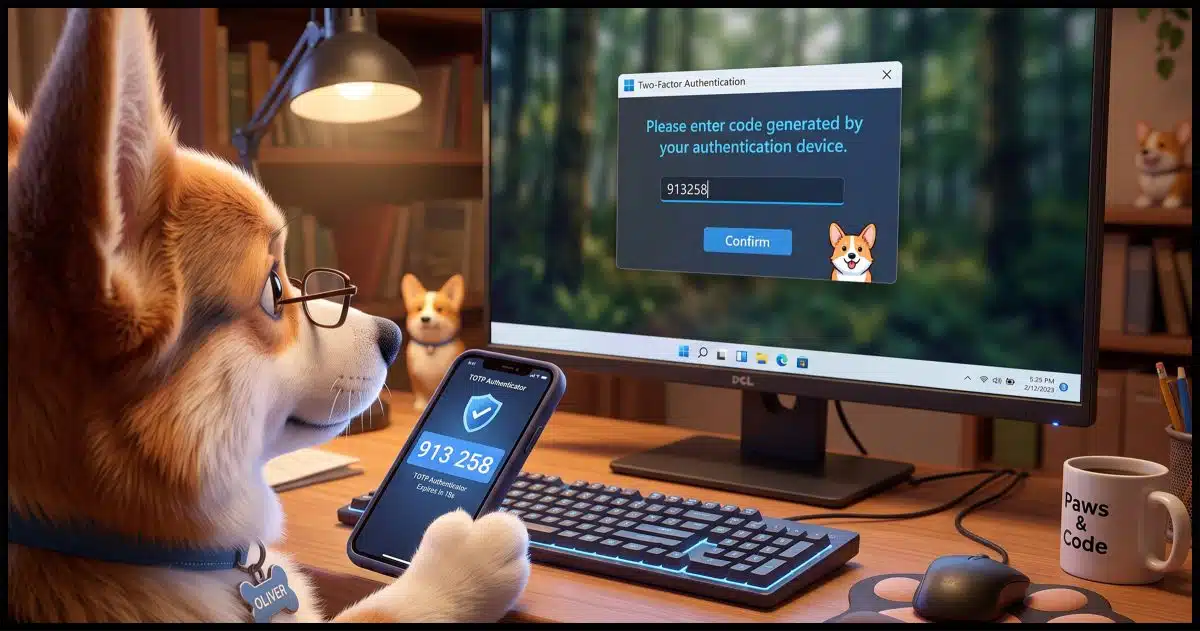
There are several approaches to two-factor authentication, and it can be confusing. Some are simpler, some are more convenient, and some are more secure than others.
Let’s compare the various ways two-factor authentication, or 2FA, can be implemented.

The best 2FA for you
Two-factor login codes come in several types: hardware keys, authenticator apps, push notifications, texts, email, and voice calls. Each one asks you to prove you have something: a factor other than your password. Hardware keys and authenticator apps are generally the safest choices, but any type of two-factor is better than none at all.
2FA: Two-Factor Authentication
Let’s start with a definition of two-factor authentication.
Traditional authentication is, essentially, something you know. Typically, this means you know your username and your password, and if you can provide both of those, you can sign in to the account you’re trying to access.
2FA adds something you have. This involves proving you are in possession of the second factor. How you do that depends on the type of 2FA you’re using. Usually, it means proving you have a specific piece of hardware in your possession, like your phone. It can sometimes mean proving you have access to another online account, usually an email account.
When 2FA is required, knowing your password isn’t enough. You need to prove you possess that second factor. (Typically, this requirement applies only the first time you sign in to a new device. For a hacker, every time is the first time.)
The good news is that 2FA isn’t nearly as difficult as most people seem to think.
Help keep it going by becoming a Patron.
2FA Types
| Type | Proof | Strengths | Weaknesses | Hackability |
|---|---|---|---|---|
| Hardware Key (YubiKey, etc.) | You insert the physical key when requested to prove you have it. | Probably the most secure form of 2FA. | Not shareable. Easy to lose. Must be present to use. | Requires physical theft. |
| TOTP: Time-based One-Time Password (Google Authenticator, etc.) | You enter the code displayed by the authenticator, proving you have the device on which it’s running. | Probably the most convenient mix of security and usability for 2FA. No connectivity (phone or internet) required. | Requires a smartphone or other device on which to run the app. Recovery codes must be saved in case you lose the device. | Vulnerable to man-in-the-middle phishing attacks. |
| Dedicated app | You acknowledge a message sent to the device on which you have an application already signed in to the same service. | Convenient if you happen to have that service’s app installed. | Requires the service’s app to be installed. | Vulnerable to physical theft, but otherwise difficult to hack, as it’s a closed line of communication between the service and its own app. |
| SMS – Text messaging | You enter the code sent to your mobile phone number to prove you have that phone. | Convenient. | Requires a phone capable of text messaging. | Vulnerable to physical theft and SIM-swapping attacks. |
| You enter the code or click a link sent to a pre-configured email address to prove you have access to that email account. | Convenient. Ubiquitous. | Creates a delay to accessing your account. | Vulnerable to email account compromise. | |
| Voice | You enter a code received via a phone call, proving you have access to the pre-configured number. | Convenient. Ubiquitous. | Rare. | Vulnerable to physical theft and SIM-swapping, if a mobile phone. |
Let’s look at each in a little more detail.
Hardware key
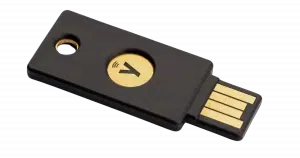
A hardware key is a small USB device, often something you can add to your key ring. You establish a cryptographically secure pairing between an online service and the key. When requested, you insert your key into a USB slot and press a button on the key. (Not all keys need a button press, and some even use radio signals and merely need to be swiped over your NFC-compatible mobile phone.)
Being able to insert the USB key proves you have your second factor: the USB key.
This is often considered the most secure second factor, since it is literally a single device that cannot be spoofed or intercepted. That’s also its drawback: it’s a single device that must be present to perform 2FA. The only true vulnerability is theft, which is mostly a concern for accounts that are specifically targeted.
TOTP: Time-based One-Time Password
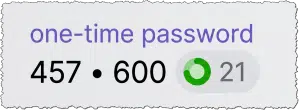
I often refer to this as “Google Authenticator-compatible” 2FA, as it was one of the earliest and most common implementations.
This smartphone (or computer) application generates a code that changes every 30 seconds. When you set it up, a cryptographically secure pairing is established between an online service and the app. When requested, you enter the code currently displayed on your phone. The application runs independently on your device; no connectivity is required. As long as the time is set correctly, it just works.
TOTP can be provided by apps like Google Authenticator, Proton Authenticator, etc., as well as some password managers such as 1Password. Most run on a smartphone; some also run on a computer. Most support multi-device installation, meaning that any device where you have the app installed can be used as your second factor. It’s one of the few 2FA techniques that can be securely shared among multiple people.
TOTP 2FA confirms you have your configured second factor: the device on which the application is running or the app you paired with the service.
TOTP is vulnerable to man-in-the-middle-style attacks. There are many variations, but one example works something like this.
- You’re directed to a fake login page by a link in a phishing email.
- You enter your credentials — username and password — onto that fake page.
- That fake page immediately uses those credentials to sign in to the real service.
- The real service asks the fake page for a 2FA code.
- The fake page now asks you for 2FA.
- You enter the current 2FA code displayed by your TOTP app.
- The fake page immediately gives that 2FA code to the real service.
- The fake page has now signed into your account.
This is just another reason why it’s important to remain on guard when dealing with email links. Always go to the URL of the service directly rather than clicking a link in an email.
Dedicated app
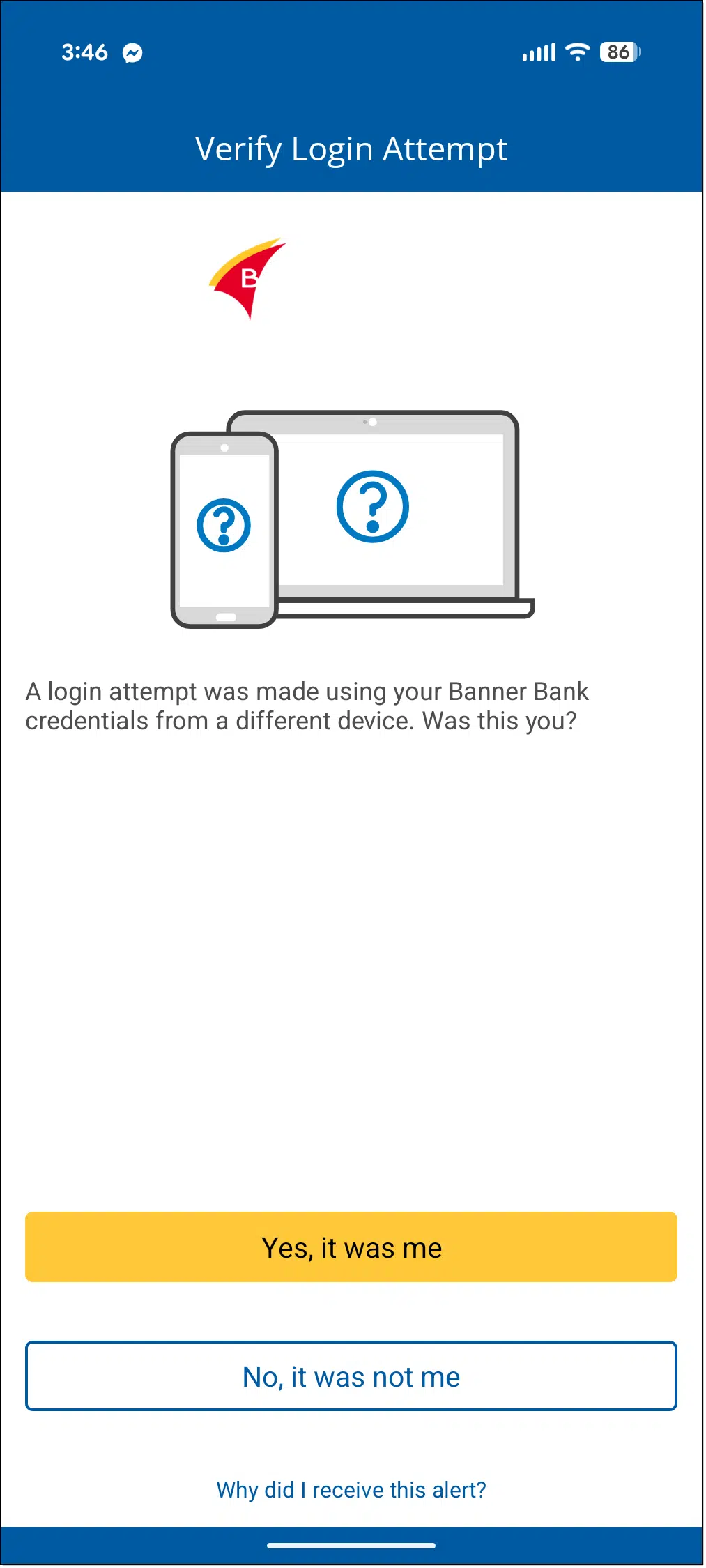
If the service you’re signing into also has an app that you have installed on your mobile or other device, some services push confirmation to that app. The example above is from my bank: signing into my account online on a new computer causes the mobile app to present a message allowing me to confirm that it really was me signing in elsewhere.
Your ability to confirm via that app proves you possess the device on which that already-signed-in app is installed.
Of course, this requires that you have that app installed and have successfully signed into it already. While it is technically vulnerable to theft, this technique is pretty secure, as it’s a closed communication between the service and its own app.
SMS text messaging
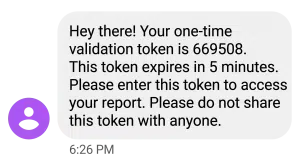
When using text messaging for two-factor authentication, you’re texted a code you must enter to complete the log-in process. It’s quick, convenient, and doesn’t require data connectivity or even a smartphone; any device capable of receiving a text message can be used. If you get a new phone and transfer your mobile number to it, this technique still works.
SMS two-factor authentication confirms you have your configured second factor: a device associated with your mobile number.
The biggest issue with SMS two-factor is that it’s vulnerable to what’s called SIM swapping. This is where a hacker convinces your mobile phone company to assign your mobile number to their device. Typically, they impersonate you and claim you got a new phone. With your number assigned to their phone, they now get all text messages intended for you, including your 2FA codes.
To combat this issue, many mobile providers allow you to specify an additional PIN lock, code, or password that you provide before they allow your number to be ported to a replacement device.
Email 2FA
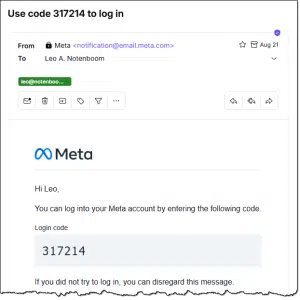
Email can be used as a second factor. When you log in to an account, the service sends an email message to the email address of record. It contains a link you click or a code you enter to complete the login process.
Email-based two-factor confirms you have your second factor: your ability to access the pre-configured email account.
Some services use this technique to bypass the password requirement completely, turning this into a form of single-factor authentication. This relies only on your email address being correct, your email account being secure, and your ability to click the link or enter the code sent to it to verify that you are who you say you are. To be clear, this is not two-factor authentication. Only when both your password and a code like this are required is it 2FA.
The biggest issue with email-based 2FA is the delay it introduces. Email is not always immediate, and it can sometimes take a while for the code or link to arrive. In addition, if your email account is compromised, the hacker will have access to the 2FA codes sent to it.
Voice

I wish this were more common, as it’s often requested by people who don’t have or want a smartphone or mobile phone that does text messaging. When used as a second factor, your phone is called, and a code is read to you.
Your ability to then enter that code proves you’re in “possession” of the pre-configured phone number.
The biggest issue here is availability. This type of code delivery is pretty rare. If you use a mobile phone for voice delivery, then you’re also vulnerable to the same theft and SIM-swapping issues as when using SMS.
So which is best?
As with so many things, it depends.
For maximum security, hardware keys are generally the way to go. While they are inconvenient at times, they’re recognized as the most secure form of 2FA today.
My preference, when there’s an option, is TOTP authenticator codes. They’re fast, flexible, can appear on multiple devices, and don’t require connectivity. I’m particularly fond of having the 2FA codes in my password vault.
Beyond that, my recommendation is for whatever method works for you and is offered by the institution with which you’re setting up two-factor authentication.
Any two-factor authentication is better than no two-factor authentication.
And if you’re concerned about what happens if you lose your second factor, fear not. There are solutions. See I Lost My Two-Factor Authentication (2FA) Device. How Do I Sign In?
Do this
Use 2FA, of course. But use the form of two-factor authentication that makes the most sense to you. Not using two-factor authentication at all is by far the least secure option you have.
Subscribe to Confident Computing! Less frustration and more confidence, solutions, answers, and tips in your inbox every week.


SIM‑swapping fears are often overstated. It’s a real attack, but it requires an attacker to target you specifically. For most people, SMS two‑factor authentication still blocks the far more common threat: stolen password databases and credential‑stuffing attacks.
Funny thing: The email that arrived just after the email notification for this article was an email recommending I set up a second factor for their account. As the sneaker slogan says, Just Do It.
Leo, you state, “To combat this issue, many mobile providers allow you to specify an additional PIN lock, code, or password that you provide before they allow your number to be ported to a replacement device.”
This scares folks who may not know what terminology, specific phrase or other identifier to use when talking to the Help Desk person, of their mobile provider, regarding setting up of a PIN lock
My comment may appear frivolous but this is reality when many Help Desk personnel are overseas and just understanding them is a chore.
What about a passkey? That is what one application is wanting me to switch to.
Passkeys are not two-factor authentication.
I was going to ask the same question about passkeys. I have passkeys stores in my LastPass for some web sites that allow them. Please explain more about why they are not two factor authentication? I am confused not about that topic.
This is what I find confusing about all non-sms 2fa. My wife and I use the same password manager on all of our devices, so we both have access to the necessary passwords for any app/website on our phones. The problem about using an authenticator app, as I understand it, is that it will generate an auth number on my phone for the website/app I want to enter. What if my wife wants to access the same website/app on her phone? Will she be able to get an auth number (assuming the same auth app is installed) for her login? Do apps and websites that allow authenticator apps allow more than one phone number to access or do we have to default back to a password and sms? I hope that makes sense.
My wife and I use Authy. It is on both of our phones and requires secure login to generate the TOTP password. I am interested as to what Team Leo has to say about Authy.
Leo used to highly recommend Authy, but now it’s being crippled. Here’s Leo’s alternative.
TL;DR – a password manager.
Dealing With the Demise of Authy Desktop
I have an Individual Premium bitWarden account because I can use the app on all my devices, and beyond being my password manager, it acts as my authenticator app (TOTP) and manages my passkeys.
When I create an account with a new service, my minimum requirement is that the service supports 2FA. My logic is that if an Internet service cares so little about my account’s security that they don’t support some form of 2FA, how can I trust them with whatever data or personal information I’ll share with them. When that happens, I either seek similar services elsewhere, or I do without that type of service. So far, when I encounter a service that doesn’t offer @FA, there have also been competing service providers that do.
For accounts that permit/support it, I use my alternate email account as an additional second factor. Incidentally all my email accounts are configured with 2FA so if/when I set any of them up on a new device/email client, my second factor is required to complete the set up.
I mentioned that bitWarden supports storing passkeys. for the accounts that support them, my passkeys either replace my passwords, or act as my second factor.
I cannot stand any of those methods except security keys but I prefer those as a “I somehow left my phone in the other room” when at personal computers.
Passkeys have never been more flawless and cross device than they are now. I use it for everything, and only if a Site or app has not yet built out a proper full pass key system, where sometimes you may need an extra backup like totp, then I always try to prefer for always pass key only if it is available
I’ve been thnking of suggesting Leo write an article about always having your phone, and if you have one, your authenticator key by your side when you sit down at your computer.
Could you please consider adding nitrokey under hardware keys? Probably less well-known than yubikey, but open source. Disclaimer: I do not work for its manufacturer, nor do any friends or relatives, nor do I hold any stock.