Not a typo: extended support has been extended.
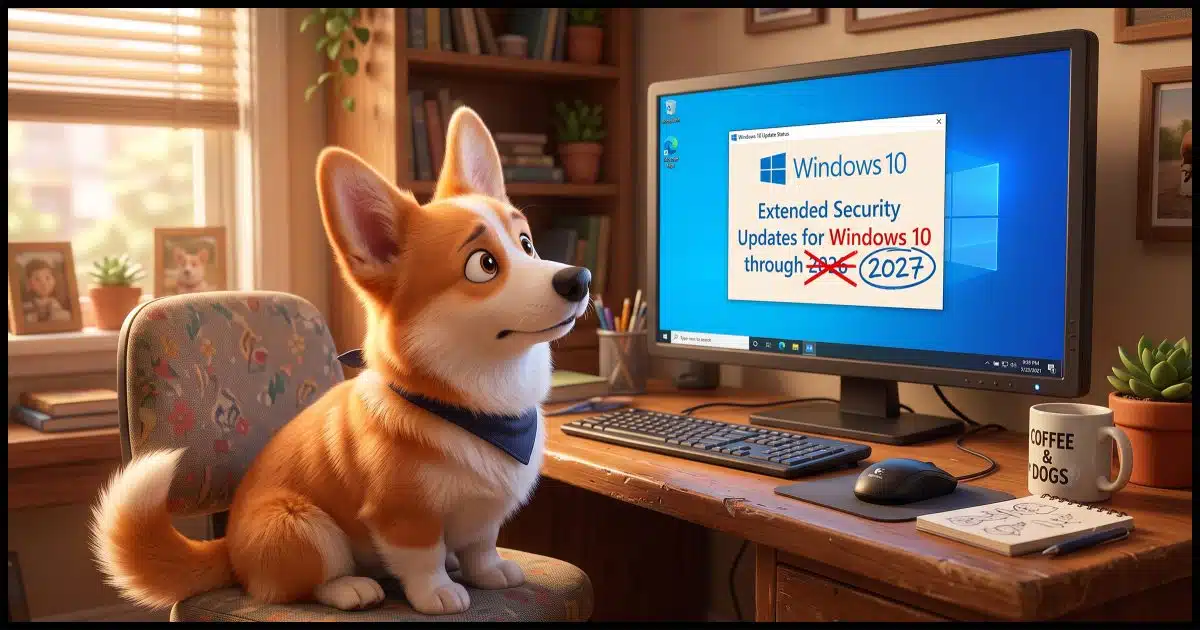
If you’re running Windows 10 and you’ve signed up for the Extended Security Updates (ESU) program, apparently you have another year of support coming your way.
I’m surprised, and yet somehow I’m not.

ESU Extension
If you signed up for Windows 10’s Extended Security Updates, you get even more time. Microsoft quietly moved the end date to October 2027. That’s an extra year of security updates. Already enrolled? You’re set. Not enrolled yet? You can still sign up.
ESU
The Extended Security Updates program was introduced shortly before Windows 10’s end-of-support date. Those who signed up (typically for free) get an additional year of security updates for their existing Windows 10 installation. In effect, it moved the Windows 10 end-of-support date from October 14, 2025, to October 2026.
This provided only security-related Windows 10 updates. Bugs are still not getting fixed unless they represent some kind of security vulnerability. Windows Security is unaffected; it will continue to be updated into 2028, regardless.
As I write this, the October 2026 deadline is less than four months away.
What should Windows 10 users do now? Apparently, nothing.
Help keep it going by becoming a Patron.
ESU Extended
Some sharp-eyed folks have noted that Microsoft quietly updated the end date for the ESU program from 2026 to 2027.
Windows 10 support has ended. You can enroll in ESU any time until the program ends on October 12, 2027. If you’re already enrolled, your coverage will automatically continue through that date—no action needed.
Related
How to Keep Using Windows 10 Safely after Support Ends
Worried about Windows 10 after support ends? Don’t be. I'll show you the simple steps -- good habits and reliable security software -- that will allow you keep using your Windows 10 computer safely.#184526
The Windows 10 ESU program will continue for another year, without additional cost.
This is pretty good news for all who plan to keep using it. (Which, you can, safely, ESU or not.)
Why?
I’m always reluctant to speculate about why Microsoft does what it does. Who really knows? I have a couple of thoughts nonetheless.
Windows 10 is still used enough that Microsoft can’t just walk away… yet. While they would love to have everyone on Windows 11, that’s not happening, for reasons ranging from its hardware requirements to general consumer reaction. They could double down on this, I suppose, and throw existing Windows 10 users into the wind. But given their statements about fixing some of Windows 11’s problems, perhaps this gives them some more time to address those issues.
The other scenario is that of Microsoft’s largest Windows customer: the corporate world. As I understand it, corporations could get security updates for longer than consumers anyway, but we also know that the work-from-home crowd has an interesting overlap of corporate and personal equipment. Corporations benefit if employees running their personal copies of Windows 10 are protected for another year, and Microsoft may understand that.
Microsoft could also be attempting to stem the tide of those leaving Windows completely. I don’t have numbers, but I’ve heard of many people investigating alternatives, including Macs, Linux, and Chromebooks. This removes a little pressure on existing Windows 10 users to take those leaps.
Do this
If you’re running Windows 10 and you haven’t yet signed up for ESU, you can still do so. The offer should be in Settings, Updates & Security.
If you’ve already signed up for ESU, congratulations! You have another year of coverage.
Subscribe to Confident Computing! Less frustration and more confidence, solutions, answers, and tips in your inbox every week.


I was happily continuing with Windows 10 and no ESU, but two things have changed. The extra year of bug fixes and AI. We are in the middle of a wave of bug fixes, fixing problems found by AI. Both the Chrome and Firefox browsers recently fixed way more bugs than normal. No doubt, this will affect Windows too. Paying $30 for two years of Windows 10 bug fixes for up to 10 computers seems like the right path. If you have only 5 PCs, perhaps friends have 5 and you can split the cost.
Maybe a word of caution, enrolling in ESU did not go well for me.
My 14 year old pc (originally Windows 8) did not get along with the ESU update.
I immediately started getting a blue screen stating “K Mode Exception Not Handled” and then a re-boot. The computer would be up for about 30 seconds, then re-boot. It was an endless cycle.
According to microsoft, I needed to install update rollup 2887595. There was no chance of doing that with the short up time. It turned out to be an update for Windows 8.1, so it was useless anyway. Next step was to start in safe mode and restore to an earlier date, which worked on the second try.
I’d still like to enroll, but right now, I don’t want to deal with the potential problems again.
The most likely explanation is that on a machine that old, that update was incompatible with your hardware. That eventually happens with most devices and OSes. It’s even happened to my Apple iPad.
Thanks for sharing this because I have a similar setup and feared this might happen. As it stands the upgrade from 8 to 10 killed the wifi adapter forcing me to use an external USB adapter. There’s no other way to fix it that I could find. Sounds like MS is trying to brick the older machines. No surprise!
As much as Microsoft employs dark patterns, I don’t believe this is an example of that. IAs hardware becomes more powerful, operating systems evolve to take advantage of new capabilities. Older hardware manufacturers often stop updating drivers for legacy devices because maintaining them costs money and doesn’t generate new sales. When those drivers fall behind, the hardware stops working — and that’s on the vendors, not Microsoft.
Microsoft gets blamed because Windows is the visible part, while drivers operate behind the scenes. But in most cases, Microsoft doesn’t benefit from this obsolescence beyond not having to support outdated devices indefinitely.
Updating – I ended up stuck in safe mode for some time, but the machine would run without re-booting endlessly. It took many attempts to get out of safe mode, but when I did, the whole “K-Mode” re-boot problem came back. I’m not willing to spend too much time on it since I have a newer laptop, but I’ll post something if I ever get it fixed.
Extending ESU doesn’t cost Microsoft anything significant. They already supply Extended Support for corporations. For the infinitesimal cost of bandwidth, sending out updates, earns them some good PR. I expected them to extend it, but I thought they’d charge another $30 for it,
I’m a bit confused about several comments referencing a $30 charge for the continued support. I am in Australia and still have an HP 650 I5-3210M bought in January 2013, originally running Windows 8, upgraded later to 8.1 and then Windows 10 Pro. I’ve received the extended cover for free since the end of Windows 10 support and received a message weeks ago from within Windows Update that the support will continue for another year. Again, at no cost. I have three other laptops running Windows 11 Pro but keep the old HP running on the network for some specific work processes with older programs.
As I said in another comment, Microsoft is offering RSU free in some places. I went to Windows Update and was planning to exchange some Microsoft Rewards points, and was offered ESU for free.
I upgraded my older Dell laptop to Windows 11 in spite of the fact that it’s CPU is too old to qualify using Rufus, and it activated with my existing digital ‘license’, so I’ve never looked back. When that device can no longer run Windows 11 acceptably, it’ll become a GNU/Linux-only laptop until it can no longer function adequately. It was my Wife’s computer until she passed away, so I want to keep it operational for as long as I can.
I do not see any offer for ESU. Where is it to be found.
If you open Windows Update in Settings, the ESU offer should appear there if your system is eligible.
I played safe and installed Win 10 LTSC . Runs like a dream and more years of updates
My desktop is an older Lenovo that came with Windows 7 Pro. I did the automatic upgrade to Windows 10 when it came out and have had no issues at all. I have always did all the updates over the years. My machine does not qualify for the update to Windows 11. I was ready to pay the $30 update fee for the year but when I enrolled, it was free. I wished they would continue doing the updates so I will not have to purchase a new machine, even though I do have a Win 11 laptop. Ask Leo is the best thing that I have used in a long time.
Note that Leo pointed out that the Microsoft Extended Security Update program is for security fixes, so “bugs” that are NOT security-related will not be fixed. If you have already enrolled your Windows 10 Home or Pro computer in the program, you do not need to do it again. If you have not enrolled your Windows 10 Home or Pro computer in the program you will likely get a message in Windows Update that you can now do that, but you will need a Microsoft.com account to do it for free. I am running three older PCs that would not accept a Windows 11 Pro upgrade; they have all been receiving security updates every month while still running Windows 10 Pro.
There is a fine line between “bugs fixes” and “security updates”. Security updates are security-related bug fixes. Microsoft decides what is a security issue, and it could be anything. In fact, the Windows 10 ESU updates do fix operational bugs that would be hard to describe as security related. What the ESU updates do not do is introduce new features or GUI design changes.
As an example of recent ESU changes (from Microsoft website):
“Fixed: An issue where the OneDrive shortcut in File Explorer stops working when File Explorer is run with administrative mode”
“Fixed: This update addresses an issue where the confirmation dialog might display an internal Recycle Bin file name instead of the original file name when permanently deleting a file”
“This update improves File Explorer search ….”
“Improved: File History in Control Panel when backing up files …”
Last, but not least, fixing bugs created by Microsoft’s previous ESU updates.
Those aren’t directly security related, but they are security adjacent issues that can affect security updates or may be security issues that don’t appear so on the surface.
Yes, I believe they call that entanglement or superposition, or something. The Majorana chip decides what’s what.
Mark – Could you send me a link how to CONTACT the ESU for help when issues during downloading Windows 10 Security Updates – your advise would be GREATLY APPRECIATED …! (see for more info in my RECENT POSTING-dated July 23-2026 down after these postings-MANY THANKS!) – Tony H.
I have an issue with my Dell Inspiron 5748 i7 laptop running Windows 11 Pro; it locks up or freezes within a few minutes after completing boot-up. I have 2 other Optiplex desktops, one running Windows 11 Pro and the other running Win 10 Pro. Neither has this problem. In doing some research, the only real fix I have found is to switch back to Win 10, but the system freezes before I can complete the process. I want to keep the files on that computer. Any suggestions?
I still don’t like Windows 11 because of the File Manager. I wish the Quick / Shortcuts were at the top. If it weren’t for that, I might switch to Windows 11. Though I still like the ability to run the old legacy Evernote once in a while when the current Evernote can’t find a note of mine.
I never liked Windows File Manager. I use the two panel Total Commander, which cost me about $35 30 years ago for a lifetime license that I’ve ported to every new machine. Now it costs about $50 for a lifetime license. If you don’t want to spend money, you can use Free Commander, which works just as well with a fewer features, which most people don’t use and can be replaced by other free apps.
Failed to mention that it is updated for a $30 fee ! They conveniently rolled out with that update with the attached fee almost immediately following October 14th, 2025. My previous laptop didn’t fail to tell me about it. Less than impressed by the fact that they are extending the date. At the end of the day, it’s just an easy money grab from people resistant to change and/or upgrading. People need to be smart and apply that $30 towards something new instead of hanging on by a thread for another year like it’s a magical fix.
Let’s do some math. A new computer costs between $300 ad $2000. My last computer cost me $600 which is pretty standard. The average lifespan of a PC is 5 or 6 years. If a PC costs $600 and lasts 6 years, your annual cost is $100. $30 to extend its life for $30 for 2 years means a savings of $185. Of course, you’ll get a new computer with more power so if that’s what you want (that’s what I want) then get a new computer. But if you just want a computer that runs and does what you are now doing, then I’d recommend getting ESU.And who knows? Microsoft migt extend ESU next year.
don’t understand this talk of a 30-dollar fee. I didn’t have to pay anything.
Many are getting it for free. For example, it’s being offered for free in the EU.
Thanks again Leo for helping us keep up to date. There’s quite a breadth of users out here who appreciate the objective approach.
Very URGENT question please…!
1) I’ve recently purchased & registered to ESU for my old Gateway-DESKTOP, but have started having a problem in installation of Windows Security Update KB 5099539 in Windows 10-Version 22H2 for x64-based Systems: suggested to review-contact 0x80073701 for HELP but it did NOT HELP-can you provide help…?
2) How do I repair in Windows 10 when it starts downloading my Email-messages instead of in ‘Inbox’ in ‘Trash’ …?