Not better. Complementary.
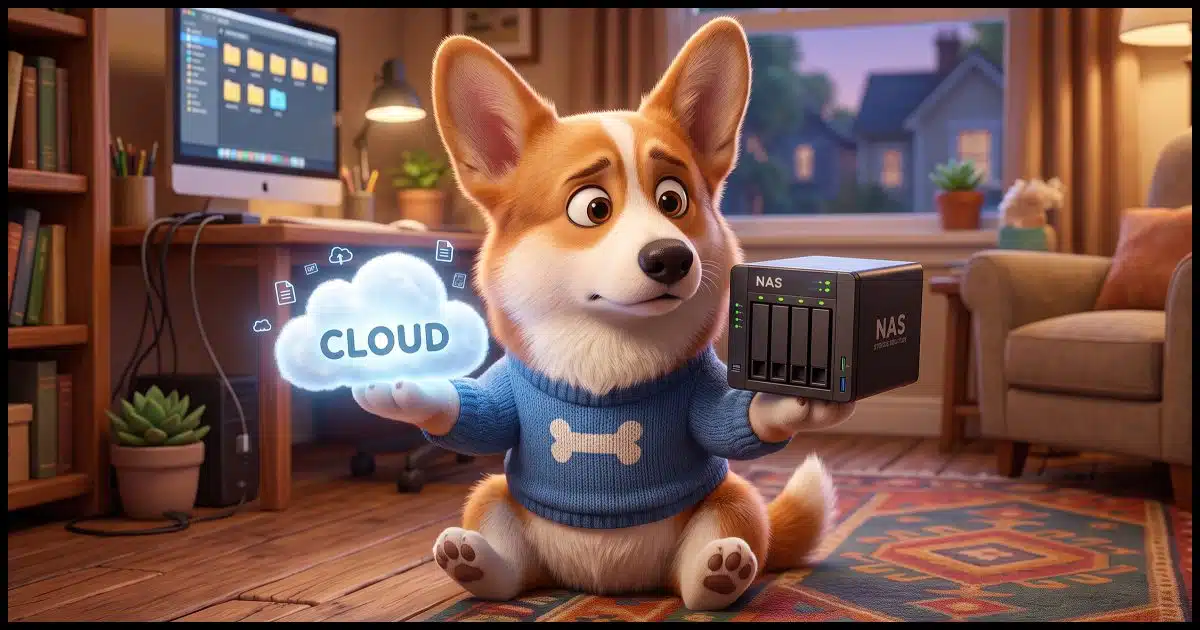
The advantage of NAS (Network Attached Storage) over cloud storage is only a quarter of what’s important to consider, which include the advantages of cloud storage over NAS and the risks involved in using either.
It’s not an either/or situation. I use both.
Depending on your situation, you might as well.

NAS vs. Cloud -- Why not both?
You don’t have to pick just one. NAS sits in your home, so you’re in full control. Cloud storage is easy, but you rely on another company to keep it safe. The best plan is to use both. Always back up your files in more than one place.
Definitions: NAS and Cloud
A NAS, or Network Attached Storage, is a computer you own that sits on your local network and has lots of disk space.
The cloud is someone else’s computer that has lots of disk space that you access over the internet.
Help keep it going by becoming a Patron.
Related
What’s a NAS? How Do I Set One Up?
NAS, for Network Attached Storage, is a device that provides shared disk space on your network. You may already have one.#98349
NAS – Network Attached Storage
The “network attached” part of the name simply means that the device is connected to your local network. The “storage” part refers to the disks installed in the NAS that are available to other computers on your network.
Yes, there are fancy and expensive NAS devices available. They’re boxes dedicated to holding multiple hard disks, often in a RAID configuration for either speed, resiliency, or both. They frequently have a minimal web interface for configuring the storage, and might not even require a display or keyboard. They may run some variant of Linux, though that may or may not be exposed.
My NAS devices are different. I have two, and they’re both PCs with external disks attached. They run Linux and make those external disks available to the other devices on my network. They don’t necessarily have the speed or resiliency of a dedicated device with RAID, but it’s been a great way to recycle both machines and disks as they cycle through my system. One currently has approximately 45TB of disk space, and the other is being phased in with around 10TB.
Related

How to Use Cloud Storage Safely
Your files are in OneDrive, so are they backed up? Not necessarily. Cloud storage and cloud backup are not the same thing, and confusing the two can cost you everything. I'll give you four simple rules that keep your files safe.#16362
Cloud Storage
“Cloud” means you access this form of storage over the internet. “Storage” refers to the disks (or whatever) used to provide a place for the files you choose to upload.
Cloud storage often gets confused with two separate things:
- The actual storage. At its purest, it’s a place for you to store files.
- Synchronization tools. Popular cloud storage providers often include tools that automatically upload and download files from and to a dedicated folder on your computer. OneDrive and Dropbox are two popular services that do that.
In this article, we’re focusing more on the storage part and how that compares with a NAS.
NAS pros and cons
A NAS is completely in your control. It’s in your physical location and has as much storage as you’re willing to purchase.
A NAS is as private as you decide it should be. It’s on your network, available only to those computers (or individuals) you allow to have access to it. No third party is going to scan your data, delete your data, or do anything else to what you store on your NAS. Some NAS devices support remote access so you can access your data while you’re elsewhere, but this, too, is completely in your control. 1
And as I mentioned above, purpose-built NAS devices are often faster and more resilient than, say, my homebrew recycled PCs acting as a kind of NAS.
Unless you’re recycling, a NAS is a device you need to purchase. It’s also another computer you need to maintain to make sure it’s running and secure.
And, of course, a NAS suffers the same kinds of risks as any device in your home or office, namely disasters like fire, flood, or theft.
Related

Common Cloud Objections: Yes, They Can See Your Data. No, You Shouldn’t Panic.
Many people fear their files stored in the cloud get scanned, stolen, or used to train AI. I'll break down the most common objections and share how easy it is to keep your data private.#193269
Cloud pros and cons
Cloud storage of any truly usable amount is a subscription service you pay for by the month or year. If you need more, you can get more by paying more.
Cloud storage can be a part of a subscription you already have. For example, Microsoft 365 includes a terabyte of OneDrive storage2. Some Google plans include Google Drive storage, and some Proton plans include Proton Drive storage. Unless your needs exceed what’s included in those plans, you may not need to pay for anything more.
Another advantage of cloud storage is that there’s no additional hardware to worry about. Sign up for the service and start uploading.
The biggest concern I hear these days is that using the cloud — which is someone else’s computer, after all — gives them access to your files. In a sense, that’s true, because they have to be able to store and copy the files in order to provide the service. The concerns are more nefarious, ranging from using your data to train AI to building more detailed profiles about you. I don’t buy into any of that, but it’s a common enough concern that you need to understand those risks.
The concern I do have, however, is that it’s an online account, and online accounts get hacked every day. Not only can a hacker then access files you might have stored in the cloud, but you could lose access to them yourself. Keeping the account secure is critical.
Which brings us to the story that prompted this question.
If it’s in only one place …
The person asking the original question pointed me to this story from Tom’s Hardware: PBS broadcaster loses access to 50TB of data comprising 70 years of TV history after contracted cloud storage vendor goes defunct — public TV channel sues Iron Mountain data center, which hosts archival materials, to ensure preservation.
My response?
Wow. If ever there was an example of “if it’s in only one place it’s not backed up”, this is it.
The cloud is just one place. I don’t care that the cloud service backs up its server; those backups are for their protection, not yours.3
It’s not either/or
You can probably see where this is headed. You don’t have to make a choice. Use both.
Use a NAS locally to store your data, and back it up somehow. That could be to other computers (another NAS?). It could be to the cloud.
Use the cloud to store data, and back it up somehow. That could be to your NAS (I do this), or to another cloud provider (difficult, but possible).
In my case:
- I back up all my cloud storage to my NAS devices. All of it. Even the cloud storage I manage for others.4
- I back up important data on my NAS devices to other drives on those NAS devices.
- I back up important data on my NAS devices to the cloud.
My scenario is likely overkill for most, but you get the idea: back up your NAS, back up your cloud storage, and perhaps do so by backing up one to the other.
(And if you’re not technically using a NAS locally — say the data just resides on your computer — back it up anyway, possibly using the cloud.)
Do this
Understanding the pros and cons of both NAS and cloud storage, you can hopefully make a more informed decision.
But whatever you decide, back it up somewhere, somehow.
Subscribe to Confident Computing! Less frustration and more confidence, solutions, answers, and tips in your inbox every week.
Podcast audio

Footnotes & References
1: I’ve not done this directly, but I do have a technique where I can leapfrog from one machine to another using a computer that does have remote access enabled.
2: In fact, if you’re just looking for cloud storage, it’s possibly cheaper to purchase Microsoft 365 and ignore everything except OneDrive.
3: Because this involved a cloud service provider acting as a middleman, the PBS station was able to sue the underlying storage/backup provider and recover their files. The lawsuit was required to establish ownership. They got very, very lucky.
4: Meaning my volunteer work.

“Unless your needs exceed what’s included in those plans, you may not need to pay for anything more.”
If you outgrow the storage included with your current plan, you don’t necessarily need to start paying. You can supplement it with multiple free‑tier cloud services—OneDrive, Dropbox, Mega.nz, Google Drive, Proton Drive, and so on. Despite what people often assume, running several sync clients doesn’t meaningfully affect system performance. They poll for changes infrequently and in very small bursts, so most users never notice they’re running.
Someone please point me to a cloud storage application with which I can mirror my documents, not sync my documents.
There are a few, such as Backblaze, CrashPlan, Acronis Cloud Backup, and Carbonite. Carbonite doesn’t give you much control over what gets backed up. Cloud services that offer backups are generally mirrors. One glaring exception is the horrendous OneDrive Backup.
We also back up to removable drives that we keep in a different state. When we visit, we swap out the drives.
I don’t trust Microsoft or Google to keep my data private and available to me.
You mention NAS being another computer. Is backing up data on a SSD drive connected to a computer similar to a NAS? I know it’s not a network.
Not really. I mean, kinda, if you also share that drive out to other computers on the network, but a NAS is typically a stand-alone computer.
That was a quick response!
Thanks for the clarification. I only have one desktop computer that I access my files with. I do back up all my documents and data to my SSD USB drive daily. I use Carbonite to continually back up my data and documents.
By the way, I greatly enjoy your blogs and information. You are a valuable and trusted source of information.
Similar, but different. A NAS is a dedicated computer that gives access to computers on the network. A USB drive attached to the computer can be accessed only by that computer and computers given access through that computer on the network. Backing up on both is conceptually the same, each are accessed via a drive letter, but the underlying thechnology is different.
That was a quick response!
Thanks for the clarification. I only have one desktop computer that I access my files with. I do back up all my documents and data to my SSD USB drive daily. I use Carbonite to continually back up my data and documents.
I love your concept that if it’s only in one place, it’s not backed up. How to you deal with backing up documents and spreadsheets made by Google on Google drive? They are only in one place (in the cloud) but they can’t be downloaded to a local NAS or even a local laptop automatically. If I try all I get is a URL that points to that copy in the cloud. I have to do FILE / DOWNLOAD / and choose a format (and that format varies by if it’s a doc, a spreadsheet, a slide presentation or whatever.
Is there a way to automate this to back stuff up locally automatically?
Not that I’m aware of, and it is indeed one of the major drawbacks of Google Docs.
This is one area in which OneDrive / Office 365 is an advantage. As long as a client downloads the full documents, you can back them up. Of course, that is only one factor in your decision, assuming that you have a choice.
I subscribe to MS 365 for the storage space. I share the account with others and we each get 1 TB storage. Since I have 3 leftover licenses, I have 3 TB more storage if I need it. And I use MS Office programs which are a bit nicer than Libre Office which I’d use if I didn’t get Office for free.
As they say, there are two kinds of computer users: Those who’ve had a hard drive crash, and those who’ve not had a hard drive crash yet.
I’ve had several, but only lost information once. Since then, I’ve always backed up my hard drives and my external hard drives. Right now, I have one 4 TB drive that contains all my images and important documents. I have a 2nd 4 TB drive that I back up the first drive to (I do this manually using ChronoSync—it only updates new or removed items), and a third 4 TB drive that I use with the Mac’s Time Machine. I also back up my computer and the first drive to a cloud service.
Yes, I sleep well at night.
Why would you need NAS? Why not keep your files (document, pictures, videos, music, download, etc.) in your computer (PC in my case) and have the Cloud as a backup. Everything is stored in two places, anything wrong with this?
A NAS is the belt and the Cloud is the suspenders (or vice versa). There’s no such thing as too much backup. Leo recommends the 3,2,1 method.
3 copies
2 different formats (the NAS & th e cloud)
1 Offsite copy (The Cloud copy)
A system image backup is essential and requires a NAS or USB backup drive.
How Do I Back Up My Computer?
My over-all backup regimen:
1. My files stored on my computer for immediate access
2. My files, stored in selected folders, synced to my free mega.nz account’s 20GB storage space (I can increase storage with a paid account upgrade).
3. Daily incremental image backups, stored in an LXC on a local desktop computer, repurposed as a Proxmox server, the first part of my home lab.
As a result, my files exist in three discrete locations, my computer, my Proxmox server, and in my mega.nz account’s storage space.
I chose mega.nz as my cloud service of choice for a few reasons:
First, I get 20GB of storage space with my free account.
Second, and equally important to me, my files are encrypted locally as part of the synchronization/transfer process, then stored on mega.nz in that encrypted form. Since the encryption key is stored locally (on my computer), not on mega.nz, synchronization is a zero-knowledge, end-to-end encrypted process, so only I have access to my unencrypted files/folders.
Third, The only time I see any promotion is when I log into my mega.nz dashboard on their website, consisting of a single pop-up promoting some new product or suggesting I upgrade to a paid account.
The backup utility I’ve selected to create daily backup image files is Veeam Agent free, because it’s free for personal use, because it creates image backup files, and can store them on my Proxmox server or on a drive on my computer (not the drive Windows is installed on), and because it’s an enterprise-quality backup solution, while remaining fairly easy to use.
Everyone should have a fully automated 3, 2, 1 backup/data-security plan. What I’ve presented above is mine. I strongly recommend that anyone who reads this take the time to set up a backup/data security plan that meets their needs. Suggestions or questions? Please reply,
Ernie
Pcloud is one EU based (Switzerland) cloud storage vendor I’ve been using for over ten years now (around since 2013). They have a good track record and had ‘lifetime’ prices available. A few times a year they’ll usually offer a significant discount.
Another cloud provider: Dropbox also provides minimal ‘free’ storage, which I use solely for Documents.
Google provides 15GB which is a respectable amount for free.
There are options out there!
I’ve been reading about ‘SyncThing’ – I’ve yet to try it but it *sounds* like a tool that can synchronize a defined set of folders across more than one device. I’ve been using ‘FreeSync’ for a while to manually do one-way ‘backups’ across my NAS and external Hard Drives, and my PCloud drive.
Funny thing — I just recommended SyncThing to someone whose Windows File History stopped working.
For free cloud sync services, if one doesn’t give you enough storage, you can simply use several together: OneDrive, Google Drive, MEGA.nz, Proton Drive, pCloud, Box, Dropbox, Icedrive, Sync.com, and more.
They don’t noticeably hurt your bandwidth because they poll infrequently; the only real bandwidth use happens during actual syncing.
I am a Linux user. I have a home-built NAS with 12 TB of RAID1 storage. I also subscribe to an online service called BorgBase. The data you back up to their cloud is encrypted before it ever leaves your system. If you use multiple computers, even their entry-level tier lets you have up to ten unique repositories, which share the same storage pool for your account. Once you configure the directories you want backed up, backups run in the background, and you get warnings if something doesn’t work as expected. My NAS backups are updated once an hour. Cloud backups run every three hours.
Two is one. One is none.
So my needs are pretty simple. I have somewhat recently installed and been using Macrium Reflect which is working well. I stopped using OneDrive. I have a DropBox account. Could I copy my Reflect backups, say once a week to Dropbox?
Probably not. A system image backup would, in most cases, take days to upload. It’s more practical to keep your personal files in Dropbox.