Protect your data and yourself.
“Cloud and cloud, what is cloud??!!”1
It seems we can’t say or do much in technology these days without that buzzword — “the cloud” — rearing its head. To be fair, it’s a powerful concept: nearly unlimited storage for all your information, accessible to you from anywhere the internet might reach (which is pretty much everywhere these days).
But is your data safe in the cloud? It can be, but there are two types of cloud data threats to prepare for.

Safe storage in the cloud
Cloud storage is handy, but it comes with two real threats: someone seeing your files or the service losing them completely. To curb exposure, secure your account and encrypt anything sensitive. Back up your cloud files somewhere else to avoid loss. Do both, and you’re in good shape.
Threat 1: Data exposure
“Data exposure” means someone who shouldn’t have access to your information does.
The most common scenario is someone hacking your account with the cloud storage provider. Once in, anything stored in your account is visible to the hacker. They can view, copy, download, duplicate, or share any of the data you have stored online.
A common worry is that someone at the cloud storage service will look at or copy your data, or be compelled by law enforcement to provide access.
For the first concern, obviously, we should ensure all our accounts are secured properly. This includes the usual litany of using strong passwords unique to each account, not sharing them with anyone, and enabling two-factor authentication whenever available. A secure account is your best protection against hacking.
Most folks don’t need to worry about rogue employees or police officers with a warrant.
Most folks don’t need to worry about data exposure, as long as they keep their accounts secure.
Help keep it going by becoming a Patron.
Related
Cryptomator: Encryption for Your Cloud Storage
Cryptomator is a powerful tool to protect the data you store in the cloud.#43770
Protecting yourself from the threat of data exposure
What if you are worried? What if the data you want to store in the cloud is more sensitive than random family and pet photos? What if you want to make sure no one without authorization can ever see it, no matter what?
Encryption is the answer.
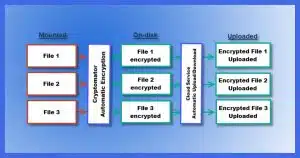
I use Cryptomator. It and similar tools ensure that the data you place online is always encrypted and safe from prying eyes. You access the files normally, and Cryptomator handles the rest.
Hackers, service providers — even law enforcement, if they gain access — would only see encrypted blobs of random data. Your data stays safe and private in the cloud.
Threat 2: Data loss
By “data loss”, I mean that when you go to access your data stored online, it’s inaccessible or just not there. This includes the threat of ransomware.
Data loss might be a larger cloud data threat than exposure.
The most common scenario is the same as above: someone hacks your account with the cloud storage provider. The hacker might then change your password, denying you access, or just delete all your files. The result is the same: you no longer have access to your files.
The cloud service providers are almost certainly backing up their equipment, but those backups are for their protection, not yours. If a hacker deletes all your files, it’s extremely unlikely the provider will restore them for you.2
If your account is unrecoverable or your data is deleted, you may be completely and severely out of luck.
Related

How to Back Up Windows
Don’t risk losing everything! I’ll show you how to back up Windows step by step, using free tools you already have. Protect your files, photos, and memories so you’re ready when, not if, disaster strikes.#30103
Protecting yourself from the threat of data loss
We already know how to protect ourselves from data loss. You don’t need an online service to be at risk — one failed hard drive can get you the same result.
Backing up is the answer.
Remember:
- If data exists in only one place, it’s not backed up.
- Online services are only one place.
For example, if you have files in OneDrive, OneDrive is only one place. Even if you have the files in OneDrive folders on multiple computers, OneDrive is still only one place. (Remember, deleting a file from within OneDrive will quickly delete it from all of the other OneDrive installations.)
Make sure you’ve backed up those files somewhere else. “Somewhere else” could be a different online service, your PC’s external hard disk, or somewhere else entirely.
Assume the online service you’re using might go away suddenly and completely. Let’s say all your files in the online service are deleted at the same time — both what’s literally stored online, and anything that might have been replicated to your computers. Could you still recover the files from somewhere else?
If the answer is no, you’re not backed up.
Provider concerns
A frequent conversation revolves around whether or not service providers — Microsoft for OneDrive, Google for Google Drive, Dropbox, and others — are cloud data threats themselves. The concern is that the providers are using your data for their own purposes, such as building a profile on you or using it to train AI.
I believe that those concerns are severely overblown. Cloud providers aren’t claiming ownership of your files. They’re not building some kind of massive profile about you based on your files, and, unless it’s written in the terms of service, they’re not using your data to train their AI models. Some are scanning for CSAM (Child Sexual Abuse Material), but I’ve seen no evidence of it going further than that.
I believe strongly that those three providers (and many others) are trustworthy. I have no problem placing my data in their hands. I don’t feel the need to protect my data from them. In my opinion, the data-loss scenario presents a much greater risk. I’m more likely to encounter a problem due to a hacker than I am due to a problem at the service. And securing my account properly keeps me safe from hackers.
Nonetheless, it’s a valid concern: it’s important to trust the provider of your service. If you feel you can’t, it’s time to choose a different service. Choosing no service (i.e., not using cloud storage at all) seems a gross overreaction from where I sit, but many people take that position.
Besides, encryption solves this problem as well. If you only upload encrypted files, then they’re of no use to anyone, including the cloud service provider.
Do this
Use cloud storage, but use it wisely. Make certain that your account is properly secured, and encrypt any data you consider sensitive before you upload it.
Cloud services are a great part of an overall backup strategy and a great convenience in general.
Subscribe to Confident Computing! Less frustration and more confidence, solutions, answers, and tips in your inbox every week.
Podcast audio

Footnotes & References
1: A Star Trek reference, for those who didn’t catch it.
2: Some services, like OneDrive and Dropbox, do have a Recycle Bin, and may even detect mass deletions or changes. This can give you a chance to recover your files from a specific date. It’s a nice safety net, but it’s only a convenience, and not something I’d want to rely on.

Personally, I wouldn’t worry about any “rouge employee” as I’m pretty sure they would be caught…er….red-handed!
Heh. Yep. That slipped through. ¯\_(ツ)_/¯ Fixed.
How did you do that cute lil’ graphic…???
That’s done using ASCII characters. It can be copied and pasted.
Technically that’s not ASCII, but UNICODE, I think. I use the Windows built-in emoji keyboard. +. and then the ; – ) item on the top opens up a display of several such items. Pretty fun. (●’◡’●)
I use Windows 10 File History as one of my backups.
Your thoughts, please??
Thanks for the great newsletters.
Pete
It can be a part of a backup strategy, but it’s not cloud related.
More here: How to Back Up Windows 10
Not sure if you do recommendations on specific programs, but I just started using a cloud service called Sync that claims to have end-to-end encryption and no employee access to files. Any thoughts? I’m seriously considering storing sensitive files on it.
There are a few that have similar names. Can you be specific about which one?
Leo, you wrote:
“Cloud and cloud, what is cloud??!!”
The very instant I read that, I burst out laughing. I didn’t even need to see your footnote; and I respond: “You are not morg, you are not eyemorg!” (Whatever the “H” that means.)
LOL!!! 🙂
+100 points to you, Rascal.
(from the few of us that grew up on ST)
Leo, nice article, and perfect footnote.
I always turned off Files on Demand in OneDrive. That way a copy of my OneDrive folder was always on my computer, which gets backed up on a schedule. I switched to using Google Drive and set it to mirror the files in the Google Drive folder, again keeping a copy of the files on the computer. Even though OneDrive and Google Drive are designed to sync files between computers, I have an offsite backup of important files by doing this.
I also use Cryptomator. Once a month I copy the files in the Cryptomator vault to an external hard drive unencrypted in case something goes awry.
I have created my own home cloud using a raspberry pi and several hard drives. My workshop id physically separate to my house. This provides me with offsite backup and all data is encrypted on the drives. I also use Windows 10 file history and linux NAS setup too for backups. You can set these up yourself using some inexpensive / second hand hardware.
An end-to-end encrypted cloud service is the way to go, IMO. That way you don’t need to worry about encrypting files at all. It’s done automatically. I use Mega. It has the added advantage that as many folders as you like can be included. There’s no specific “Mega” folder. I included my Documents, photos, and Calibre library; all the “can’t lose” data.
I backup all my files. So, why do I need cloud….One less thing to worry about. I must get 20 spam emails a day that they are going to drop me if I do not renew my cloud and send them money. Of course they will never get a penny.
If you are backing up diligently, you don’t need the cloud, but it’s great for backing up files as they are added or created.
https://askleo.com/using-onedrive-nearly-continuous-backup/ (This also applies to Dropbox, Google Drive, Carbonite, or BackBlaze etc)
If you don’t want to pay, you can use several free cloud sync services and divide your files among them. Contrary to what some might expect, running multiple sync clients simultaneously generally has minimal impact on computer performance and internet bandwidth, especially with modern hardware and broadband connections. You won’t see any noticeable difference in performanc.
Like @Fred St. John, Sr, I use mega, for the same reasons. I also use Macrium Reflect Free to backup my computers to external drives (one for each PC). This way, unless I misunderstand, my files are stored in three places – 1. Locally on my computers storage drives, 2. In my backup image files stored on the external drive, and 3. In the cloud, on mega’s servers.
Because mega encrypts the files on my computer before they are copied to the mega servers, my files are encrypted during transit across the Internet to mega as well as being stored on their servers in encrypted form, so even if hackers manage to infiltrate mega’s servers, my data remains safe because the encryption key’s stored on my computer, not on mega’s servers.
While I know that there’s no perfect security system (and the use of the cloud always includes this discussion), I also know that thieves will usually seek the low-hanging-fruit, so I try to rise above that definition as much as reasonably possible.
Ernie