An ongoing challenge, to be sure.
While I’ve fortunately (knock on wood) never been a victim of actual identity theft, I’ve definitely had a credit card compromised a time or two over the years. It’s frustrating, a little scary, and once it was extra inconvenient, as I was travelling when it happened!
Some aspects of transaction technology have changed in recent years, making credit card use safer than ever… if you take advantage of them.

Protecting your card
To avoid having your credit card info stolen in-store or online, use tap-to-pay or phone payment apps for in-person purchases, because they never share your real card number. Shop online with virtual card numbers. Set up transaction alerts to catch fraud fast. When in doubt, use a credit card, not a debit card.
Credit or Debit?
Throughout this article, I’ll refer to credit cards, but many of the same considerations apply equally to debit cards. Debit and credit cards look similar, can usually be used interchangeably, and use the same payment networks, but the differences are important to understand.
Credit cards usually include some level of protection provided by the credit card companies. If your card is stolen, for example, you’re generally not responsible for purchases made thereafter as long as you report the theft quickly. Similarly, if you have a dispute with someone you’ve paid via credit card, you can often challenge the charge with the credit card company; their leverage can often expedite a solution.1 Credit cards can also accumulate your debt, which you then pay monthly or over time.
Debit cards are best thought of as a direct line to your bank account. While some banks offer some level of credit card-like protection, most do not. Once money is transferred by using a debit card, it’s gone. Debit card transactions are similar to immediate withdrawals from your bank account.
Help keep it going by becoming a Patron.
In-person transactions
If you’re paying at the grocery store, the coffee shop, or anywhere you’re physically present, you can take action to keep your information more secure.
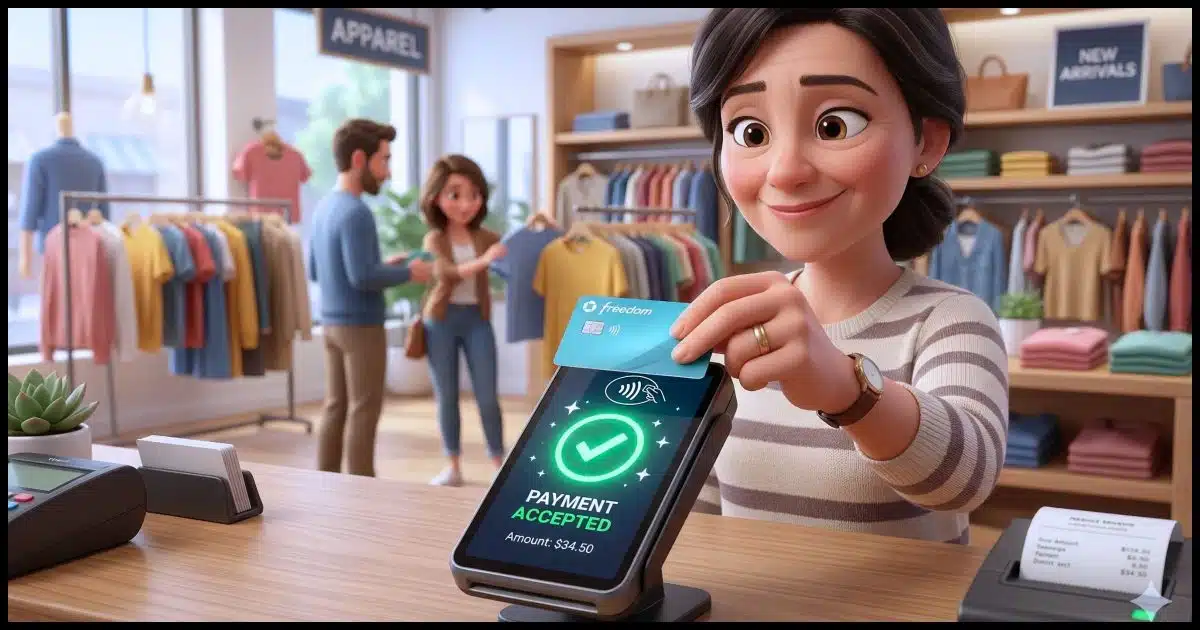
- Use tap-to-pay (contactless) whenever possible. This is where you literally tap or wave your contactless-enabled credit card over a contactless reader. It generates a one-time code instead of transmitting your actual card number. Even if someone could intercept the number, it’s useless.
- Use Apple Pay or Google Pay on your smartphone. These work the same way as contactless payments and are even more secure than the physical card. I use Google Pay whenever possible. It also allows me to use several different cards, even though I might not be carrying the physical card with me at the time, because they’re all stored in my phone. To use the app, you generally have to authenticate at payment time via password, PIN, or biometrics. It’s quite quick and convenient, though.
-

(Image: Gemini) Cover the keypad when entering your PIN. Not only are there people nearby who could “shoulder surf” and see what you’re entering, but with today’s mobile phone cameras, they could be quite a ways away and still be able to record something that captures your PIN.
- Avoid sketchy card readers if you can. Gas pump skimmers are the most common. Pay inside when possible, or, even better, use tap-to-pay at the pump if it has that capability (more and more do).

Related
Shop Online Safely: My Choice for the Best Free Virtual Credit Card
Virtual credit cards are a great tool to help protect yourself when shopping online. After using a service for well over a year, I have a recommendation.#128848
Online transactions
When paying online, there are other steps you can take to protect yourself.
- Use virtual card numbers. Many banks and credit card companies offer these. They’re temporary, unique card numbers tied to your real account. Even if stolen, they can’t be reused. I’ve written about Privacy.com in the past. Privacy.com numbers are locked to the first merchant you use them with. While it’s technically a debit card, Privacy.com numbers can also include spending limits and can be closed or invalidated in an instant.
- Don’t save your card number on shopping websites if you can avoid it. I get that this is convenient, and I’ll admit to doing it, but only with sites I know and trust. The more places your number is stored, the more chances it can be stolen.
- Use PayPal or similar services as a middleman. Many people don’t realize that for many sites that offer payment via PayPal, you may not need a PayPal account. PayPal simply acts as the credit card processor; the merchant never sees your real card number. (PayPal may encourage you to create a PayPal account, but it’s usually not required.) Similar services include Stripe, Square, Link, and others.
- Only shop on sites with https:// (the padlock icon in your browser). This is the default these days, so if you do see only HTTP, your browser may warn you. HTTPS is important because it prevents your information — including credit card information — from being captured by someone listening in on the digital conversation. Lack of HTTPS can also be a sign of a malicious site attempting to fool you into entering your credit card information.
- Watch for phishing emails pretending to be stores or banks. Phishing attempts take various forms, but some include asking you to “verify” your card (which is never needed).
General safety habits
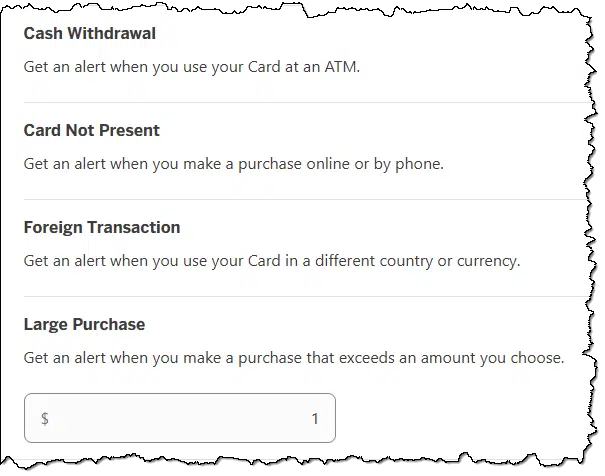
- Set up transaction alerts with your bank or credit card company so you get a text or email for every charge. You’ll catch fraud fast. In some cases, you may need to set a minimum transaction amount for which to get alerts. Set this as low as is allowed so you get alerts for as many transactions as possible.
- Use a credit card instead of a debit card for purchases. As I mentioned above, credit cards have stronger fraud protection, whereas a stolen debit card hits your actual bank account directly.
- Monitor your account online and look for unexpected transactions. Set up online account access and check it from time to time. Honestly, it’s not enough to check the paper statement you might get in the mail once a month; by then, it may be too late. If you find something irregular, contact your credit card company immediately.
- Check your credit reports at AnnualCreditReport.com2. You can get free reports from all three bureaus (Equifax, Experian, TransUnion). Beware of other sites offering free credit reports; they’re often scams.
- Consider a credit freeze if you’re worried about someone opening new accounts in your name. It’s free and doesn’t affect your existing cards.
Do this
My strongest suggestion is to start using tap-to-pay in person. Not only is it convenient, but it doesn’t share your credit card number with anyone.
My second suggestion is to use virtual card numbers for any online purchases you’re not 100% certain about.
Third one? That’s easy: subscribe to Confident Computing! Less frustration and more confidence, solutions, answers, and tips in your inbox every week.
Podcast audio

Footnotes & References
1: But please attempt to resolve the problem with the merchant directly first. Credit card “charge backs”, as they’re called, cost the merchant. I’ve had several people cancel their patronage by disputing the transaction on their card where a simple email to me would have worked equally well without me having to pay a penalty.
2: In the U.S., at least. Check your local options in other countries.

Great info Leo. There are so many entities trying to separate us from our money.
Will Paypal (with no Paypal account) and similar services Stripe, Square, Link, and others, be able to create a customer profile of my info if I pay a merchant using their system?
If you aren’t granted a card credit, open a separate account and connect your debit card to that account and use that account for card transactions only. Make sure your salary and other deposits is made on another account. Keep the balance on the card account as low as possible. Transfer from other account only when you need to.