You might think so, but…

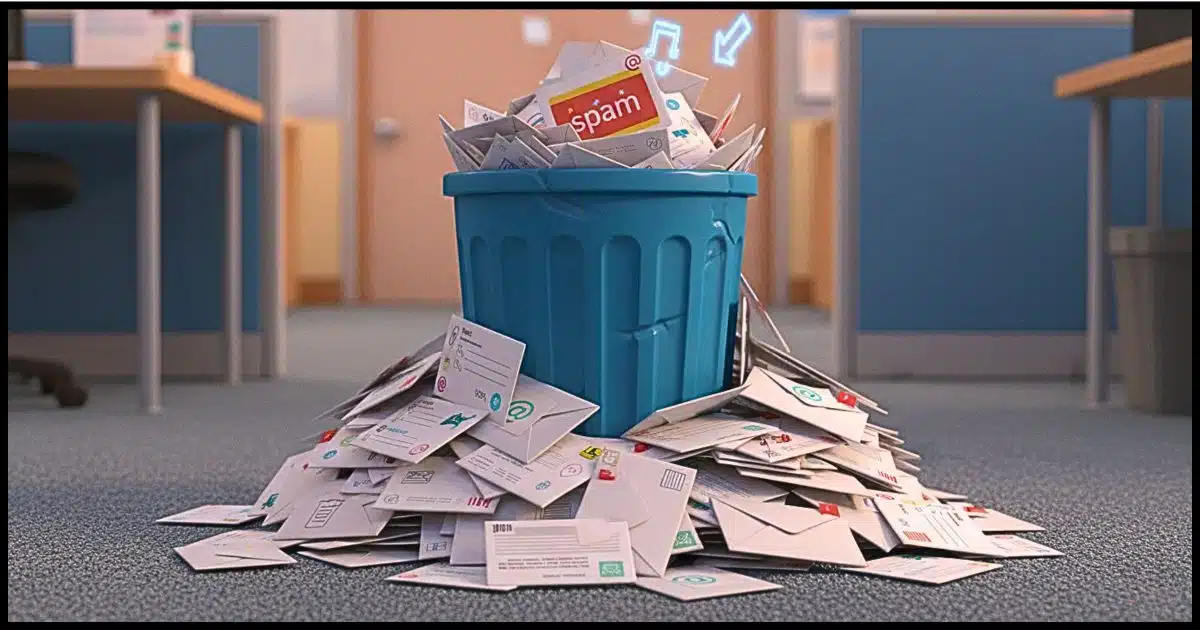
When you “permanently” delete a file, the operating system just sets a flag or removes an entry from a list. The file’s data remains on disk until the space is overwritten later by other files. This can allow some files to be “un” deleted if they haven’t been overwritten.
Does the same apply to email messages?
It’s complicated.

Deleted email
Deleting email is similar to deleting a file on disk. Both files and email programs can use Recycle or Trash bins, and both are permanently deleted when the bin is emptied. With an online service, there’s no way to know what “permanent” means. In a desktop mail program, there are several ways a permanently deleted email might still be recoverable. Depending on the situation, backups (either your own or those of the service you use) might also recover emails. And, of course, the person at the other end of the message — sender or recipient — could also have a copy.
When deleted emails aren’t really deleted
In most email programs and web interfaces, deleting a message doesn’t actually delete it. Instead, the message is moved to a special folder, typically called Trash, Recycle, Deleted Items, or something similar. What happens next depends on the program or service.
Most online services automatically delete email from the trash after some amount of time — usually 30 days. This gives you a month to change your mind and recover anything you didn’t mean to delete.
Desktop email programs often have a setting controlling what happens to trash, so you can decide whether it’s left alone until you explicitly empty it or if it gets emptied automatically when you exit the program.
The real question is, what happens when deleted emails are actually deleted from the trash?
Help keep it going by becoming a Patron.
Emptying trash online: we just don’t know
When it comes to online services, we have no idea how trash is handled. It’s hidden behind the service provider’s interface. I expect it varies from service to service, and in fact might even change over time; they’re not obligated to tell us.
The practical effect for users, though, is that once an email has been removed from an online service’s trash folder, it’s gone.
There’s no getting it back, except possibly in some exceptional circumstances I’ll talk about in a moment.
Emptying trash in programs: it varies
Desktop email programs store email on your computer in a variety of ways. Some use a fairly complex database in a single file (see below for an explanation); some use a less complex file for each folder; and others use your operating system’s disk structure, mapping email folders to disk folders and storing individual email messages as individual files.
What happens when trash gets emptied varies a great deal.
When the email program keeps individual messages as individual files, it’s pretty safe to assume they behave exactly like deleted files, because they are deleted files. It’s possible they could be undeleted.
Programs using database files (like Microsoft Office Outlook [classic] PST files) can be much more complex. In the case of a PST, for example, when a message is deleted, it’s simply marked as deleted and is not overwritten until the space it was using is needed. Deleted mail might still exist in one form or another within the database for some time.
Some programs provide a “compact” function that removes the unused space so the database no longer has the message. The complication is that the compact function may copy the database to a new file and simply delete the old one. That means there may be a deleted copy of the old database that could be undeleted, still containing remnants of the deleted message that could also then get undeleted.
I told you it could get complicated.
Don’t forget about backups
It’s easy to overlook the impact of backing up when it comes to recovering deleted email.
That exceptional circumstance I mentioned earlier is exactly that: your online email service almost certainly backs up your account. We don’t know how often or for how long, but in order to be able to recover from various types of failures, they need backups.
The irony is that these backups are useless to you and me. They exist to protect the service, not us. If you delete an email, the service won’t retrieve it from its backups for you.
However, they could get a court order to retrieve an email from their backup. This means even if you’ve completely deleted an email, the service could possibly recover it from the backups they took before you deleted it.
The same is true for your own backups and your desktop email program. If you’re backing up as you should, it’s possible that an email you’ve completely deleted from your desktop email program could be recovered from one of your backups.
Don’t forget about the other person
Another scenario people often forget is that every email starts off with two copies: the copy in the sender’s Sent Mail folder, and the copy received by the recipient.
Regardless of which you are — sender or recipient — it’s always possible that the email message might be recovered from the other.
Deleted emails can come back to haunt you from this overlooked source.
Do this
There may be no way to know exactly “how deleted” your email may be, particularly when dealing with online email services. Understanding how your desktop email program works is a start to managing what you do have control over.
Subscribe to Confident Computing! Less frustration and more confidence, solutions, answers, and tips in your inbox every week.


How can I save the websites I’ve been on, who I have emailed, who has emailed me, etc. If I delete my history in case I need to go to one of those websites or past emails that I sent or someone has sent me to obtain information about something? I use Yahoo email.
You can bookmark any websites you want to visit. It can be better than relying on history because you don’t have to scroll through dozens, if not hundreds, of websites you’ve visited.
It’s a little different for each. You can google to find out how for your browser.
As for emails, you can back them up with an email program like Thunderbird.
Back Up Your Email Using Thunderbird
One huge difference between deleting emails vs. deleting files on your computer is: You can fully delete a files on your computer with a “wipe” instead of a delete. If you’ve deleted files and cleared your Recycle Bin, you can wipe the free space with a program like sdelete from Microsoft Sysinternals. With emails, it safest to assume the providers keeps backups for at least a year and possible forever.
A friend advised me a long time ago.
Never put anything in an email that you wouldn’t put on a post card.
That was in the original documentation of PGP. Phil Zimmerman wanted all emails to be encrypted, not only the sensitive ones. That way, encrypted emails don’t tip anyone off about which communications are sensitive. Messaging apps like Signal, Telegram, and even WhatsApp and Facebook messengers are all end-to-end encrypted.