bitlocker

How Do I Protect My Laptop Data From Theft?
Lose your laptop, and your data could end up in the wrong hands. I’ll walk you through the best ways to encrypt your files, from simple zip passwords to full disk encryption with BitLocker, VeraCrypt, or Cryptomator, so your secrets stay safe no matter what.

How Do I Turn Off BitLocker? What Happens If I Do?
BitLocker encrypted your drive, intentionally or otherwise, but now you want it gone. Turning it off is easy whether you run Windows Home or Pro. I’ll walk you through both, explain what you’re giving up, and remind you why saving that recovery key matters.

How to Protect Data on a Laptop
Laptops get lost and stolen all the time, and a password alone will not protect what is on yours. I’ll cover four steps that lock down your data plus a real story about what can go wrong.

Your Password May Not Be Used to Encrypt Your Data, and That’s Okay
There’s a surprising and counterintuitive technique related to how some encryption tools work: your password is not what locks your data. I’ll describe what keeps your data secure and why changing your password doesn’t always mean re-encrypting all your data.

Has BitLocker Been Broken? What YellowKey Means to You
A security researcher just showed that bypassing BitLocker on Windows 11 takes little more than a USB stick and a reboot. I’ll discuss what we know, who needs to worry, what the risks are for most people, and what you can do about it right now.


Does Whole-disk Encryption Impact Computer Performance?
Does whole-disk encryption slow your computer? You might be surprised. The bigger risk is losing access to your data if you’re not careful with your encryption keys and backups.
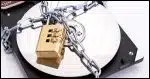
How Do I Encrypt a Disk?
Worried about your data if your computer goes missing? Whole-disk encryption can keep prying eyes out. I’ll show you simple, practical ways to encrypt your entire drive so your information stays safe even if your computer doesn’t.
How to Save or Recover Your BitLocker Recovery Key
BitLocker could be running on your PC without your knowledge. Without the recovery key, you risk losing everything. I’ll show you three ways to check, find, and save your key.

How Do I Know If My Hard Disk Is BitLocker-Encrypted?
Even running Windows Home edition, your hard drive might be BitLocker-encrypted without you realizing it. If you don’t have the recovery key, you could lose everything. Learn how to check, why it matters, and the simple steps to protect yourself before it’s too late.
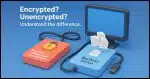
I Use BitLocker. Are My Backups Encrypted?
It’s important to understand when backups of encrypted drives are encrypted and when they’re not.
BitLocker vs. Cryptomator: Why I Use Both (and When You Should, Too)
Use different tools for different purposes.
Why I (No Longer) Avoid BitLocker
BitLocker is a fine encryption program if used properly. The problem is that it’s too easy for the average user to skip steps that could result in data loss.

What Encryption Software Do You Recommend?
There are many different tools for encryption. The right one depends on what you’re attempting to accomplish.

What’s the Difference Between Windows Home and Pro Editions?
I prefer Windows Professional editions. Here’s what I consider the important differences between Windows Home and Pro.