There may not be one.
No, there is not.
Even if there were, I wouldn’t recommend using it. There’s just no point in reporting spam to anything you might consider the source, because it’s probably not the source at all.

Reporting spam to the source
Reporting spam to the originating ISP won’t help. Modern spam is sent by botnets: huge networks of hacked computers controlled by a hidden spammer. The “From” address is faked and the IP address leads nowhere useful. The best thing you can do is keep your software updated and mark spam as spam.
How we think spam works
Most people’s vision of spam looks something like this:
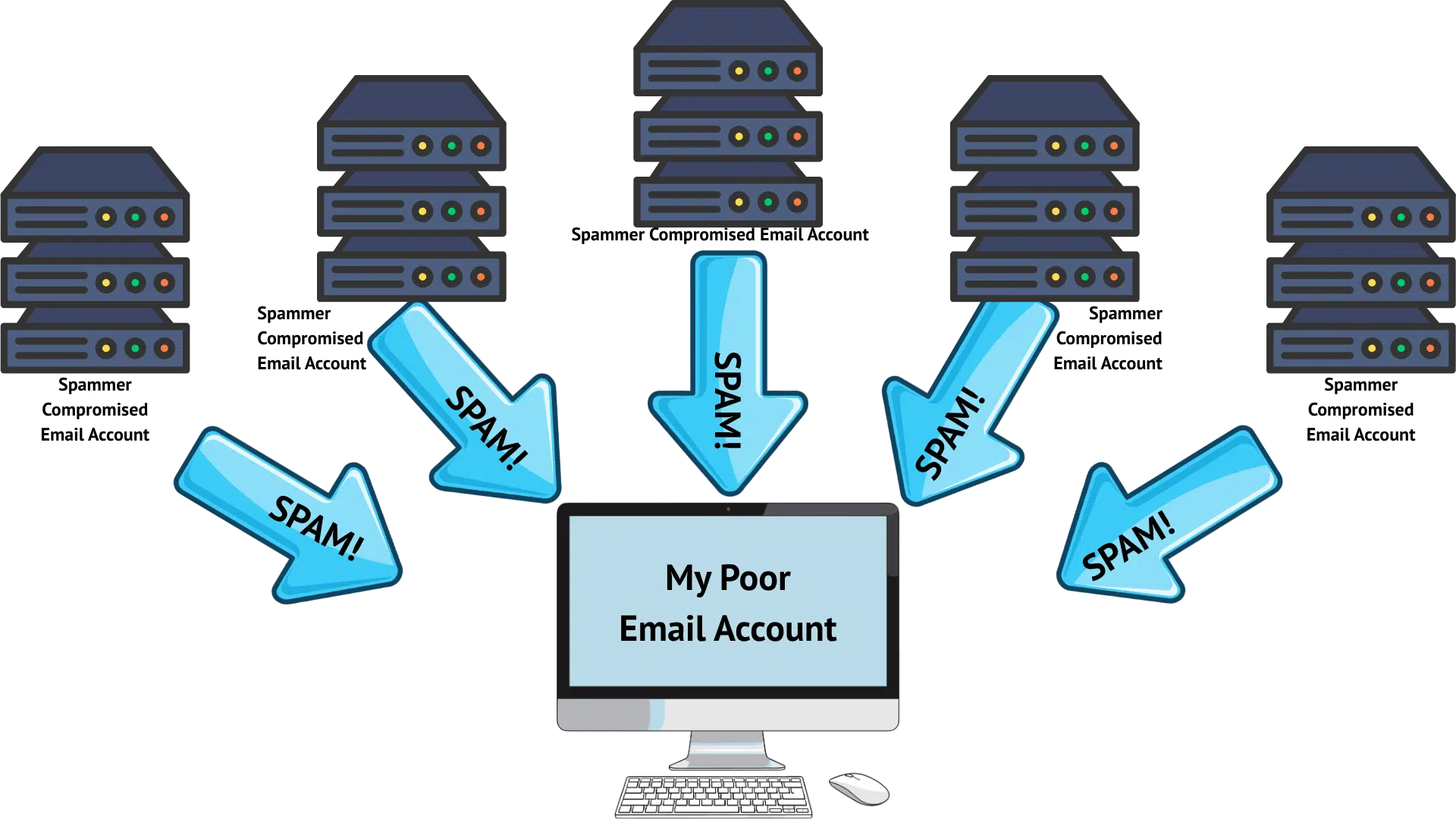
The concept is simple: spammers compromise some email accounts (or even entire email servers), and then use those accounts to send you spam.
For a long time, this wasn’t far from the truth. Spammers could usually be traced back to a specific server or ISP, at which point reporting the spammer to that ISP or server owner made a lot of sense. The source of spam was “easy” to identify and shut down. The reason spam continued, however, is that there were so many compromised accounts or servers that each time one was shut down, they’d just move to another.
While some spam still works that way, and mail servers are still under constant attack1, the landscape has changed fairly dramatically. It’s not nearly as simple as it once was.
Help keep it going by becoming a Patron.
Rise of the spam army
These days, spam sources more closely resemble this.
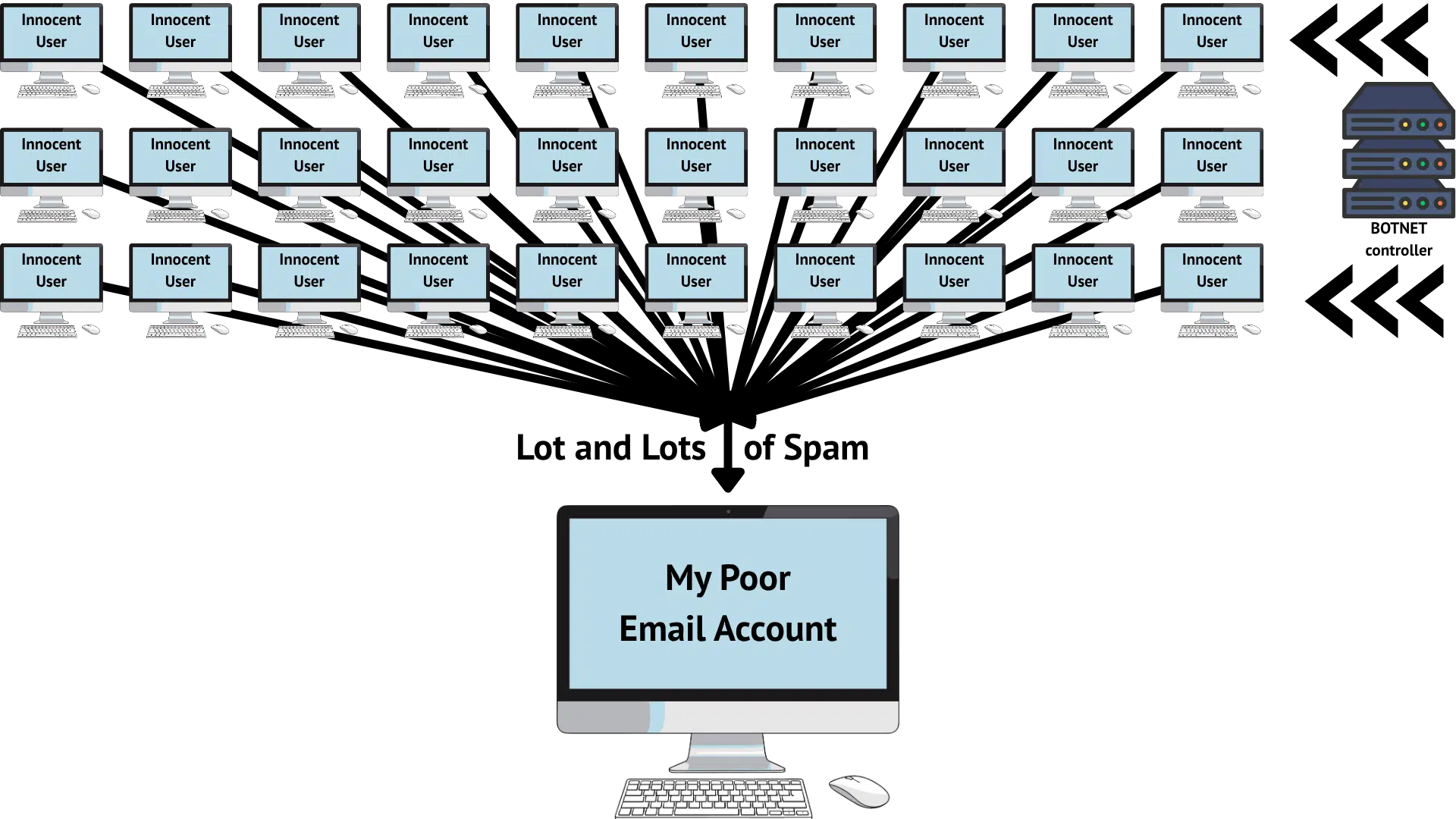
Today, the spam you get is much more likely to have been sent by some random, compromised desktop computer that has been turned into a zombie spam-bot. And while the image above shows only 30 at play, botnets can consist of thousands, if not hundreds of thousands, of compromised computers.
This makes identifying the source of spam an order of magnitude more difficult.
Related
Why your information doesn’t help
When you get a piece of spam, it includes several bits of information that seem like they would help locate the spammer behind it all. Sadly, that’s not the case.
The “From:” address is almost always spoofed these days. That means:
- The email account in question was not involved in any way. It was not compromised (or even accessed) in order to send spam.
- The individual at that email address was not involved in any way. Complaining to them, reporting them, or blocking the email address will be ineffective.
- The email service represented by that email address (for example, Gmail, if the email address was “@gmail.com”) was not involved. Reporting the spam to the email service will be ineffective, as they and their user had nothing to do with any of this.2
In other words, the “From:” address is useless when trying to deal with spam.
The IP address is that of one of the thousands of compromised computers somewhere within the botnet.
- The owner of that computer may not even realize their computer is being used to send spam.
- There’s no way for you to identify that owner from their IP address.
- Their ISP may already know that they’re sending excessive amounts of spam. Some will already have taken action.
- Reporting to the owner of the IP address — usually the ISP — typically falls on deaf ears. That a single customer’s computer has malware and is sending spam is small potatoes to most. They’re typically overloaded with more important issues.
- Blocking the IP address is ineffective, since the next spam you get will be from a different one of the thousands of compromised computers.
There’s no way for you to identify the real spammer — the botnet controller — from any of the information available to you.
We do hear from time to time about botnets being taken down. This happens when the ISPs, in conjunction with law enforcement, analyze the malware that turns computers into spam-bots, and trace the source of their command-and-control: the botnet controller. But nothing you can do really aids in this effort.
Do this
Great, so what can you do?
It’s the same old boring stuff you’re hopefully already doing.
- Keep your software up to date, particularly your security software.
- Practice safe computing, particularly by not opening attachments you don’t absolutely trust and not downloading files you don’t absolutely trust.
- Mark spam as spam, and if you find legitimate email in your spam folder, mark that as “not spam”.
That’s it. Reporting spam to the originating ISP just isn’t helpful these days.
Subscribe to Confident Computing! Less frustration and more confidence, solutions, answers, and tips in your inbox every week.
Podcast audio

Footnotes & References
1: I manage a few, and can absolutely confirm this remains the case.
2: I shouldn’t say “nothing”, as mail services should have settings telling the world “email from our domain comes only from these sources”. This doesn’t stop spam from being sent, but it informs spam filters what legitimate email from those domains should look like. (For the curious, these are the SPF, DKIM, and DMARC records in DNS.)

I have a follow-up question. Will my wifi security suite prevent my computer from becoming a zombie spam-bot? I use Netgear Armor Plus and I use safe computing.
Not alone, no. You need to follow all the steps to keep your computer safe. Internet Safety: 7 Steps to Staying Safe Online