Because the alternative is worse.
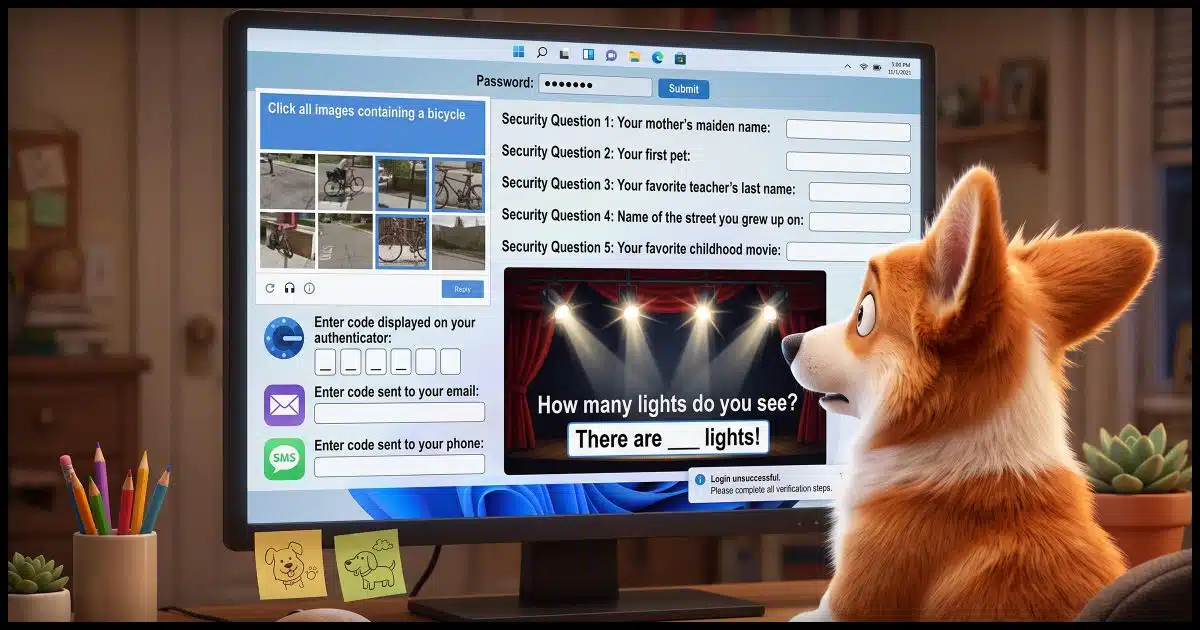
One of the themes here at Ask Leo! for the last 23 years has been account loss and account recovery. Or, rather, attempted recovery. Recovery can fail; you can lose an account permanently.
One of the most common complaints I hear is along the lines of “I know the account is mine; why won’t they just let me back in?”
Oh, I wish it were that simple.

Recovery is hard
Losing access to an online account is scary, and getting it back is not always easy. Account recovery is tough on purpose. Making it too easy would let hackers in too. Set up and maintain your alternate contact information.
Caveat
Some people will see this as an apologetic justification for what these systems are doing. Some will say I’m a “shill” (a popular term from people who disagree with my position) for the corporations involved.
Nothing could be further from the truth. I’m in no one’s pocket, and there’s no love lost between me and the companies I’m about to talk about. I’m definitely of the opinion that they could and should do better.
This article is an explanation, not a justification. The difference is that an explanation is something you can use to avoid finding yourself in this situation.
Help keep it going by becoming a Patron.
What recovery is
The fundamental point of account recovery is to prove you are the rightful account holder and should be allowed access to it.
If you have lost access, the process typically involves using information that you set up before access was lost. Your ability to provide that information proves you are the person who set up that information, and therefore are the rightful account holder.
If you can’t provide any of that — access to alternate email addresses, phone numbers, recovery codes, and so on1 — the service has no way to prove you are the rightful account holder. They can’t let you in.
In fact, they shouldn’t.
Related

Three Reasons You Can’t Get Your Account Back
I hear from people who have lost their accounts permanently way too often. Here's how to avoid being one of them.#151447
The alternative would be worse
Here’s the thing: making it easier for you to recover an account would make it easier for a hacker to hack it in the first place (or again).
What a lot of people may not realize is just how massive the attacks on our online accounts are. I’d say millions of attempts to hack accounts occur daily. Email accounts may be the most lucrative; besides sending spam, they can be a gateway to other online accounts that use that email address for ID or for recovery.
That means the services we all use are fighting a constant battle to prevent unauthorized access attempts. Hackers frequently use the same account recovery techniques that you and I do. Making those techniques easier would lead to more frequent account hacks.
The choice is simple: would you rather have your account land in the hands of a hacker because account recovery was made easier? Or would you like it to be permanently lost if something goes wrong because account recovery is difficult? As horrific as the latter scenario is, it’s considered the safer choice. If you can’t control your account, then no one should be allowed to.
It’s still harder and more complicated than it should be
I agree that most services err on the side of making things more difficult than they could be. The hoops we have to jump through keep changing, and there seem to be more of them than ever. I believe account recovery could be simpler and still be secure enough2.
- Make recovery as simple as notifications or codes sent to alternate email addresses or phone numbers. (Or both, in turn.)
- Notify all associated contact methods when an alternate email address or phone number, or any security information, is changed, with the option to immediately deny the change.
- Offer cool-down periods for changing alternate email addresses or phone numbers to which you no longer have access — say a week before a change takes effect.
- And, if we must, use CAPTCHAs (ideally clickless) to prevent bots from responding.
It’s not that hard.
But you still have to do your part.
Related

A One-Step Way to Lose Your Account Forever
Most people who lose an account never get it back, and it's usually their own fault. I'll discuss why alternate email addresses and phone numbers are the key to account recovery, and the habit most people forget that locks them out for good.#15584
For heaven’s sake, set and maintain alternate information
I can’t stress this enough. I’ve written about it again and again. The number of accounts that get lost because the alternate information is out of date or not even present is astonishing.
You need to take responsibility for your online account security. That means setting and maintaining alternate email addresses and/or phone numbers. When that information isn’t present, or it’s out of date, the chances of recovering your account drop dramatically.
Some services are getting better, kind of
I’ve noticed a trend across a few of the services I use: they periodically ask me to confirm my alternate information or my account PIN. I think this is fantastic.
Some people might consider it an annoyance, but please don’t. It’s a reasonable step to ensure you’ll be able to recover your account should you ever need to.
Questions like “Can you still get text messages at this phone number” or “Is this recovery email address still valid” are quick ways to confirm your information or update it if it’s out of date.
And of course, notifications like “You have no recovery information for this account. Please secure your account by adding it now” are critical.
Rather than being irritated, be thankful that the service is looking out for your security.
Related

How Do I Contact Outlook.com Customer Service?
People ask every day how they can reach someone at Microsoft to help with Hotmail and Outlook.com problems. There is help.#10789
What about more people?
Another common complaint is that there’s no person to call, email, or chat with to resolve account access issues. This applies almost exclusively to free accounts. This is the cost of free email. There is no support, other than online help sites and perhaps peer-to-peer discussion groups. We can argue all day about whether these companies make enough money to pay a support staff, but it is what it is. There’s no one to call.
On the other hand, if I have a problem with my Fastmail or Proton accounts, I have support options where real people reply relatively quickly and address my issues. This is the benefit of using a paid service. For something as important as email, it’s worth considering.
Just don’t expect that level of support for an account you’re not paying for.
Other forms of account loss
There’s another form of account loss that’s worth mentioning: account loss due to inactivity. Almost all free services will close your account permanently if they notice you haven’t signed in for some time. How long that is varies, but is usually measured in years.
There’s rarely any coming back from this. Once you’ve ignored an account long enough, it’s pretty clear it’s not important to you. In fact, ignoring it is exactly how I recommend most people “close” accounts they no longer need.
The only advice I can offer here is to back up the contents of all your accounts. That way, no matter what happens — a hack, a forgotten password, or an account closure due to inactivity — you won’t lose any of the data in them.
Do this
Set account recovery information. Keep account recovery information up to date. And understand that this is a minor hassle compared to losing your account forever.
Subscribe to Confident Computing! Less frustration and more confidence, solutions, answers, and tips in your inbox every week.
Podcast audio

Footnotes & References
1: Some advanced recovery techniques may include providing previous passwords, subject lines to previously sent emails, and the like. This really is grasping at straws on the part of the service, and while it occasionally works, more often than not, it doesn’t.
2: Remember, there’s no such thing as perfect security.

“Notify all associated contact methods when an alternate email address or phone number, or any security information, is changed, with the option to immediately deny the change.”
Many services do this. Whenever I change a password or even log in from a different device or location, I get an email informing me. They usually say, “If this was you, you can ignore this message.”
I have received several messages of the sort you mention in the section: “Some services are kind of getting better”. The first few scared me into pulling the plug from the wall, then on power up running all the virus scan options available. There’s not much visual difference between these and well designed phishing operations. I have since responded to a few, but only after a forensic analysis of the messages source. They are asking us to prove who we are, but arrogantly provide no proof that distinguishes them from a friendly foreign hacker.
Rather that reacting with fear, carefully examine the URL that hyperlinks these messages will take you to. You can check the web address of the service provider in your password manager (you DO use a password manager – Right?) to ensure that the first part up to the first forward slash (/) exactly matches that part of the hyperlink URL. If not, it’s a fishing attempt, send it to your spam folder. If it matches, click the hyperlink to comply with the services request.
It’s good that you’re skeptical about hyperlinks in email messages, but I recommend equal suspicion regarding ANY hyperlink – because you never can tell when a legitimate site you’re visiting has been hacked, and in my experience, hyperlinks are a favored tool of the bad guys/
I wish that I had the option to create a 24 character alpha/numeric/special character recovery key for each account that I have. That recovery key would be the absolute decider in establishing ownership of an account. It would be up to ME to keep it in a safe and accessible location to use if needed. If lost, then it is my own fault. But that would make me feel confident that I could recover any account that was hacked.
Leo, I always appreciate it when you post articles like this one. They remind me to double-check that the mentioned security features on my more important accounts are up to date.
Even though I use BitWarden to guard my username-password combinations for the websites I have accounts with, for the ones I consider essential (Banking, Email, Facebook, and a few others), when I read one of these, it reminds me to ensure that my settings on my ‘important accounts’ are up to date.
For example, today, as I read this item, it prompted me to re-examine my security and recovery options on my Facebook account. I ended up getting new recovery codes, deleting an existing passkey, and creating a new one that is now stored in BitWarden, and confirmed that 2FA is enabled, and that I have a current alternate email address saved there.
When I’ve finished reading my email today, my project of the day will be to go through my other important accounts, equally as thoroughly, so if the worst happens, or I somehow lose access to any of them, I’ll have the best, simplest chance of recovery.