recovery code

Why Do They Make It So Hard to Recover Accounts?
There’s a good reason why getting back into a locked account can feel impossible. I’ll discuss why account recovery has to be difficult, what you can do to make it easier on yourself, and how to avoid losing an account for good.

The Easy-to-Avoid Two-Factor Loss Risk
Two-factor authentication keeps your accounts safe, but what happens if you lose your phone or key fob? I’ll walk you through what you need to do now so you never need to worry about being locked out later.

How Do I Turn Off BitLocker? What Happens If I Do?
BitLocker encrypted your drive, intentionally or otherwise, but now you want it gone. Turning it off is easy whether you run Windows Home or Pro. I’ll walk you through both, explain what you’re giving up, and remind you why saving that recovery key matters.

Please Set Up and Maintain Account Recovery Information
Locked out of an account for good? It happens more often than you think, and it’s almost always avoidable. I’ll explain the steps you can take today to make sure you’re never permanently shut out.

How Should I Keep Recovery Codes Secure?
Recovery codes protect you against account loss. The issue? Where to store them safely.
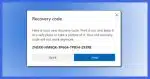
Recover Your Account Later by Setting Up a Microsoft Recovery Code Now
A recovery code created in advance can help you regain access to your Microsoft account if you get locked out.

Microsoft Account Recovery Code
Possession of a Microsoft account recovery code is proof you are the account owner and should be allowed in should you ever lose account access.

How Do I Keep Outlook.com from Locking Me Out When I Travel?
When your email is suddenly accessed from a new location, it could mean someone other than you is trying to log in. Email providers like Outlook.com watch for this.