Longer.

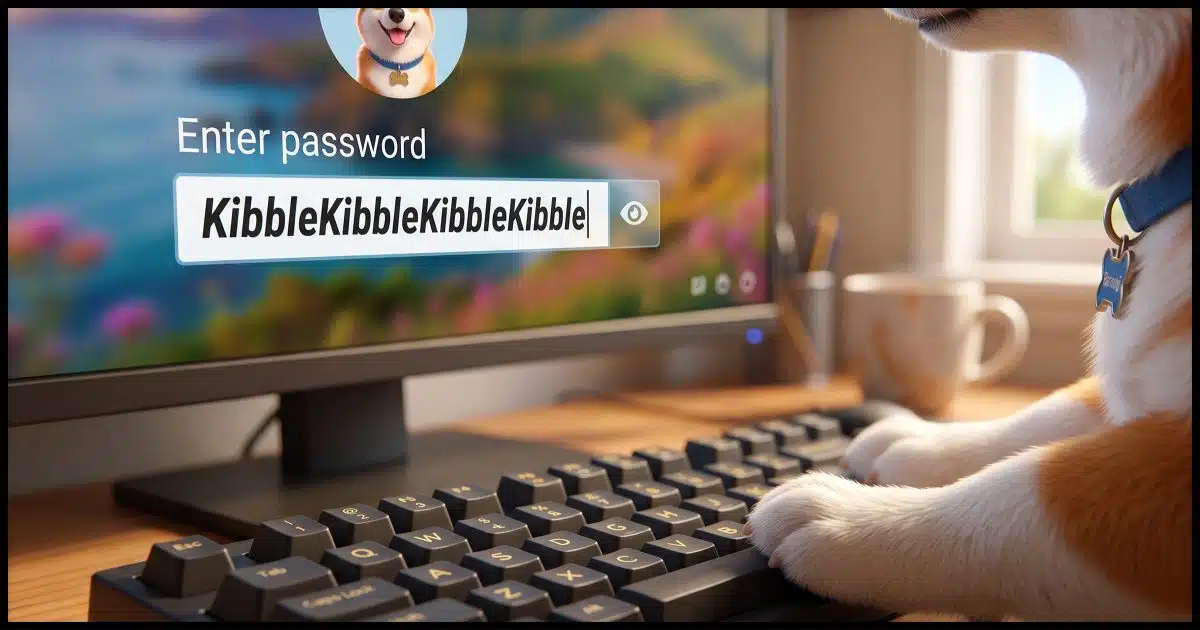
For a long time, the common thinking was that the best, most practical passwords consisted of a random combination of upper- and lowercase letters, numbers, and a special character or two. If so composed, the password length needed to be only eight characters.
Randomness remains important, but as it turns out, size matters more. Much more.
And eight characters isn’t enough these days. It’s not even close.

Password length
Longer is better. Traditional eight-character passwords are now easily compromised. A password should be 16 characters at a minimum, and ideally more. Using a multi-word passphrase makes longer passwords possible and easy to remember, or you can use a password vault for maximum security.
Large-scale account hacks
When you hear about lots of accounts being stolen by a hacker from a service provider, you’re naturally concerned the hacker might now have access to your account username and password. If the service stored your actual passwords, that could indeed be the case. (If a service is storing your actual passwords,1 they don’t understand security or have made some horrifically bad decisions.)
In fact, most services store an encrypted (technically, a “hashed”) form of your password. For example, if my password were “password” (and that’s a very poor password, of course), then a service might store “5e884898da28047151d0e56f8dc6292773603d0d6aabbdd62a11ef721d1542d8” as the hash value that corresponds to that password.2
That means that hackers do not get a list of usernames and passwords. They get a list of usernames and password hashes.
And what’s great about hashes is that you can calculate a hash from a password, but you cannot calculate the password from the hash.
As a result, one would think that if a password is hashed, it’s pretty unhackable, right?
Sadly, not so much.
Help keep it going by becoming a Patron.
Password attacks
The most common type of password attack is simply a high-speed guessing game. This doesn’t work on a login page; they’re slow and deny further access after too many failed attempts. But it works wonderfully if the hacker has the entire stolen database of usernames and password hashes sitting on their computer.
These attacks start with exhaustive lists of possible passwords, including:
- Common, simple passwords.
- Common combinations of words.
- Common “obfuscations” of words (instead of “password”, maybe “PaSsWoRd”, “p4ssw0rd”, and so on).
- Lists of all the variations people think will hide their passwords.
- Lists of previously discovered passwords. This might be the most successful because people so routinely reuse passwords across multiple sites.
They calculate the hash of each guess, and if it matches what was found in the database of account information they stole, they’ve figured out the password for that account. It’s easy for hackers to make an amazing number of guesses — millions and millions of guesses — in a short amount of time.
That’s why you’re not using a short password or common obfuscations… right?
That’s why a password created from a totally random combination of characters is best. It forces hackers to move on to a true brute force attack of every possible combination to gain access.
Related
Why Password Managers Are [Still] Safer than the Alternatives
If you're not using a password manager, you're likely compromising your security more than necessary. Here's why using one is safer.#5555
Brute force attacks
Computers are fast. In fact, the computer on your desk is so fast that its ability to do simple operations is measured in terms of billions of operations per second.
Creating a password hash is not a simple operation on purpose. However, it’s still something that can be done very quickly on most computers today. Spread the work over many machines — perhaps a botnet — and the amount of processing power that can be thrown at password-cracking is amazing.
The net impact is that it’s now feasible to calculate the encrypted hash values for all possible eight-character passwords comprised of upper- and lowercase alphabetic characters, digits, and special characters.
Seventy-two possible characters (26 lowercase, 26 uppercase, 10 digits, 10 different special characters) in each of the eight positions equals 72^8 or 722,204,136,308,736, or over 722 trillion combinations.
This seems like a lot until you realize that an offline attack (which is easily performed once you’ve stolen a database of usernames and encrypted passwords) can be completed in a few hours. (This assumes technology that can “guess” something like 10 billion passwords per second, which is quite possible.)
It doesn’t matter what it is; if your password is eight characters long, the hackers now have it, even if it was well hashed by the service they stole it from.
Why 16 is better, and 20 is better still
As we’ve seen, eight-character passwords give you over 722 trillion combinations, which can be guessed in an offline brute-force attack in hours.
Sixteen characters give you over 521 octillion (72^16 = 521,578,814,501,447,328,359,509,917,696). The offline brute-force guessing time in this case would be measured in centuries.
Twenty characters? That’s 14,016,833,949,999,999,673,980,362,756,575,985,664 (72^20) combinations. Apparently, that’s 14 undecillion3.
That’s why 20 is better than 16, and both are better than eight (or my previous recommendation of 12).
Every time I update this article, these numbers keep getting larger.
Related
Size Matters! (When It Comes to Passwords)
The results are in for last year's most common passwords. The implications are depressing.#68646
What about special characters?
I usually leave out special characters from my passwords unless the system I’m using that password on requires them.
Here’s the deal: instead of 72 raised to the power of the password length, it’s 62 (upper and lowercase letters plus digits). Let’s run those numbers:
- 16-character random password: 62^16 or 47,672,401,706,823,533,450,263,330,816 – 47 octillion combinations.
- 20-character random password: 62^20 or 704,423,425,546,998,022,968,330,264,616,370,176: 704 decillion combinations4.
So, to begin with, those numbers are fine. However, adding even a single non-special character gets you more additional combinations than using special characters would.
- 16-character random password with special characters: 72^16 or 521,578,814,501,447,328,359,509,917,696.
- 17-character random password with no special characters: 62^17 or 2,955,688,906,000,000,004,464,446,537,728, or five times more possibilities.
Yes, using special characters makes your password better, but significantly better yet is to add one more character.
Or two. Or six.
Long passwords are good; passphrases are better
What’s the difference? In general:
- A password is a random string of characters.
- A passphrase is a longer string of words.
Passphrases are easier to remember, so it’s easier to make long ones — and as we saw, password length is the single easiest way to increase the security of a password.
“gZdKJ4nkZDk2dTaahN79” is a nice, secure 20-character password that’s difficult to remember. In fact, about the only way to use this is with a password manager that remembers it for you.
On the other hand, “Its fleece was white as you know nothing John Snow”, at 50 characters, is wonderfully long, secure, and most of all, memorable. Much like the now-canonical example of “Correct Horse Battery Staple” (29 characters), you might even have a difficult time forgetting it.5
The biggest problem with passphrases? Many services that use passwords don’t allow spaces or such lengthy passwords.
What about quantum computing?
Of late, quantum computing has entered the discussion. The concern is that its capabilities are supposed to be such that no password is safe.
That’s not quite true.
Two things keep me from worrying about it.
First, while we’ve heard the hype and promise of quantum computing, it’s still a long way off. Hackers aren’t getting it any time soon, and while corporations and nation-states will probably have initial access, you’d have to be targeted for them to even care about your passwords or the accounts you have. We’re talking many years before any of this becomes commonplace.
Second, we’re already seeing the development of “quantum-resistant” encryption algorithms. While there’s currently no way to tell what’s being used to hash your password (a form of encryption), it’s likely that some passwords are already being stored in quantum-resistant form.
As I said, it’s just not something I’d worry about today.
Shouldn’t services fix this and do better?
Absolutely, they should. And many do.
As I’ve stated above, passwords shouldn’t be kept in plain text anywhere by the service at all, yet some do.
There are techniques that make brute-force attacks significantly harder, yet many services use techniques that are easier than the example above.
Some services do a great job of keeping your information secure. Some services don’t. The problem is, you really can’t be certain which is which.
To be safe, you have to act like they’re all at risk.
Do this
The bottom line for staying safe is simply this:
- Don’t trust that the services you use handle passwords properly. While many, even most, do, it’s become painfully clear that many do not, and you won’t know which kind you’re dealing with until it’s too late.
- Use longer passwords: 16 characters at minimum, and 20 if possible.
- Use even longer passphrases where they’re supported or where information is particularly sensitive.
- Use a different password for each site login you have. That way, a password compromised on one service won’t give hackers access to everything else.
Even the best eight-character passwords should no longer be considered secure. Twelve is barely “good enough for now”, but you should be using 16 or more for the long run.
Subscribe to Confident Computing! Less frustration and more confidence, solutions, answers, and tips in your inbox every week.
Podcast audio

Footnotes & References
1: If they can respond to an “I forgot my password” request with your actual, current password, then they have stored your password. This is bad. Best practice is to reset it to something new, either via a reset link or by emailing a new password to you exactly once, after which the service no longer has it.
2: For the curious, I’m using an un-salted sha256 as the hashing function here. That’s technically better than the commonly-used md5 or sha1.
3: I’m relying on Claude here for the names.
4: For the curious, that’s 704 decillion, 423 nonillion, 425 octillion, 546 septillion, 998 sextillion, 022 quintillion, 968 quadrillion, 330 trillion, 264 billion, 616 million, 370 thousand, 176.
5: Particularly if you’re a Game of Thrones fan. And yes, I know that John Snow is actually Jon Snow. That’s another level of handy yet easy-to-remember obfuscation.

Leo,
I use LastPass to store and generate passwords. One thing I’ve noticed is that some web sites are still limiting which characters and how many characters can be used to generate a password. I set LastPass to generate passwords of 24 characters of all types as a default. Often when creating a new log in for a site I will get a message that my password is a) too long, with message showing the max password length, usually 8, b) can only use alpha-numeric combination with no special characters or c) can only use alpha-numeric characters with a specified list of special characters. In those cases I just max out the characters and follow their rules.
What bothers me about this is that some of these sites are government sites such as the Social Security Administration and some Defense Department sites (I’m retired military). Seems to me that in 2020, web site owners would be less restrictive on what a password should be. Minimum and maximum values of say, 10 to 30 characters of all types, should be standard practice.
At least Social Security requires two-factor authentication.
Any rules that require certain characters be included or excluded, or specify a minimum length reduce the universe of possible passwords. Hackers can easily determine these rules by looking them up on the original site. This can greatly reduce the number of passwords that must be tried to find the “hits”.
Totally agree. The issue, I think, is that so many of these agencies are running legacy systems on top of incredibly old systems (mainframes?) that would take years and million$ to replace.
Would adding a letter from a different alphabet, like the German ö instead of a regular o, help slow down hackers from getting your password?
If the password is short (and the service you’re using allows it — many will not) then maybe. But length is MUCH more important.
Using characters from a different language character set would be like adding a second ascii character to the password.
For example zuddfdfÄadsfsadfa or zuddfdfяadsfsadfa would appear as one character longer than zuddfdfAadsfsadfa to a Rainbow Table.
Adding just one extra character to a password provides more security than replacing an existing character with a Cyrillic or any multi-byte character, and much easier to type for English speakers. And a Slavic speaker using all Cyrillic characters will have passwords that are approximately twice as long as they appear.
People can look up ‘Diceware’ which appears to be a good way to generate pass phrases that are secure and then to make it even more secure with minimal effort one could add in a word not on that list or add in a small amount of random symbols on the keyboard. it appears six words is the recommended minimum, although I figure why not go a bit longer (say seven words, if not eight words(eight should be plenty for the foreseeable future for the more paranoid types)), or add in small tweaks, to help future proof your master password which will access your password manager program as then you can just use the password managers random password generation to do the rest for websites you log into.
so instead of say, “Word1.Word2.Word3.Word4.Word5.Word6” one could do something like, “Word1.Word2.Word3@@Word4.Word5.Word6” and variations of this type of stuff. or even do a little tweak like add in another small word etc not on the list in addition to the six words the Diceware comes up with which I imagine should give one a solid boost to security for minimal effort.
when it comes to websites that use security questions for resetting a lost password… NEVER answer those honestly. so for example… ‘What’s the model of your first car?’. instead of answering honestly, you use a password manager to generate a long/random password instead (which you can store in the notes section of your password manager in relation to that specific website in case you ever need it) as then this will further harden the security of your account because without doing this it becomes to easy for someone to reset/bypass your secure password on the account.
additionally… one can get a bit more security by using different login name for different websites you use. but this is not that important, especially for the average person, so I would not worry about this. the main thing is, use a different password for each website you use.
but obviously make sure ones computer is secure (as in no viruses or malware etc) before doing all of this stuff.
one last thing, which is slightly off topic (and optional but beneficial) but still security related… for those who prefer to more thoroughly secure their Gmail account one can use a YubiKey (for a person using a standard computer with a USB port you can just buy two of the cheapest keys which are 40 dollars tops for two of them) as with those on ones Gmail email account even if someone gets a hold of your username/password, like through Phishing, they still can’t gain access to your account. it’s the most secure form of 2FA (two-factor authentication) available as it’s not been bypassed yet (and it’s been around for quite a few years now) where as a typical smart phone 2FA is not fool proof, but better than nothing. YubiKey gives one peace of mind especially given if ones Gmail email account became compromised some shady person could potentially use that to reset passwords to other accounts you might have tied to that email address and could wreak havoc on ones internet life.
regarding the YubiKey… the reason you want two of these is to help ensure you don’t get locked out of your Gmail account as you use one of them and store the other in a secure location in case your primary YubiKey gets lost or stolen as if you lose your primary key you can simply use the other to login and remove the lost key from the account and then you can simply order another YubiKey and register that to your Gmail account and you now have two YubiKey’s setup once again with one stored in a secure location while you use the other for general usage.
A reply to myself… I mentioned ‘Diceware’ which is good but I suspect something would be a bit easier then using the Diceware only and still likely pretty secure is use what they call ‘padding’. like for example… !0—_My.Password.Here_—0! ; a total of 28 characters in this example (and uses at least one capital letter, lower case letter, and one number, and one symbol).
because I read it’s a good idea to to use at least one capital letter, one lower case letter, a number, and at least one symbol as it forces someone to scan through all possible password combinations that way pretty much which should make it harder to crack vs if someone is using all lower case words. plus, that method (with the padding) I think would be easier to remember than a rather long password or passphrase paired with ones own padding will likely be easier to remember than using say 6-8 totally random words etc. also, one could even misspell a word on purpose to further mix it up if they want to like for example… instead of ‘password’ one could use ‘ppassword’ (or ‘passwordd’ / ‘passsword’)
this just gives people more options/choices on how to make a password. but I would probably suggest not to make the padding stuff too short and try to use maybe a few words in there etc. but like people always say with password in general… length seems to be the biggest factor for increasing password strength and I would definitely include the at least one lower and upper case letter, one number, one symbol in there to.
Another reply to myself… using that Diceware stuff I noticed on one site it shows a chart on how to make those really long/random passwords using real dice using pretty much all possible keys on the keyboard, which is very secure.
like to speed things up a little one needs three dice and for each roll of those three dice (read from left to right as they fall in front of you on the table) it gives you one character out of the 94 possible characters on a keyboard (assuming we do not count the ‘spacebar’). so for a 20 character password for example one would have to roll all three dice, twenty times (possibly a bit more if you end up on the blank sections since if you do it says to roll all three dice again).
basically go to the section that says, “How do I use dice to create random character strings?” to create your own passwords using real dice at this link… theworld.com/~reinhold/dicewarefaq.html ; using that, you basically reach 131.1bits of entropy at 20 characters long which is pretty much uncrackable for the foreseeable future as even going to a lesser length is still very strong when your using 94 characters in the keyboard. even at 16 characters long using 94 possible characters in the keyboard it comes out to 104.9bits of entropy.
for example… here is a 20 character password I rolled using real dice with that method I listed above… q+’?NJaly8hzNjbUTS)Z
I tend to prefer at least one upper case, lower case, number, symbol in there just to help ensure if someone is trying to brute force the password it pretty much makes them try all possible combinations basically. but when rolling say a 20 character password, as I was playing around with it using real dice, it seems to pretty much do that in general (with at least one upper/lower case letter, a number, and a symbol) even though it’s possible that won’t happen occasionally since the stuff is random after all.
but this info I posted in this particular post is for those who want more of the full-on security of randomness using dice (and are not satisfied with random password generation of password managers (which I would assume are secure enough from what the experts say)) as I would probably just opt for the usual Diceware words instead since it will be easier to type etc.
for measure… to get similar level of entropy of a 20 character password using 94 characters on keyboard to a Diceware passphrase one would have to have a 10 word Diceware passphrase which comes out to about 129.2bits of entropy. so the 10 word passphrase would only be a bit weaker than a 20 character password using 94 characters on the keyboard which is 131.1bits of entropy.
because while other people might post their own methods, which may or may not be secure enough, with this Diceware stuff I posted in my handful of posts in here, your guaranteed a minimum level of entropy as you don’t have to hope your own method is secure, but you got the assurance that it IS secure as it does not matter if a attacker knows your using Diceware, they still can’t get around it since the math around this stuff is sound.
p.s. I can calculate the entropy of this Diceware etc stuff by using the calculator on Linux Mint with it’s ‘advanced mode’ and then manually type in for example… log2(777610) *press enter* NOTE: when you type the ‘2’ after the word log you need to hold the ALT key first before pressing 2 and before pressing the ’10’ after the 7776 section you need to hold the CTRL key. but anyways… with that particular example it’s basically giving you the entropy of a 10 word Diceware passphrase (which comes out to 129.2481 which rounded off is 129.2bits of entropy). to do the same with the 20 characters of random stuff using 94 characters on the keyboard you would do this instead… log2(9420) *press enter* NOTE: when typing ‘2’ you need to hold ALT on the keyboard and for the ’20’ you need to hold CTRL. if you want to use the spacebar as part of your password you would adjust that 94 to 95 but it barely has any effect on entropy as we are talking minimal difference of 131.4bits vs 131.1bits for a 20 character password. so one barely loses anything by removing the spacebar from the equation to where it’s a non-issue as you can choose whatever you want.
or another way to put it in simple terms… one can say a 10 word Diceware passphrase is similar in security to a 20 character password using the 94 characters on the keyboard (basically everything besides the spacebar).
or another thing I could say is this… when it comes to Diceware word length that site recommends a minimum of six words and six words is 77.5bits of entropy. to get that with the random 94 characters on the keyboard one would need at least a 12 character long password which comes out to 78.7bits of entropy, which is a little stronger than the six word Diceware passphrase.
You suggested using a pass-phrase and mentioned that many sites don’t allow spaces in passwords. Is there any reason not to simply leaveoutthespacesinalongpassphrase?
Nope, that’s fine.
Add the extended ascii characters (degree, copyright, registered) which cannot be typed directly from the keyboard and double the possibilities.
OR the unicode-table (foreign characters, electronic symbols, smileys, etc) and add another 65,000 possible combinations.
I’ll let you do the math.
I have tried these with a few site passwords and some worked, but I wasn’t bored enough to do extensive testing.
…And STILL continue to recommend:
“Perfect Passwords: Selection, Protection, Authentication”
by: Mark Burnett
(As of Mon., 21-Sep-2020):
Kindle, $15.31
Paperback, $11.65
Purchase At:
https://amzn.com/1597490415
This book is already 15 years old, yet it is still the best source of information on passwords that I have ever seen.
Mr. Burnett ‘s book pretty much anticipates everything that Leo has just said in this article, confirming that, while length trumps everything, complexity helps, too.
(And the book even contains a few amusing anecdotes, to boot… like the one about his five-year-old son’s password!)boot
Get the book — you won’t regret it. 🙂
I have a way of making fairly complex passwords and easily remembering them – I randomly combine old (UK) car registration numbers (OK I have had 36 cars over the years!) add my name then year of birth – so e.g Abc123Xy05abcFred61
esy to remember just write down TR6 + Honda FRV – only you will know those reg nos.
I also have used how secure is my password site
copying that into https://howsecureismypassword.net gives a crack time of 9Quadrillion years
now I don’t know how accurate that is but it surely must be pretty secure!
a) 36 CARS! 🙂
b) I’m not sure I could remember 36 registration numbers. Sounds like a great approach if you can, though.
I am using the macrium free back-up you have previously recommended. Is this still a good option? I do a full back up each week and an incremental back-up every day. Two questions this too much and if it is how many do I retain and for how long? OK can’t count its three questions!
Passwords are I was going to say important but I think critical is far more accurate. I now use 16 random upper and lower case letters plus, at least, 4 other identifying letters and a symbol. The last 5 are just gouges to help me remember what the password is for. Have I rolled over into the realm of lost my mind or is this, at least partially, safe?
You’re all good across the board.
Macrium is still a recommendation and your strategy seems sound. I do monthly full with daily incrementals, but weekly for the full is fine.
Your passwords sound fine. 12’s the minimum I recommend these days, with 16 preferred. I happen to use 20.
Macrium Reflect Free doesn’t do incremental backups. It does differential backups which are a little different and take up more space
The following articles (below) from 2012/2013 were a big revelation to me concerning how password crackers go about their nefarious task, and scared me enough to prompt me to come up with a better, more consistent and easier to use password/password management strategy than the sporadic password creation efforts I had tried developing up to that point.
I gave up trying to consistently come up with a password for each online/offline account/login that is attempted to follow the common recommendations of the time (and still) – you know: “. . . easy to remember but hard for anyone else to guess . . .” and that use “. . . at least eight characters, use at least one upper-case, one lower-case and one symbol character . . .”.
I had/have dozens of passwords for various online (and offline logins). I quickly concluded that trying to have a unique strong password that I can remember for say, more than two or three accounts, is simply unrealistic and nuts because of my limited memory capability (i.e. the human factors/condition).
I eventually opted to use password manager, Password Safe for various reasons, one key reason being that it has the option of using a hardware key (e.g. Yubikey) as a second-factor authentication (2FA) in addition to requiring a master password to open the password vault.
Password cracking articles:
https://arstechnica.com/information-technology/2013/05/how-crackers-make-minced-meat-out-of-your-passwords/
https://arstechnica.com/information-technology/2012/08/passwords-under-assault/
https://arstechnica.com/information-technology/2012/12/25-gpu-cluster-cracks-every-standard-windows-password-in-6-hours/
Some changes to my previous post of February 25, 2020:
I’ve noticed that some websites are starting to get with the program. This morning I had to change the password at my bank and reading their requirements for a password, they have made it easier to come up with a decent password. In particular, the number of characters allowed was raised to 32 and restrictions on special characters were eased. Looked as if the bank had just implemented a new system.I use Bitwarden so maxing out the passwords is not an issue.
The U.S. Government is also tightening up and most government sites now are moving to two factor authentication. Social Security has been for some years, but the Department of Defense and IRS now require it as well.
When creating passwords for a new login or when changing an existing password, check what, if any, requirements are for passwords and then max them out.
Back in the old TRS-80 days (1977’ish), I created a demo program for my local Radio Shack store. The program simulated a slot machine. The program also had extra options accessible to the store employees (and me) by entering a password. Since the TRS-80 could recognize individual characters as they were typed on the keyboard, I set it up so that after the first 2 character were typed, it ignored accepting succeeding characters until after 5 seconds had elapsed. The characters would still appear on the screen as “X” though. Maybe the password was REQUEST. I’d type RE (pause for 5 seconds as if I was looking for the next key) then type QUEST. I noticed a customer shoulder surfing me and he tried the same password and said it didn’t work. Jokingly I said, “Did you press the keys too hard”? I showed him by pressing RE, and then paused for 5 seconds by saying, “See how lightly I’m pressing the keys”? and then finished by typing QUEST. He tried it again, but he still failed. If REQUEST was typed entirely within 5 second, the TRS-80 thought only RE was typed but it would still display “XXXXXXX” on the screen.
I later heard that customer bought a TRS-80 a few weeks later. I was told he said if the TRS-80 prevented him from accessing something he was not entitled to access, it would surely prevent his wife and kids from accessing things they shouldn’t.
Said Mark Jacobs in July 2015: “I use LastPass and feel safe using it.”
And April 2020: “I trust LastPass encryption to keep my passwords safe on the Internet.”
Said Leo (also April 2020): “Done correctly (as LastPass does)…”
And: “So if they [LastPass] were hacked (which they have never been)…”
Oh, how times have changed!
Hey, Leo! I see you’ve started using a large and easily-noticed font for your footnotes! The font you use really makes them “jump out at you” from the text — very nice!
Please keep on doing that! It’s great!