First, do no harm.

There is a wide variety of opinions on registry cleaners and PC cleaning tools. Many people believe they’re valuable, important tools to keep your system running smoothly.
I strongly disagree. Most of the time, they’re so much snake oil.

The Best Registry Cleaner?
The best registry cleaner is no cleaner at all. Registry cleaners are rarely needed and rarely effective. Some so-called registry cleaners are just scams. Reputable registry cleaners, such as CCleaner and JV16 Power Tools, can be used as a last resort if nothing else has helped. Regardless of which you use, always back up completely first.
Registry cleaners are rarely needed
I rarely use a registry cleaner.1 In fact, I’ve never felt I’ve needed to use a registry cleaner. I only run them to experiment with the cleaner, not because I feel my system would benefit.
And I definitely install and play with random things on my computers all the time. That kind of activity is exactly what most registry-cleaning advocates say leads to registry issues — yet I’ve rarely had issues, and when I did, registry cleaners weren’t the solution.
The best registry cleaner is no registry cleaner at all.
Help keep it going by becoming a Patron.
Related
My Registry Scan Reported Hundreds of Errors! Which Do I Fix?
Registry scanners often report hundreds, if not thousands, of issues. Should you fix them, and if so, which? Here's my approach.#2893
Registry cleaner risks
In my experience, most computers don’t benefit substantially, if at all, from a registry cleaning. Some even get worse.
Many people reach for a registry cleaner when an application is having problems or Windows is misbehaving. The problem is, these types of situations rarely respond to cleaning; they often require an application-specific or Windows-specific solution.
I get reports of cleaners making things worse. I’ve even heard from people who had to completely reinstall Windows after running a registry cleaner that did more harm than good.
When to run a registry cleaner
In my opinion, registry cleaning is appropriate in only two cases:
- To attempt to speed up a very slow Windows machine if nothing else has helped.
- To resolve Windows or application crashes if nothing else has helped.
I consider it a last resort. While it might help, it’s not likely to help much, and it could cause harm.
Back up first
Before you run any cleaner, back up first.
This is one of the few times I consider using system restore, as it is nothing more than a glorified registry backup.
I prefer, however, to take a full system image backup. That way, if anything goes wrong — including a system-restore failure — you can safely restore your machine to a point in time before the damage was done.
Safe registry cleaning
There are those who loudly disagree with my position.
And, to be honest, while there are horror stories, most of the time, cleaners don’t do any damage. They may not do any good, but reputable ones aren’t going to harm your system unless there’s some other kind of underlying problem.
Since you can’t tell whether your situation is going to be one of those “mostly harmless” scenarios or a total disaster, it’s critical that you back up properly before you begin.
Which registry cleaner?
If you’re going to use a registry cleaner, which one should you use?
There are plenty of tools out there. I’ll mention two.
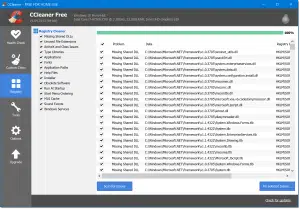
- CCleaner, a Windows cleanup utility, has a registry cleaner as well. Run “Analyze,” and you’ll see the changes it is about to make. Caveat: CCleaner’s setup program has been known to install PUPs if you’re not careful at install time. Also, while they take great pains to push their paid version and paid support, neither is required; the free version is all you need.
- JV16PowerTools includes not only a registry cleaner but an entire suite of useful maintenance utilities.
I’ve used both tools on an otherwise clean and working copy of Windows and had no issues.
Do this
Don’t jump to a registry cleaner unless it’s your last resort to address a problem.
Back up your machine before running one.
Subscribe to Confident Computing! Less frustration and more confidence, solutions, answers, and tips in your inbox every week.
Podcast audio

Footnotes & References
1: While I use the term “registry cleaner” throughout, my thoughts apply to all forms of generic “PC cleanup” utilities, most of which include registry cleaning as one aspect of a larger yet still ineffective toolset.

> What’s the best Registry Cleaner?
Huh. I can guess your answer before you even say it (chuckle):
> “None.”
I have used Glary Utilities for over 10 years. I think it is great.
I’ve run their registry cleaner a couple of times with no problems, but I don’t know if has actually improved anything.
That’s a good point, Mark.
I’ve always felt that the real concern with registry cleaners isn’t how many issues they find, but what happens if something goes wrong.
Automatic backups before making changes and an easy way to restore them should be standard features. And even then, a full system backup is still the safest option.
If Windows is running fine, there’s usually little reason to touch the registry.
I just use Microsoft’s PC Manager for cleanup
https://pcmanager.microsoft.com/en-us
I thought that the main reason to use a registry cleaner was to get rid of any debris left behind when you uninstall a program. I was told that when I uninstall a program it will nearly always leave behind bits and pieces in the registry and these need “cleaning”
Yes, some uninstallers leave orphaned items, but the effect on performance is negligible, typically in the range of microseconds. Registry cruft is insignificant because the registry is an indexed hierarchical database and orphaned entries are ignored as if they weren’t there.
.
In most cases, the risk of deleting something important far outweighs any potential benefits.
I have used Revo Uninstaller for many years without any problems. When the program is uninstalled, I have it check for leftovers, and they look like registry entries that were used by the uninstalled software; I select all and delete them.
Have I been using this wrong? Should I leave those entries?
Geek uninstaller leaves no trace. I use an older version. Works great.
John, I wouldn’t say you’ve necessarily been doing it wrong, especially if you haven’t experienced any issues. But I would be cautious about using “Select All” when removing registry leftovers.
Some entries may be harmless, while others could still be shared or referenced by other software. Personally, I’d review the results before deleting anything and make sure there’s a reliable backup or restore option available.
If everything is working normally, leaving a few orphaned registry entries behind is usually the safer choice.
The ultra best registry cleaner is as Leo said. None. Except for one. It’s called Restart. After a restart, do nothing. Let the comp completely finish booting. Give it plenty of time. Now run the best cleaner, Restart. Repeat the reboot giving it time, then Shut Down the computer. Wait at least 30 seconds, then start it again. Again, do nothing, letting Wondows finish the entire boot.
And finally, Restart once more.
Ever see a tech restart a router or fiber optic receiver? Waits 20 seconds or more. Enough time to drain off all the capacitors and stray capacitance voltage. Enough voltage to keep stray data bits active for a few seconds. Essentially, your entire computer electronics is SRAM. Static Random Access Memory. When the computer boots these electrical charges can get read as data and can get written to somewhere in the OS temporary memory. In turn this may end up as a registry entry. A simple Restart discards this crap along with temporary files and data. A cool down reboot assures they won’t be there.
And more noise. Climb the ladder before doing anything to the registry.
Back up the registry.
Create a Restore point.
Back up the entire system
And if all else may fail, back up your entire C: drive.
Addendum. Restart as a crap cleaner? Same same as removing certain programs and the OS telling you some things were not removed and will be removed on the next reboot. But in this case, there are dozens, even hundreds or bits of crap data that is stuck, has some connection to some active file, data or program.