Something that frustrates me.
No, we’re not talking about the band or the Buddhist philosophy of Nirvana.
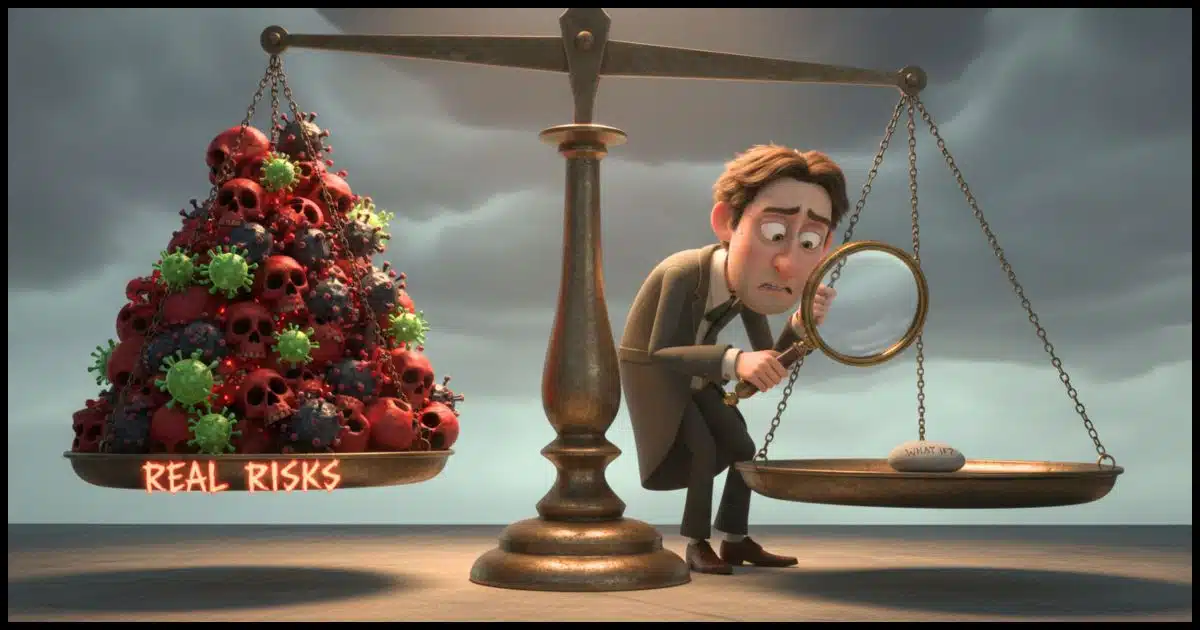
The Nirvana Fallacy is something I see all the time that leads people to make ill-informed and even dangerous decisions, particularly when it comes to tech. It’s the faulty reasoning that if a solution isn’t perfect, it must not be worth using.

The search for perfection
Stop thinking that if tech isn’t perfect, it’s useless. That is the Nirvana Fallacy. When you constantly ask “but what about…?” just to find fault, you end up making bad choices. Don’t put yourself at risk by waiting for perfection. Be realistic and use the tools that keep you safe.
If it’s not perfect…
The fallacy is most simply defined as this attitude:
If it’s not perfect, it’s crap.
I see this often. In my world, it often manifests in questions that begin, “But what about…?”
Sometimes it’s someone asking a legitimate question to learn more about some topic. That’s not what I’m talking about.
The “what about” questions I’m referring to are ways to complain, find fault, show superior knowledge, or avoid something.
- “But what about an online password manager company’s servers being compromised?”
- “But what about Microsoft/Google/Apple using their cloud services for AI training?”
- “But what about when you lose your second authentication factor or the device holding your passkey?”
- “But what about SMS text messages being compromised?”
You get the idea.
Nothing is perfect
There’s no such thing as perfection. There’s always something to poke at. Nirvana, at least in this realm, doesn’t exist.
Most often, questions like those indicate that the person doesn’t have a good understanding of the bigger picture and the larger risks.
Every but-what-about either has an explanation or just isn’t the horribly serious issue that the “whatabout-er” thinks it is.
Let’s revisit my list.
- To the best of my knowledge, no password manager has ever been so compromised as to expose the contents of its users’ vaults. (And yes, I’m well aware of LastPass’s issues.) Password managers, including those that synchronize via the cloud, remain the safest approach to managing passwords.
- To the best of my knowledge, Microsoft/Google/Apple aren’t training AI on your uploaded documents. (I would love to see incontrovertible proof indicating they did, though.) You can use the cloud safely.
- There are several approaches to recovering and securing your account if you lose your second factor or passkey.
- It’s extremely rare that someone will attempt to compromise your text messages. SMS is still better than nothing.
I’m not saying those aren’t real risks and/or annoyances.
What I’m saying is that in most cases, the risks aren’t as serious as they’re made out to be, and the annoyances aren’t as horrible as some would feel. In either case, they shouldn’t get in the way of making a fully informed decision.
And that’s what I see happening.
“But what about” leads to bad decisions
This isn’t so much a vent (though, I’ll admit, it feels a tad cathartic  ), but a plea to be realistic and not put yourself at higher risk than you need to.
- People avoid password managers because they see an “all eggs in one basket” threat, and don’t understand (or believe) how small that threat really is and how using that basket significantly increases their overall security.
- People avoid the various conveniences of “the cloud” because of rumors of AI training, even though we have yet to see any proof.
- Passkeys make signing in more convenient AND more secure, yet people choose less convenient, less secure approaches because if they don’t understand it, they feel it can’t be secure.
- People avoid any two-factor authentication because they fear SMS compromise, even though any two-factor authentication, including SMS, is demonstrably safer than no two-factor at all.
“Whataboutism” often leads to bad decisions.
Do this
I want you to be safe and secure, and I want you to use tech with as much confidence as possible.
If you’re truly worried about something or want to learn more, definitely ask “what about” questions.
But if you’re using those questions as a way to object, prove your superiority, or prove the experts (you know, the people that understand this stuff deeply) wrong, there’s a good chance you’re way off the mark. Most often, “whataboutism” signals a lack of understanding or a closed mind on display.
Subscribe to Confident Computing! Less frustration and more confidence, solutions, answers, and tips in your inbox every week.


Using a computer and being connected to the internet is no different than driving an automobile. Both require a certain amount knowledge to use safely and have elements of hazard in their use. How many people think “But what about..?” when getting into a car? They don’t because they know the risks, how to minimize them, and mostly know what to do when things go south.
Using a computer online is no different. Learn the best practices and follow them. Learn how to use the tools available to improve security and convenience. Learn how to recover when things go awry.
Yes something might happen or could go wrong, but the same can be said about driving which has far more serious consequences. (No backup to recover from)
I am involved in two groups where I provide computer/technology support to seniors. Unfortunately one person in one of the groups is a “What about” person who thinks he knows everything and believes everything he reads on the web and tends to ignore experts in subjects. His solution to lots of issues are generally very simple or wrong and dangerous. I and one other person have managed to convince the one group to basically ignore his solutions. We have unfortunately been unsuccessful in shutting him up, even though others in group have had a go at him because they want to say something. I have managed to get most of the seniors to use 2FA and the feel a little safer. We have had cloud issues, mainly with lost photos and documents due to Onedrive. A lot of the seniors are now using Password managers as they find it difficult to remember more than a couple of passwords. I myself have used Dashlane for many years. We have all been discussing passkeys but some are worried about the key being applied to one hardware device and them having difficulty logging on from another device.
For your senior users who want to get away from using One Drive, the solution I’ve settled on is mega.nz. It encrypts everything on my computer, before transferring it, and stores it, still encrypted on their servers. They have a free plan that offers 20GB storage, and the free use of their MEGAsync desktop app to manage your files, and how they’re stored. There’s a backup system included, but I’ve never used it. The only part I use is their sync feature, so I can access all my files on all three of my dual-booting computers. And like Leo, I use 1password, because it has desktop apps for both Windows and GNU Linux, not to mention that it can be used as your authenticator on most websites that offer 2FA, so if the Firefox extension’s locked, all I have to do is unlock it either with my password, or in Windows, it can also be set up to use Windows Hello, so your pin, fingerprint sensor, or face can be used to unlock it, then a small dialog pops up that you respond to, either for a passkey or to get the one time six digit code. These days, I don’t even have to have my phone to sign in anywhere, unless I’m signing into my Microsoft account, mostly because they don’t let me choose 1passord as my authenticator, or if they do, I haven’t found out how yet!
Ernie
“they don’t let me choose 1passord as my authenticator,” I’ve never seen ANY service that specifically calls out 1Password as an authenticator. I choose Google Authenticator (sometimes called the more generic TOTP), and then have 1password scan the QR code or I copy/paste the secret key. Works great.
This applies to much more than just computers. A prime example is vaccines, especially the COVID and now the measles vaccine. A few thousand people have died from the COVID vaccine, but an estimated 2.5 million lives were saved by the vaccine. Measles was almost 100% eradicated, and now there have been thousands of child deaths.
Sometimes it’s not about the pursuit of perfection. Sometimes it’s about not wanting to put up with the bull, hype, lies, exaggerations, half-baked schemes, and things that are going to change with the next fad or update. Or the next time Microsoft or Google hiccup.
And why is this article so judgmentally peppered with terms such as dangerous, ill informed, bad choices, faulty reasoning, risk, security, etc. ? That sure sounds like an expectation of perfection.
Please don’t take this as being judgemental, but I suspect that you read this item with your usual bias against the use of the ‘cloud’! And while you’re entitled to your opinions and attitudes, so is Leo, and in this instance, I don’t think his use of terminology was either biased, or misplaced.
My2Cents,
Ernie
For the majority of my adult life, I’ve tinkered with both Windows, and more recently (since the late ’90s) GNU/Linux in an effort to learn as much as I can about how these fascinating machine really work under the hood, plus I’ve only ever purchased one desktop computer, having assembled every device we’ve used since that first one crashed.
Today, I use 1password as both my password and passkey manager, as well as my authenticator app for nearly everything other than my Microsoft account, mostly because I haven’t yet figured out how to make Microsoft accept it in that manner.
Rather than One Drive, I use mega.nz as my cloud storage service, because with their free account, I get 20GB storage and free use of their MEGAsync desktop app to manage my storage, both in Windows and GNU/Linux, and they encrypt my files on my computer, before copying them to their servers, and store them in encrypted form, so even they have no access to the content I’m storing.
My logic for both of these choices is simple, I get what I want at a cost I can afford, and I choose to trust the experts who manage both services mostly because I understand all it took for them to get where they are. Similarly to physicians, they all worked very hard to learn what they know, to become expert in their field, just as I choose to trust the physicians who provide my medical care, or my educators to know and understand the subject they were teaching, when I was in school. At some point, we all have to trust the experts in one field or another, and the experts who maintain 1password and mega.nz are the experts I choose to trust, mostly because they know an order of magnitude more than I do about securing the services and servers they’re managing than I could ever hope to accomplish here at home on my home Network, using my own computers.
Ernie