My controversial position: don’t waste your time.

There’s no argument that Windows comes with a bucketload of pre-installed software, much of which we never use, typically referred to as bloatware. Because it’s never used, many people look for a quick way to get rid of it all — debloating — leaving only a presumably leaner, meaner operating system behind.
There are several approaches, ranging from bloatware-cleaning tools to manual individual uninstalls.
Then there’s my approach: for the most part, I do nothing.

Removing bloatware
Your new PC is loaded with software you didn’t ask for. My controversial take: just leave it alone. Most bloatware doesn’t run unless you open it. Uninstall something if it causes you a problem. Otherwise, it’s not worth your time.
It’s rarely worth the effort
My approach is to do nothing at all unless something causes me a problem.
Most bloatware is completely benign. It might take up a little disk space, and perhaps there’s an icon in a menu somewhere, but for the most part, most bloatware doesn’t run unless you ask it to. Aside from that small amount of disk space, unless you run it, it doesn’t take up any system resources.
In other words, it’s not hurting anyone. Your system will run just as well with or without it.
So why bother? It’s time spent for little to no return.
Help keep it going by becoming a Patron.
What is worth the effort
I do remove bloatware that causes problems, interferes with what I’m doing, or runs all the time even though I never use it.
Microsoft Teams is a good example. I don’t use it, won’t use it, never expect to need to use it, yet it starts by default. I could just turn off the auto-start, but in a case like this, if I’m going to take any action at all, it’ll be to uninstall the software.
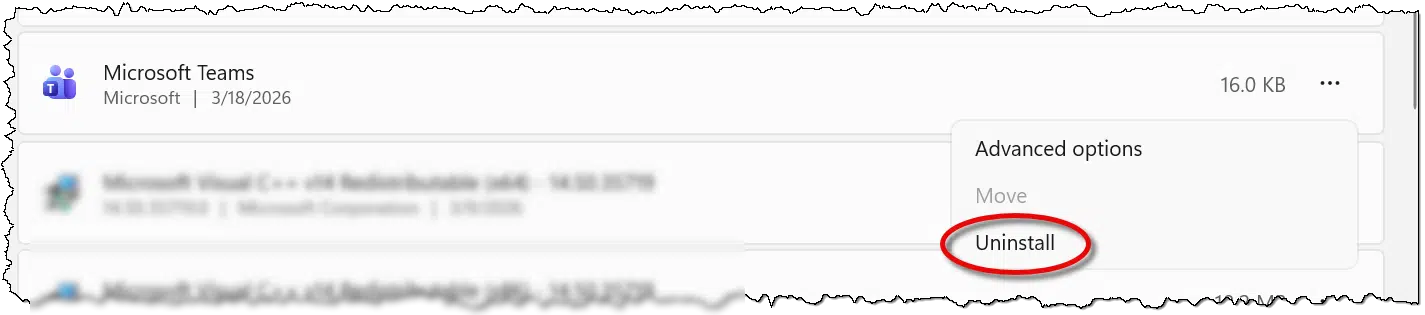
If it turns out I’m wrong, I can reinstall Teams from the Microsoft Store.
But that’s all the debloating I do: uninstall things that adversely impact me.
Cosmetic debloating
While not technically debloating, since we’re not uninstalling anything, I do take a few seconds to clean up the Start menu of icons I don’t need to see.
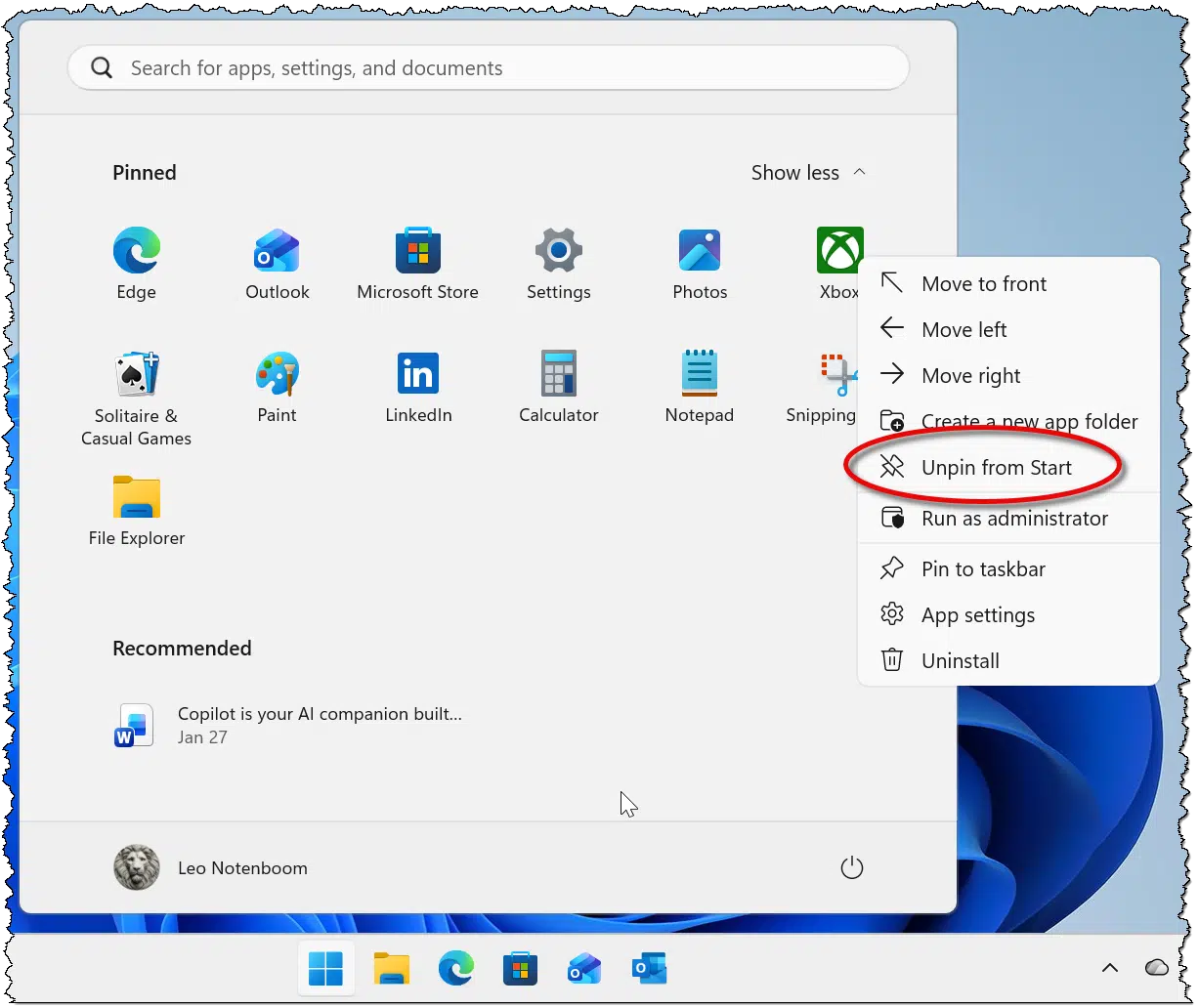
If the context menu offers an “Uninstall”, as my Xbox example shows above, I might elect to hit that instead, but it’s not a priority. If the icon is gone, I’ve cleaned things up enough.
Debloating tools
There are many (many!) debloating tools out there. They promise to remove all the apps you don’t need while leaving behind what you’ll use.
I’ve run several, and my take is that they can be very intimidating for the average user. Many present walls of options that assume you know what you do and don’t want, which is exactly the opposite of what most folks are looking for. They want a “do it for me” solution that just solves the problem.
Here’s the problem behind the problem: one person’s bloat is another person’s favorite feature. It’s impossible to devise a one-size-fits-all solution. The result is that these tools, while very powerful, have to assume you know what choices you want. Many offer defaults good enough for most folks, but I would not be surprised if those defaults either removed something you care about or left behind something you feel is unnecessary.
And, again, in my opinion, it’s all at an extremely low return on the investment of time and energy.
That being said, presented without comment are five of the more popular debloating tools.
There are almost certainly others, as it’s a very popular category.
Two additional notes:
- Back up first. Before using any of these tools, always create a system image backup. They’re making changes at the system level, and if something goes wrong, you could be left with a mess to clean up. Restoring to an image backup taken immediately prior is the best undo ever.
- They may do more than debloat. This could be seen as a positive… or not. I’ve focused here on debloating, but some tools include options to remove telemetry and AI and make other system tweaks as well. This can add to the complexity and risk of the operation.
Bloatware should not exist
Lest people accuse me of shilling for Microsoft1: just because I opt to leave it alone doesn’t mean I think it should be there in the first place. Although technically benign in most cases, the existence of bloatware is annoying. It’s another case of Microsoft (and, to be fair, computer manufacturers) ramming software down our throats whether we want it or not.
They have a wonderful delivery mechanism in the Microsoft Store. If Microsoft has software they believe to be useful, make it available there. Then focus on making these tools so good, so useful, and so valuable that people will choose to install them.
Pre-loading tools we don’t need just makes Microsoft look desperate.
Do this
As much as you can, leave well enough alone. If something causes you a problem, by all means deal with it. But proactive debloating doesn’t seem worth the effort and risk to me.
Subscribe to Confident Computing! Less frustration and more confidence, solutions, answers, and tips in your inbox every week.
Podcast audio

Footnotes & References
1: Which accusation will happen regardless. Sigh.

There are two things I do with a new computer. The first is to make a system image backup using Macrium Reflect Rescue Media and booting from it instead of booting into Windows. The second step is to perform a clean install of Windows again using a copy of the appropriate Windows version on a usb drive.
I can then set up the computer without all of the manufacturer’s free trials and other unwanted software and only have to deal with whatever Microsoft installs as part of Windows. If I do find I need something, I can always install it myself. Timewise, I’ve found it doesn’t take much longer than starting up the computer after unboxing since I still have to go through the same Windows setup process either way.