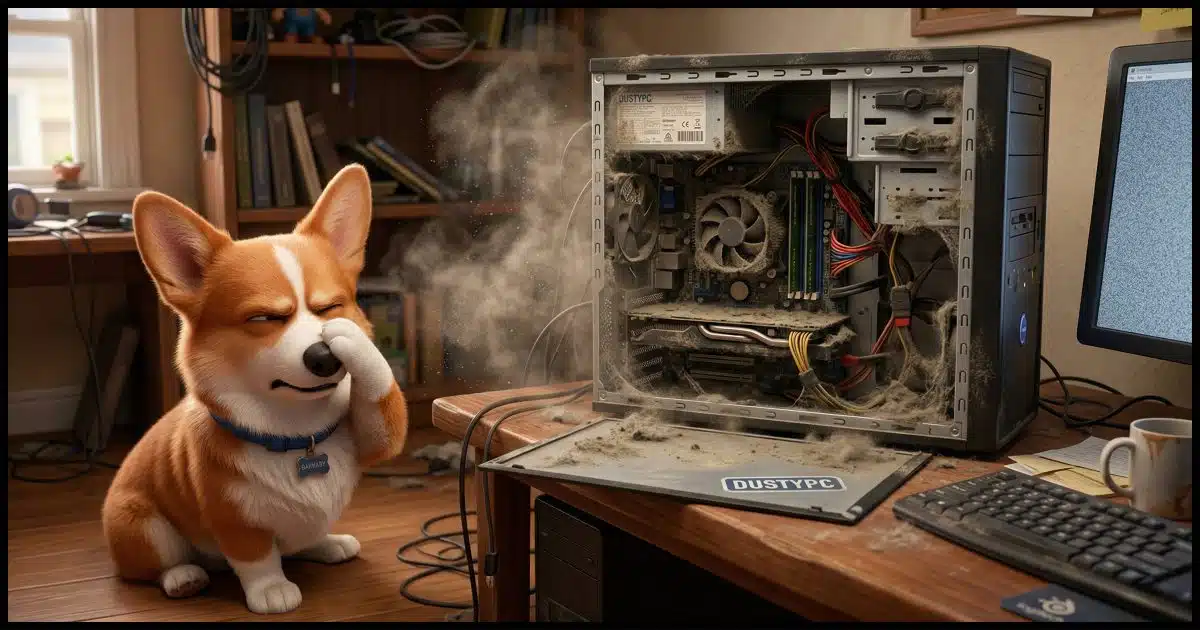
Maybe.
The “Over Temperature” message is a clue, and the fan is a definite possibility.
But first, we should talk about dust bunnies.

Killer bunnies
If your computer is shutting down due to heat, it could be dust bunnies. Over time, dust clogs your computer’s fans and vents. Air can’t flow, causing it to overheat. Clean it out with a can of compressed air and make sure your fans are still working.
Dust bunnies
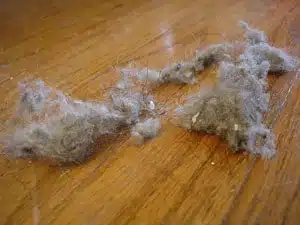
For those who might not be familiar with the term, dust bunnies are clumps of dust and debris1 that form in and around computers, furniture, and other areas that aren’t cleaned regularly.
But here’s the dirty (no pun intended) secret: dust bunnies can kill computers.
Help keep it going by becoming a Patron.
Computer fans and dust
As you’ve noted, your computer has at least one fan, and possibly more. The computer’s components generate heat, and the purpose of the fan is to keep the computer cooler by pushing warm air out and pulling cooler air in.
The problem is that the “pulling air in” part also pulls in dust and dirt. This buildup accumulates into clumps and coatings that, left unchecked, eventually block the vents through which the air is supposed to move. This can happen both outside your computer, where it might be visible, or inside, where it’s not.
The result is that your fans may be running, but they can’t do their job because the airflow is blocked by the accumulation of dust. In fact, the fan motors add more heat to the mix.
As a result, when things get too hot, your computer overheats and crashes. This might not happen all the time. But when your computer is working hard and generating extra heat, that’s when it’s most likely to crash.
Cleanliness is cool
As you might imagine, the solution is fairly clear: keep the area around your computer clean and clear, and periodically check for buildups of dust and dirt in and around your computer.
More specifically:
- Make sure there is room around your computer, particularly around the vents, for air to flow. This might mean moving your computer away from objects that block the airflow.
- If you can, put your computer in a cooler part of the room or near a natural air flow.
- Vacuum around your computer regularly, particularly behind it. How often depends on how quickly dust accumulates in your location. If you’re seeing clumps, as pictured, you waited too long.
Recovering from a bunny infestation
If you’re already in the “covered with dust bunnies” stage, shut down and unplug your computer, open the case, and use a can of compressed air to carefully blow the dust out of your computer. Pay attention to the location of the fans and any accumulations of dust and dirt. You might want a vacuum running nearby to capture the dust as it flies out of your machine.
In the past, I’ve recommended using a brush attachment on your vacuum cleaner and directly vacuuming the interior of your computer. The problem with this approach is that the movement of air around a large electrical device, such as a vacuum cleaner, often generates static electricity. If this discharges in the wrong place, it could damage your computer. You’ll be safer with that can of compressed air and the vacuum nearby (but not in contact with) your computer. (Small battery-powered vacuums specifically designed for cleaning your computer are generally safe to use, but often underpowered.)
To get back to your question, yes, it could be the fan. While you have your computer open, after you’ve cleaned it, plug it in again and make sure those fans are actually running. They could have been damaged by getting clogged with dirt; if so, they will need to be replaced.
Do this
These bunnies aren’t cute. These are killer bunnies. Dust and dirt inside a machine can be easy to overlook. I’ve personally seen some amazingly overlooked computers in my day.
The good news is, it’s an easy thing to stay on top of, and it’s worth it. There are enough other things that can go wrong. We don’t need killer dust bunnies to add to our problems.
Subscribe to Confident Computing! Less frustration and more confidence, solutions, answers, and tips in your inbox every week.
Podcast audio

Footnotes & References
1: Like maybe Corgi fur.

In some cases, it’s because you’ve added a few peripherals or replaced old ones with more powerful ones and the power supply has to overwork to power them. In those cases, you might need a more powerful power supply.
Yes, as a PC Tech for 30+ years, this is indeed a problem for many of my clients. I always recommend setting a yearly reminder to disconnect everything and take the unit outside. As silly as this might sound, the following works fine. Open up the unit and carefully run a leaf blower in and around the interior. Start the air power away from the unit, and only move closer as needed. Much better then caned air and you can take your time to do it right. Don’t forget the keyboard and mouse as well.
With the recent Win11 upgrade, I have had 3 new Win11 computers (2 HP and 1 Dell) that shut down with no message and no warning. I put head sinks on the SSDs, and that seemed to help (because the SSDs were definitely overheating during large data transfers i.e. backups), but didn’t completely solve the problem. The older Win10 computers running the same software were rock solid. I’m now suspecting a GE network cable issue (causing the network interface to throw a catastrophic hardware error), but haven’t had the chance to experiment further.
I have seen this numerous times; one case I recall is a dentist who placed his server under the counter where the receptionists were stationed. The floor was carpeted; the powered rotary vacuum cleaner brush kicked up much dust that was immediately drawn into the server, clogging air flow and blocking the heat exchanger fins badly causing overheating. The dentist refused to believe the shutdown was due to dust because “the floor was so clean”. Upon opening the case and seeing the situation, he was educated.
A vacuum’s filter catches the big stuff, but the fine dust goes straight back into the air, and electronics inhale that constantly. Computers suck in a lot of air Their fans work like vacuum cleaners, constantly pulling air (and whatever’s in it) through the case — so they end up collecting the fine dust a vacuum kicks into the room., and once the heat‑sink fins get packed with that fine dust, overheating is guaranteed.
Keeping the computer off the floor helps, but it can’t stop that fine dust — it just slows the rate at which the fans pull it in.
The case I have for my desktop computer has two magnetically secured dust filters for it’s two air intakes. These seem to keep dust out, because when I check the interior each year, there’s little or no dust accumulation. I have a small combination vacuum – air blower I use to remove any accumulated dust. It’s designed for use cleaning electronic devices, and works better than canned air to clean my computers. I found it on Amazon the last time I looked for compressed air for about $20.00(US),
Ernie