reboot

Have You Tried Turning It Off and On Again?
Tech support always says the same thing: “Have you tried rebooting?” It sounds lazy (and perhaps crazy), but there’s a reason it works so often.


My #1 Debugging Technique
You already know what it is. The trick is to remember to do it in the frustration of the moment.

How Often Should I Reboot My Computer?
Rebooting your computer “every so often” is less necessary these days than it once was, but the point is often moot.

Avoiding Windows 10 Update Restarts at Inopportune Times – Simple Solutions Avoiding Hacks
Windows Update has been known to cause Windows restarts at inopportune times. I’ll outline the approach I recommend to keep restarts in control.

Why UEFI?
UEFI is a replacement for the original BIOS that’s been running computers for almost a quarter of a century. UEFI allows manufacturers to take advantage of the security capabilities of the machines they produce.

How Does Flushing a DNS Cache Help Resolve Some Issues, and While You’re at It, What’s DNS?
DNS transforms domain names into IP addresses. A DNS cache remembers DNS information… but sometimes it needs to forget.
How Do I Schedule a Nightly Reboot in Windows 8.1? (with video)
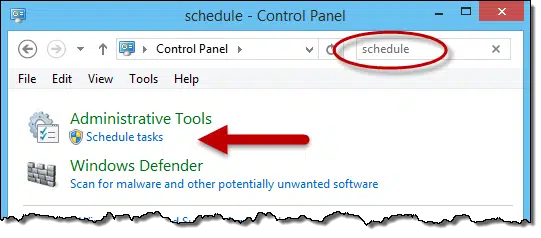
Scheduling a nightly reboot or shutdown is easily done using Windows Task Scheduler and the built-in shutdown command.
