antivirus

What Security Software Do You Recommend? (2026 Q3 update)
My updated guide cuts through the hype with four no-nonsense steps to keep your PC safe. Learn what works, what to avoid, and how to stay secure without overspending or overcomplicating.

How Often Should I Scan My Computer for Malware?
Find out when a manual scan makes sense, and how often you should run one for peace of mind.

Why Did My Security Software Not Detect a Virus on My PC?
Malware can slip past even a good antivirus program. Using my silliest metaphor yet, I’ll explain vulnerabilities, exploits, and what actually keeps you safe. Learn how infections happen and what you can do about it.
How Do I Run a Full Scan Using Windows Defender?
If you’re worried your computer might have malware, running a full scan with Windows Security is one of the best ways to check. I’ll walk you through updating, launching, and completing a full scan, plus explain why it’s not a guaranteed fix on its own.
Why Don’t Anti-Malware Tools Work Better?
Ever wonder why your antivirus program didn’t catch that virus? It’s not broken. Security is a race, and the bad guys are usually ahead. Learn why security tools can’t stop everything, what that means for you, and the most important step you can take to stay safe.

Do I Need More Than One Anti-malware Tool?
It’s tempting to think more is better when it comes to security software. In reality, too many can cause trouble.
What’s the Best Anti-Virus?
There just isn’t a best. Knowing that will (hopefully) lead you in a safer direction.
Is anti-virus dead?
Anti-malware tools have never been 100% solutions – but, despite what we hear on the news, they are far from dead!

How do I safely switch from one security tool to another?
If you follow a few security measures it’s perfectly safe to uninstall an old anti-malware program and then install your new choice.
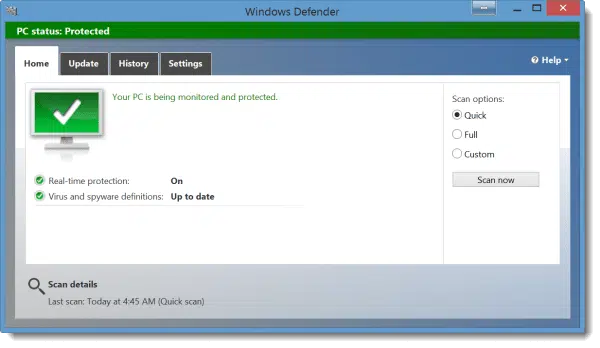
Do I Need to Deactivate My Old Anti-virus Before Installing the New One?
It’s best to uninstall old anti-virus software before installing a new one, assuming you make sure to stay safe during the transition.
Will Anti-virus Programs for Windows XP Stop Being Updated when Microsoft Drops Support?
When support for XP ends, you may find yourself open to unpatched vulnerabilities. Having an updated anti-malware tool is your first line of defense.

Why Doesn’t Malware Appear in the Add/Remove Programs List?
Malware not showing up in the Add/Remove Programs list doesn’t surprise me at all. After all, malware’s success is based on its ability to hide from you!

Do I really need to uninstall these programs to update my anti-virus?
When you install a new anti-malware tool on a machine that has similar programs already, you may see a warning about possible conflicts. Basically, you have three choices to continue.
Windows Defender Offline – Scan Your Computer for Malware Without Booting Windows
Windows Defender Offline is a free Microsoft tool to scan for malware before Windows boots or when it can’t boot at all. It’s can be a convenient approach to removing some stubborn malware.
