Dealing with fake warnings.
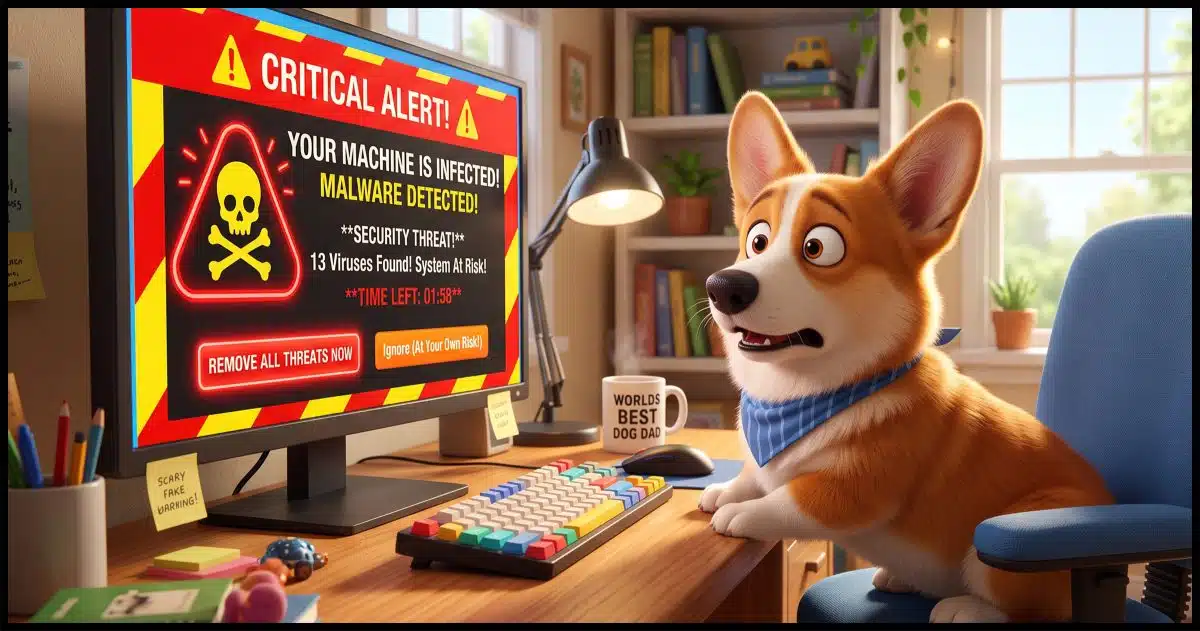
Do not install that software.
If you get a message that says you are infected and recommends a specific product to fix it, the answer is simple: don’t do it.
You may need to do a few other things, but following some random pop-up message’s instructions to download a specific product isn’t one of them.

Scary popups
If you get a scary pop-up message that says your computer is infected and pushes a specific program to fix it, don’t believe it. It’s probably not from your computer at all; it’s from the website you’re visiting. It’s just trying to scare you. Stay safe with good habits and good security software, and you can safely ignore these tricks.
The clue: it’s in your browser
Some forms of malware attempt to look like legitimate pop-up messages from Windows or the applications you have on your computer.
But they’re not.
One of the easiest ways to determine this is to close your browser. If the message goes away when you close your browser, then the message was presented by a webpage, not your computer. A webpage has no way to know if your computer is infected.
It’s extremely unlikely that you’ve been hacked.
It’s just trying to fool you.
It’s a trap.
Help keep it going by becoming a Patron.
The scam
It’s not technically malware — at least, it’s not malware on your machine. Yet.
Several scams operate as follows.
- They present a scary pop-up message that your computer is infected with malware, has vulnerabilities, or that something else is wrong.
- They tell you to download a free program to resolve the problem.
- The download, when run, presents more scary alerts about how compromised your machine is. And/or, the download, when run, installs malware on your machine.
- You’re then encouraged to purchase the “full” version to clean it all up.
- The paid version may or may not actually do anything bad… except take your money.
Some downloads include a phone number to call. The number, of course, puts you in direct contact with the scammer. They have you install malicious software, often including remote access tools, so they can do even more damage when you’re not looking.
The question is, where does that initial message come from?
The website you just visited.
Some websites present these misleading messages as a form of advertising. Others show them because the website’s been hacked.
The point is to scare you into downloading and running a specific program to resolve what may or may not be an issue. In some cases, the point is to scare you into downloading and installing malware.
Related
How Do I Run a Full Scan Using Windows Defender?
If you're worried your computer might have malware, running a full scan with Windows Security is one of the best ways to check. I'll walk you through updating, launching, and completing a full scan, plus explain why it's not a guaranteed fix on its own.#139376
What should you do?
If you get a warning that includes a recommendation to download a specific product to resolve the problem, don’t.
If you get one of these warnings when you visit a specific website, maybe don’t go to that website anymore, as it’s probably been hacked.
Instead, learn to keep yourself safe. That means having anti-malware tools and keeping them up to date. Keeping yourself safe means that you can confidently ignore any fear-mongering pop-up messages.
If you get a message indicating a problem and it does not recommend a specific solution, then maybe pay attention. It might be from Windows or from your anti-malware tools. Learn to recognize messages that come from those sources.
If you believe there’s a problem, address the problem with the tools you choose.
If you get a message, with or without a specific recommendation, update and run your anti-malware software right then and there. If there’s a problem, that should take care of it — again, using tools you selected.
Do this
Follow best practices to keep yourself safe. Start here: Internet Safety: 7 Steps to Keeping Your Computer Safe on the Internet.
Learn to recognize legitimate messages from your system. Those are messages to pay attention to.
Finally, as long as you’re staying safe, you can typically ignore the other messages that try to play on your fears.
Another step to staying safe? Subscribe to Confident Computing! Less frustration and more confidence, solutions, answers, and tips in your inbox every week.


It’s possible that the free scan they offer is infected with malware. Don’t run it.
I love your picture — the popup says “Boo!” 🙂
And we all jump!
(Well… not you.)
I see these pop-ups from time to time. When I close my browser, they usually go away. I NEVER download their ‘solution’ to my supposed problem, but after closing my browser, I DO run a full system scan using Windows defender, then Malwarebytes. If I’m still concerned, I run the Windows Defender’s off-line scan. I am confident that if anything has found its way onto my computer, one of these utilities will find and remove it. Note, I have NEVER found any malware following one of these ‘Your Infected’ pop-ups.
Ernie
I’ve had these popups and have learned to ignore them. What worries me are the instances where a screen pops up, locks up the browser (sometimes with sound or voice)… can’t close the browser, alt-tab does not respond…. The only escape I’ve found is ctl-alt-delete to open Task Manager with which I can forcibly close the browser.
A couple times, I’ve had to forcibly turn-off my laptop.
Afterwards, I’ve run Windows Defender and Malware Bytes… and come up blank.
Any light you can shed on the matter will be appreciated.
No real light to shed. Sometimes they do lock up the browser completely, and Task Manager is the way to go. It’s rare that they actually lock up a machine, though, but I’ve heard of it.
My wife had a browser popup virus warining twice recently on websites showing cute dog and cat short videos. The first time she was really freaked out. The popup managed to lock the page into full screen and audio repeatedly warned to not turn-off your computer because the virus would then spread.
I just used the keyboard macro Windows key + M, and every open app was minimized. I maximized the browser from the Taskbar and the popup was still there but not Full Screen. I noted the URL and told her don’t go there again. I closed all apps and ran a Full Windows Defender scan then a Malwarebytes scan, both negative.
The second time, she was only annoyed and asked be to do the same thing that I did last time. So far she has avoided a third misadventure.
I visit the Daily Mail quite often. Recently, I’ve been getting the pop up Virus alert telling me I need to click on some link to clear it. I just close the window. It is annoying but I know better than to click anything. Sometimes I have to turn off my WiFi and force quit the browser. I always clear the history before going back online. I suppose this is as good an excuse as any to update my browser. I use two in case one gets messed up.
After reading this article, it occurred to me that it has been a very long time since I’ve seen a pop-up virus warning when browsing. Years, in fact. I can’t say if it is because browsers have tightened up security or if I changed my browsing habits.
I have been using Firefox as my default browser for years with the Privacy Badger and uBlock Origin extensions. I regularly check my browser settings after updates and ensure the Privacy and Security settings are set to the default settings and most of the optional settings (HTTPS only and Deceptive content and dangerous software protection, for example) are selected. I don’t even see warnings that something was blocked, either.
Yes. Browsers have increased their security against rogue popups. Some still make it through, but only a fraction of what came through years ago.
I just hold down the power button until it turns off and 10 seconds later turn it back on. It goes away. Problem solved…………
That’s overkill. Closing the popup is usually enough. In the worst case, clear the browser cache & cookies and close the browser.
And beware using your computer with a cat in your lap.
The pop-up can attract their attention, they lunge for the screen, land on the most unfortunate key possible on the keyboard and you’ve just said “Have your way with me” to whatever malware’s trying to install itself.
Took me three hours to sort out THAT mess. My wife no longer allows cats on board.
That’s not a mistake. Cat’s do it on purpose.
A bit off-topic, but a concern Re pop-ups.
I bought a new PC and began using a paid version of EaseUS for my incremental backup. I get a small pop-up in the lower right stating that it is no longer backing up my computer and that I need to renew my subscription even though it’s paid up for many months. The first few times, I went directly to EaseUS to verify its legitimacy. Yes, my back-up has stopped.Their comment? “They didn’t send it,” and I need to verify the 16-digit activation code [NO, I never re-enter it, but have to verify that it matches mine with theirs], then the pop-up disappears…until a few more months later.
I don’t know if this is an advertising gimmick, or what, because they do not offer any upgrade. I’m thinking of dropping EaseUS because of its annoyance.
Any help or comments?