Copies. So many copies.
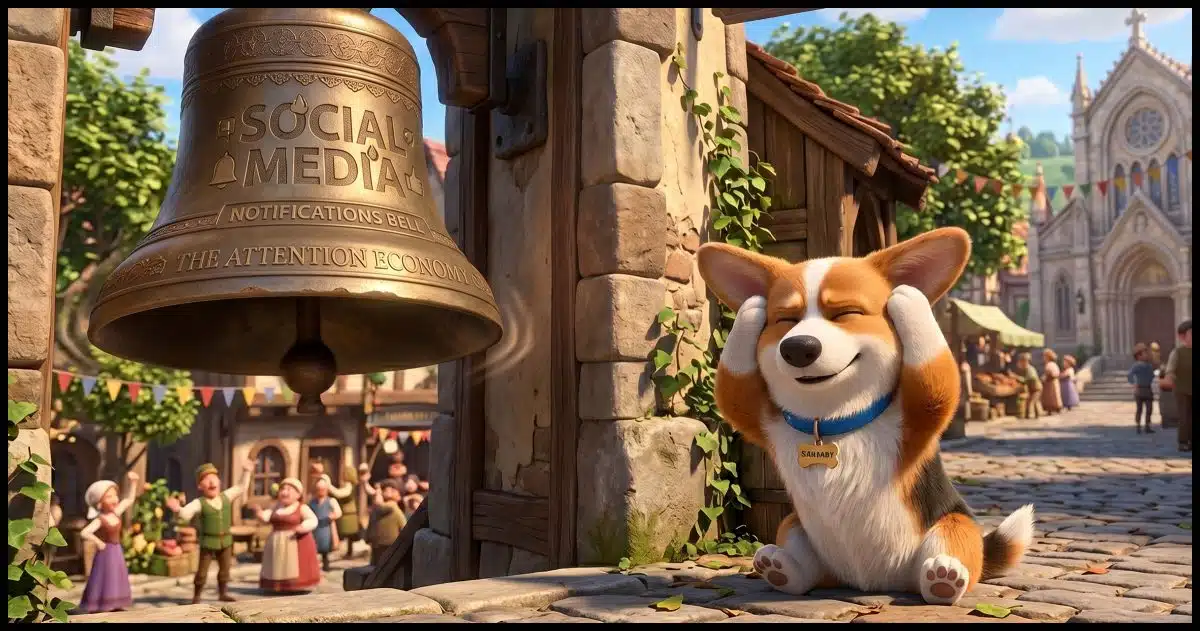
When we post something online — say on social media — there’s a reasonable expectation that what we post will remain in our control and be shown only to the audience we care about.
Reality is exactly the opposite: you lose all control of anything you post online, and it can end up in the hands of people (and corporations) you know nothing about. Even with privacy settings set to Private.
The service makes copies. Viewers get copies. Search engines, spiders, researchers, AI scrapers, and archivists make copies. And all of those entities generate more copies when they back up their data.

Forever posted
The moment you post anything online, you lose control of it. Servers make copies. Search engines cache it. Anyone who views it can save it. Even posts marked private get copied and stored in ways you cannot control. There is no reliable way to take it back. Think before you post.
It starts the moment you hit Post
Let’s say you post a photo of your dogs online. I’ll post one here, but we’ll assume you’re using social media.

The moment that photo is uploaded, copying begins.
- The service may create additional copies of your photo in different resolutions. On Ask Leo!, something like five different resized copies are created, each to be used in different contexts: thumbnails, page display, and “click for larger image” are examples of three different copies of the same image.
- The service may replicate photos across a content delivery network (CDN) so files are delivered more quickly from CDN servers nearest to you. I use a small CDN that replicates into US East Coast and West Coast data centers. Large social networks may have hundreds, if not thousands, of servers scattered across the globe that eventually get copies of your photo.
- Hopefully, the service backs up to recover from any problems. Ask Leo! gets backed up daily, and social networks are likely backed up continuously. Each backup generates more copies.
This isn’t malicious; this is how large services stay fast and reliable.
Your data has been copied to many places before anyone even sees it.
Help keep it going by becoming a Patron.
Every viewer gets a copy
There is now a copy of the photo displayed above on your computer.
That’s how viewing webpages works: the browser downloads a copy of whatever is to be displayed — the text and any media included on the page — and places it in your browser’s cache in case it’s needed again sometime soon. What’s “soon”? There’s no way to know. Items that haven’t been used again “for a while” are deleted from the cache to make room for newer pages you view.
In addition, you can save a copy of that photo yourself in several different ways.
- Right-click and “Save image as…”
- Right-click and “Copy Image”
- Take a screenshot
That last one is an example of my “If it can be seen, it can be copied” rule of thumb.
Regardless of how people save the image, you lose all control over it. They can do with it what they wish.
Search engines get copies
Search engines regularly make copies of whatever they find online. It’s not just Google and Bing; there are hundreds of different search engines around the world. Any of them can scan whatever you post online.
While we normally think of searching as pointing us to where information can be found online, many search engines build their own local cache of data so they can present what they find more quickly. Searching Google Images is a good example: the results are images that come from Google’s cache, not the original sites.
If wherever you posted your photo can be found in a search engine (as hopefully this page will be), then the images displayed on it are almost certainly copied to the caches of several different search engines.
Related

The Biggest Risk to Your Privacy, Revealed
We worry a lot about privacy, but our concerns are often misplaced. The biggest risk to our personal privacy is right under our nose -- and that's good.#27036
Spiders, researchers, and scrapers get copies
Besides traditional search engines, other systems regularly “scrape” or copy content found online.
- Academic and research spiders: everything from class projects to specialized academic research databases are constantly scanning the web.
- Archive services are busy copying webpages for historical purposes. Perhaps the best known is archive.org, but there are others.
- Like it or not, AI scrapers are slurping up everything they can find to train their models. Once again, this is more than just the big names you might think of, like OpenAI, Anthropic, and others. There are likely thousands of LLMs being trained on internet data constantly.
All have the ability to make copies of your photo.
Backups are even more copies
All of the services I’ve mentioned so far probably have backups.
Each time it is backed up, there are even more copies of your photo living in data center backups, long-term tape archives, or who knows what else these services might implement. How long their backups are kept is, of course, unknown and different for every service.
Let’s not forget the backups taken by people who’ve viewed your content. If you back up your computer regularly, as I hope you’re doing, then it’s likely the next time your backup runs, it will include a copy of my photo above in your browser’s cache.
But I marked it private!
Restricting your audience is a fine way to reduce the initial exposure of your post to, say, friends and family. Unfortunately, it really doesn’t help.
- Your friends and family can download and make copies.
- Search engines — typically those internal to the service you’re using in this case, but perhaps others — will have made copies.
- The service’s backup will still have happened and made copies.
The first one is the one that typically trips people up: a trusted friend copies and shares a photo beyond your initial privacy setting.
Related

How Do You Delete Things from the Internet?
We say the internet is forever. We also say that once you delete something, it's gone. Both are true, and usually at the worst possible moment. I'll describe why deleting rarely removes every copy, why you still can't get those copies back, and two simple habits that protect you.#27274
Clawing it back or taking it down?
You can, of course, remove your photo from wherever you posted it. I can, for example, remove the photo at the top of the page. That removes the original and perhaps most obvious copy of your photo. But it doesn’t matter. All those copies I’ve talked about above have already happened. Your photo is loose in the wild. You’ve lost control over it.
You can ask sites to take it down or remove it from their caches. In the US, you can file a DMCA take-down request for services. Some might even do what you ask. Most will ignore you. And this presupposes that you know where to look and who to ask. Sites and services you’ve never heard of will have already copied your photo.
Then there’s that little thing called the Streisand Effect. Sometimes asking for information to be removed backfires by drawing more attention to it.
The “right to be forgotten“? When used successfully, it only removes search engine entries pointing to what you want to have removed. The sites that were pointed to continue to exist, along with all the non-GDPR-affected search engines and all the caches and backups I’ve discussed.
Do this
Think before you post anything.
Maybe think of it as a “release” rather than a post or a share; you’re releasing your photo into the wild. If you don’t want something to be permanent and public, don’t post it.
Subscribe to Confident Computing for more tips and advice to keep your computer safe and running smoothly! Less frustration and more confidence, solutions, answers, and tips in your inbox every week.


What happens on the Internet stays on the Internet, forever.
What are companies doing that claim they can remove your identity for a fee? Is this a scam, or are you paying an annual fee to cover up your existence?
Most “remove you from the Internet” companies are basically data‑broker opt‑out services. The best are are basically useless; most are scams. Their only real function is scanning for and removing your info from people‑search and broker sites, so it doesn’t keep getting republished. They’re not very effective, if at all.
Saying setting your account and/or post , eg. on Facebook, to private “really doesn’t help” seems like an overstatement. OK, so Facebook makes a copy and search indexes it, but random people still cannot access it unless they are your “Friends” that you’ve deliberately given access to, and presumably, you WANT to share the photo with. Yes, they could copy it and distribute it elsewhere, and you’ll have to assess how likely that is and how you feel about it, but the difference between worrying about what a limited number of people you know might do vs. everyone on the internet, is kind of huge, is it not? You’ve often pointed out that privacy and safety is never absolute, but we should learn to focus on what’s actually important.
It might be a bit of an overstatement if taken out of context, but the article mentions several other ways your posts and comments can be copied. The little help that private settings might give is more than offset by the false sense of security.
For example, I often see a picture on social media that won’t allow me to copy or download. I press the Print Screen key and it goes into my clipboard.
Yessss…..but if I posted a picture to my Facebook page, visibility Friends only, you would never see it or even learn of its existence, except, I must allow, in the very unlikely event one of my friends makes a copy and sends it to you.
I mention this because it’s frustrating that people seem to have one of two settings, post everything everywhere all the time, or oh no, all social media is evil. Sometimes they even seem to hold both positions simultaneously! It would be nice if people understood how they could share their family pics without fear in a reasonably safe way. I’d actually be very interested in a post on Leo’s recommended ways of doing that.
You’ve just stated it.
The issue is too many people have too many untrustworthy friends. They assume that the privacy setting is absolute, when it is anything but.
Glad you can trust yours. Hope it stays that way,
The only simple thing that comes to mind currently is, No Participating with or on Facebook or anything like it. Social Media are not real, physical, traditional, traditional social gatherings. Record any and all your photographs in film and prints! No kind of electronic devices!
There’s nothing wrong with digital photography. It’s the only available photo medium for most people. Film is becoming obsolete.
This rule still holds: “Don’t say anything online that You wouldn’t want plastered on a billboard with your Face on it”
That’s a tad extreme.
I always consider being on the Internet the same as going outside my home. Anything and everything I say or do can and may be tracked, recorded, or both. Because of that, I never do, post, or otherwise share anything on the Internet that I wouldn’t do, post, or share with a stranger I meet outside, or anywhere. I also adopt the same level of alertness and skepticism on the Internet as when in the presence of a stranger because, after all you can’t know the true intentions of a stranger, can you?
Ernie
With that said, I wish there was a way to recover YouTube videos that the original poster took down. Maybe there are copies, but I can’t find them after the original poster took them down!
Some YouTube videos can be found on the Wayback Machine.
Mark,
Appreciate you responding! I checked Wayback machine and I was excited they had 4 snapshots. But unfortunately, each one said “We have not been able to archive the video associated with this YouTube page.”