The answer is YES.
At the end of 2023, Google announced that the company would start deleting inactive accounts.
Let’s review what it means to be “inactive”, what you need to do, and why this might be a serious blow to our cultural history.

Deleting inactive Google accounts
Google deletes accounts that have been inactive for over two years. You can protect all your Google accounts by signing in to each and doing anything. If you want to preserve content in inactive accounts, take explicit steps to archive that content before it’s removed from the internet.
The announcement
You’ll find the full 2023 announcement here: Updating our inactive account policies.
Google positioned this as security-related — meaning it’s for our “protection”.
… if an account hasn’t been used for an extended period of time, it is more likely to be compromised. This is because forgotten or unattended accounts often rely on old or re-used passwords that may have been compromised, haven’t had two factor authentication set up, and receive fewer security checks by the user. Our internal analysis shows abandoned accounts are at least 10x less likely than active accounts to have 2-step-verification set up. Meaning, these accounts are often vulnerable, and once an account is compromised, it can be used for anything from identity theft to a vector for unwanted or even malicious content, like spam.
The net result is that the account, and everything in it, will be deleted.
Starting later this year, if a Google Account has not been used or signed into for at least 2 years, we may delete the account and its contents – including content within Google Workspace (Gmail, Docs, Drive, Meet, Calendar), YouTube1 and Google Photos.
Help keep it going by becoming a Patron.
Inactive
It’s not difficult to keep your account active. Doing just about anything that requires you to sign in to that account does the trick, and might include things you don’t even realize you’re doing.
- Reading or sending an email
- Using Google Drive
- Watching a YouTube video
- Downloading an app on the Google Play Store
- Using Google Search
- Using “Sign in with Google” to sign in to a third-party app or service
The important caveat, though, is that you must be signed in to your Google account when you do those things. Many of them — for example, Google Search — don’t require sign-in. If you’re not signed in, it doesn’t count as “activity”.
So… sign in. If you have multiple Google accounts, take the time to sign in to each at least once a year or so to ensure they don’t get deleted.
Deleting
Google gives lots of warning before accounts are deleted. Notification emails are sent not only to the email address of the account, but also to any recovery email addresses configured for the account. This is another case where making sure you have proactively set up recovery information and kept it current will help you avoid loss. It would be a good idea to double-check the settings every year as well.
Deleting means deleting. Gone. Forever. No recovery.
If, after all the warnings and all the lack of activity on the account, you take no action… then it’s gone. All of it.
Collateral damage
Steven Capsuto captured the concerns nicely on Mastodon.
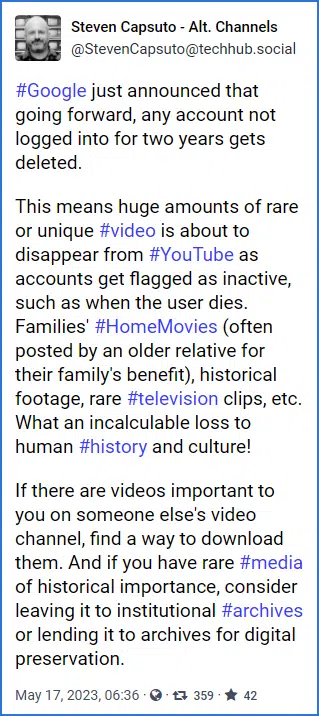
#Google just announced that going forward, any account not logged into for two years gets deleted.
This means huge amounts of rare or unique #video is about to disappear from #YouTube as accounts get flagged as inactive, such as when the user dies. Families’ #HomeMovies (often posted by an older relative for their family’s benefit), historical footage, rare #television clips, etc. What an incalculable loss to human #history and culture!
If there are videos important to you on someone else’s video channel, find a way to download them. And if you have rare #media of historical importance, consider leaving it to institutional #archives or lending it to archives for digital preservation.
I expect two significant fallouts from this:
- Families will lose precious memories as the accounts of deceased relatives are removed.2
- Society will lose access to precious artifacts contained in no-longer-maintained accounts.
Both are potentially devastating. I hope that archival organizations will somehow step in and save what needs to be saved before it disappears forever.
Email address reuse
One question not answered by the Google announcement is what happens to the email address associated with the Google account. Will it be released and available for reuse?
For instance, if “example@google.com” goes inactive and is eventually deleted, can someone else create a new account with that email address?
We do not know.
What we can say, though, is that if they can, it will be a new, empty account. It will not contain the old account’s information.
Do this
Keep your accounts active. Set yourself a yearly reminder for accounts you don’t access regularly.
Download, duplicate, or otherwise archive the content you care about that appears to be inactive. This applies specifically to the accounts of deceased family members and friends. If you have custodial access to the account, use Google Takeout to download everything (this access should also count as “activity”, resetting the two-year timer). If you don’t have access to the account, then do what you can to download its content before it disappears.
This is an important topic I’ll be watching. Subscribe to Confident Computing for updates. Less frustration and more confidence, solutions, answers, and tips in your inbox every week.
Podcast audio

Footnotes & References
1: Google backtracked on YouTube in response to feedback, but clearly the threat remains.
2: Yes, the original account holder should have the original files backed up and preserved somewhere, but experience shows that’s frequently not the case, or their originals are long gone by the time the issue comes up.

Re: Google and Innactive accounts. I recently received a warning from Yahoo about the email account I opened when it started in the late 1990’s. They now have a 12 month policy for deleteing innactive accounts and I had not looked at mine for quite some toime but managed to save it in time.
Hotmail also has a rule but I am not clear on it. I’ve had a Hotmail account that I no longer use but check in occasionally just to make sure it’s still there.
I panicked when I first heard the Google announcement and then I re-read their announcement and calmed right down. My regular activity should show regular activity in my Google account and keep it from disappearing.
I hadn’t thought about the loss of photos and videos, but yeah, that’s a real threat. Of course, for myself, I don’t trust any of these online services. So while I make use of them to store and/or share, I also have my own copy on my computer, which is backed up. When I die, my kids will still have all our family photos and videos. Like Leo has said before, it’s safe to use the online services, but what happens if the service disappears? Backing up your online content should always be a part of your data strategy.
Leo, you wrote:
“…[Loss of] historical footage, rare #television clips, etc. …If there are videos important to you on someone else’s video channel, find a way to download them. …I hope that archival organizations will somehow step in and save what needs to be saved…”
The thing to remember about all of this is, that even if people do this, then, although the information might be thus “saved,” it will thereafter be private information only. In other words, it will no longer be available to others on the Internet, unless those who “rescue” this data choose to intentionally, deliberately, and proactively make it available… and on whatever terms they might choose to impose!
For example, that Google archive of free video clips of an old TV shows you’ve gotten used to? Boom, gone! Suddenly, it’s only available from a private collector at $100.00 per episode!
Something tells me that the opportunities for unfettered human greed have just been multiplied 10,000-fold.
Winceworthy news, indeed…
I ask Google Bard about this and it turns out the videos will remain even after the account is deactivated:
Google remains somewhat unknown, but I fear it will be like the policy of Yahoo and others. Namely, that the definition of “log in” is strictly limited to web-based usage. For example, I just lost (apparently permanently) a Yahoo mail account with legacy value to me. It was checked every day, and old mail deleted. BUT … it was checked automatically by an email client. Even though that client logs in with username and password, that apparently does not count. Thus, they considered it inactive. Bummer.
Leo, a great time to reissue this article as we head to a New Year.
Many folk, I’ll bet, use a Gmail as a recovery email for other accounts which as you have written many times, could be devastating as you would lose those other accounts if you forget their password, and your recovery email address at Gmail is closed due to inactivity.
Doing the following (that you suggested) every New Year is a resolution I can get behind.
“If you have multiple Google accounts, take the time to sign in to each at least once a year or so to ensure they don’t get deleted.”
I have deleted gmail emails how can i get them back please
If they aren’t in the trash folder, it’s unlikely that the are recoverable.
via the mail.google.com web site (not sure if you are using a mail reader like outlook) go to your trash folder.
However, they have a warning (and mean it).
“Messages that have been in Trash more than 30 days will be automatically deleted.”
Google has a way to warn you and a second person if your account has not been used recently. https://myaccount.google.com/inactive
In my case, I have it set to also let my wife know.
—————
Google Inactive Account Manager reminder
This is just a reminder that Inactive Account Manager is enabled for your Google account (billxxxxxxxxxxxxxom).
Your current settings are:
• You will be notified 2 months after your last activity:
+1 7xx-xxx-xxxx5
• Notify the following trusted contacts and allow them to access your data 3 months after your last activity:
shxxxxxxxxxxxxx.com (+1 6xx-xxx-xxx8)
To view or change your Inactive Account Manager settings, visit https://myaccount.google.com/inactive.
Sincerely,
The Google Accounts Team
You are receiving this notification because you have set up Inactive Account Manager for your Google account. Visit the URL below to view or change your settings.
https://myaccount.google.com/inactive
When I pass away, there won’t be much of a cultural loss when my gmail account gets deleted two years later because the only purpose I use email for is to receive newsletters so I can keep up with tech events and learn from those more knowledgeable than I am.
A great way to avert any cultural loss, and keep everything available to the public would be for Google to add an option to give the content of my Google account to the Internet Archive so they can decide what to keep, and what to dump along with any other settings they may offer about when my account’s inactive for two years or longer, or they should offer any contact I give access to my account with that setting the option to send my account information to the Internet Archive if they don’t want to take over my account and use it going forward.
Either of these would let me make the decision whether to give anything to the Internet archive, let a friend or family member make those decisions, or simply let everything be deleted.
What do you think?
Ernie