sign in

How Can a PIN Be as Secure as a Password?
A short PIN seems weaker than a long password, yet for signing in to Windows, it can be just as safe and maybe safer. The secret is where the PIN works, not how long it is. I’ll explain and show you how to make yours stronger if you’re uneasy.

How Do I Change My Windows PIN?
Changing your Windows sign-in PIN isn’t a setting in your Microsoft account; it’s set on each device. I’ll show you where to find it, why a PIN is safer than you might think, and when you should change it.

How Do I Sign in to Windows If My Keyboard Doesn’t Work?
Keyboard not working, but you need to type to sign in to Windows? There’s a solution for that.

Should I Always Sign Out of My Online Account?
It is safe to stay signed in to your online account as long as you’re protected from a few specific scenarios.



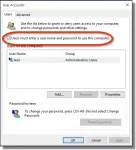
How Do I Sign In to Windows 10 Automatically?
After updating to Windows 10, many users find that they must sign in to Windows using a password, even if they previously did not. I’ll show you how to sign in to Windows 10 automatically.
