remote access

Is it Safe to Allow Remote Access?
Is it safe to allow a tech support company to control your computer from far away? It depends on who they are, how you found them, and whether they called you first. I’ll share the one rule you must never violate.

What Can a Technician With Remote Access Do?
You thought it was tech support, but it was a scam. You gave a stranger full access to your computer. How worried should you be?

Help! Someone Is Inside My Computer, Controlling It!
When things behave unexpectedly, many people assume their computer has been compromised by remote hackers. Most of those people are wrong.
Why Disabling Remote Access Doesn’t, and What to Do Instead
Turning off remote access in Windows might feel safe, but it doesn’t block the kind of access scammers use. I’ll show you why those settings aren’t enough, how remote scams really work, and what simple habits will actually keep your computer secure.

Can My Work Spy on My Home Computer?
Using a computer at work puts you at their mercy. It’s technically possible your workplace could spy on all your activities.

Avoiding Tech Support Scams
What do you do when you suddenly find yourself on the phone with a scammer? Step One: Be Skeptical!

What’s the Difference Between Remote Desktop and Remote Assistance?
Remote Desktop and Remote Assistance are related yet different technologies included in Windows to allow remote access. I’ll review the differences.
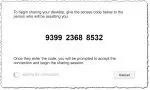

Can an ISP Remotely Access My Computer without My Knowledge?
Knowing who you are dealing with is the key to safe remote access. It’s not the technology that’s a problem. It’s the person on the other end of the remote access!
