incremental backup

Which Cloud Backup Should I Use?
Cloud backup sounds good until you realize that most options only cover part of your data, and some aren’t real backups at all. What works is a layered strategy that combines local image backups with cloud sync to keep your files safe no matter what happens.

Can’t I Just Copy Everything to Back Up?
Just copying your entire drive is not a safe backup, Learn why a real backup program is safer, faster, and more reliable when disaster strikes.

Is Cloning a Disk a Viable Backup Strategy?
Any backup system puts you ahead of the game. But a few “gotchas” could sneak up on you when cloning a disk manually.

What’s the Difference Between an Image Backup and a Files-and-Folder Backup?
This choice is about what you back up on your computer. It can make the difference between an easy or difficult recovery.

What’s an Incremental Backup?
Backing up is important, but terms like “full”, “incremental”, and “differential” can easily confuse. I’ll look at what these terms mean.

Can I Just Keep Making Incremental Backups After I’ve Made a Full-image Backup?
Incremental backups, in a practical sense, have a limited shelf life. I’ll explain why a full backup once a month is just about right.
Is It Better to Use Incremental or Differential Backups?
Incremental and differential backups store your data changes differently. Ultimately, the difference is one of granularity and managing disk space. But the biggest thing is that you are backing up regularly and happy with the results.
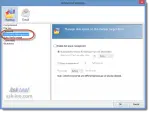
How Do I Automatically Clean Out My Accumulation of Backups?
Many backup programs allow you to specify that old backups be deleted. It’s not always obvious how, so I’ll show you in Macrium Reflect.
