Skip to content
Menu
Menu ☰
My Account
Ask!
Get the Newsletter!
Become a Patron of Ask Leo!
The Ask Leo! Store
Shopping Cart
Search
About
Keyboard Tips
Tip of the Day: the Many Uses of Enter
To access this post, you must purchase
The Ask Leo! Tip Of The Day / Bronze Level Patronage
,
Silver: Online Everything
or
Gold: What More Can I Add?
.
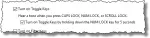
Tip of the Day: Get Notification When Caps Lock is Toggled
To access this post, you must purchase
The Ask Leo! Tip Of The Day / Bronze Level Patronage
,
Silver: Online Everything
or
Gold: What More Can I Add?
.
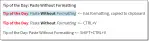
Tip of the Day: Paste Without Formatting
To access this post, you must purchase
The Ask Leo! Tip Of The Day / Bronze Level Patronage
,
Silver: Online Everything
or
Gold: What More Can I Add?
.
Tip of the Day: Windows Key Shortcuts
To access this post, you must purchase
The Ask Leo! Tip Of The Day / Bronze Level Patronage
,
Silver: Online Everything
or
Gold: What More Can I Add?
.
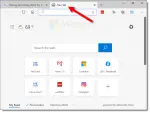
Tip of the Day: CTRL+T to Open a New Tab
To access this post, you must purchase
The Ask Leo! Tip Of The Day / Bronze Level Patronage
,
Silver: Online Everything
or
Gold: What More Can I Add?
.
Tip of the Day: Maximize the Browser with F11
To access this post, you must purchase
The Ask Leo! Tip Of The Day / Bronze Level Patronage
,
Silver: Online Everything
or
Gold: What More Can I Add?
.
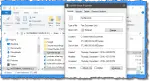
Tip Of The Day: Three Useful Windows File Explorer Keyboard Shortcuts
To access this post, you must purchase
The Ask Leo! Tip Of The Day / Bronze Level Patronage
,
Silver: Online Everything
or
Gold: What More Can I Add?
.
Tip of the Day: Blow Out your Keyboard with Compressed Air
To access this post, you must purchase
The Ask Leo! Tip Of The Day / Bronze Level Patronage
,
Silver: Online Everything
or
Gold: What More Can I Add?
.
Tip of the Day: The Special Meaning of “.”
To access this post, you must purchase
The Ask Leo! Tip Of The Day / Bronze Level Patronage
,
Silver: Online Everything
or
Gold: What More Can I Add?
.
Tip of the Day: Move Quickly Through a List with the Keyboard
To access this post, you must purchase
The Ask Leo! Tip Of The Day / Bronze Level Patronage
,
Silver: Online Everything
or
Gold: What More Can I Add?
.
Tip of the Day: Two Keystrokes I Use Constantly
I use two Windows Key combinations constantly, and I think you’ll find them useful as well.
Tip of the Day: CTRL+SHIFT+V
To access this post, you must purchase
The Ask Leo! Tip Of The Day / Bronze Level Patronage
,
Silver: Online Everything
or
Gold: What More Can I Add?
.
Newer posts
←
Previous
Page
1
Page
2