Windows Command Prompt

How Do I Get Into My UEFI Settings?
Need to change your boot order or check a startup setting? You’ll need to get in to UEFI first. There are three ways to do it, and at least one of them works no matter what situation your computer is in. I’ll show you how each one works.

How Do I Tell Which Wi-Fi Protocols My Computer Supports?
Ever wondered if your Wi-Fi card can handle the latest speeds, or why it won’t connect in certain places? I’ll show you exactly how to check which Wi-Fi protocols your computer supports, and what those cryptic “802.11” labels actually mean.
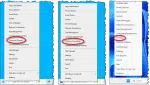
Command Prompt? Power Shell? Terminal? What’s the Difference? Which Do I Want?
Ever right-click the Start button and wonder why you sometimes see Command Prompt, other times PowerShell, or maybe something called Terminal? They look similar, but each has its own role.
When I Use Start-Run, Why Does a Window Just Flash and Disappear?
Frustrated when a window just flashes and disappears when you use Start-Run? It’s not an error; it’s how Windows handles certain programs. I’ll explain what’s happening, why it’s confusing, and show you the simple trick that lets you see what’s going on.
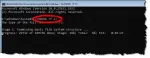
Running CHKDSK When CHKDSK Won’t Run
Normally, you can request CHKDSK be run on the system drive at the next reboot. If that doesn’t work, there is another way.