Skip to content
Menu
Menu ☰
My Account
Ask!
Get the Newsletter!
Become a Patron of Ask Leo!
The Ask Leo! Store
Shopping Cart
Search
About
Windows 11 Tips
Tip of the Day: Task Manager and Network Usage
To access this post, you must purchase
The Ask Leo! Tip Of The Day / Bronze Level Patronage
,
Silver: Online Everything
or
Gold: What More Can I Add?
.
Tip of the Day: Pin Common Programs to the Taskbar
To access this post, you must purchase
The Ask Leo! Tip Of The Day / Bronze Level Patronage
,
Silver: Online Everything
or
Gold: What More Can I Add?
.
Tip of the Day: Folders in the Start Menu
To access this post, you must purchase
The Ask Leo! Tip Of The Day / Bronze Level Patronage
,
Silver: Online Everything
or
Gold: What More Can I Add?
.
Tip of the Day: Change Your Machine’s Name
To access this post, you must purchase
The Ask Leo! Tip Of The Day / Bronze Level Patronage
,
Silver: Online Everything
or
Gold: What More Can I Add?
.
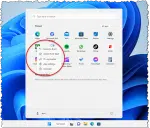
Tip of the Day: Manage the Windows 11 Start Menu
To access this post, you must purchase
The Ask Leo! Tip Of The Day / Bronze Level Patronage
,
Silver: Online Everything
or
Gold: What More Can I Add?
.
Tip of the Day: Uninstall Your Anti-Malware in Windows 10 & 11
To access this post, you must purchase
The Ask Leo! Tip Of The Day / Bronze Level Patronage
,
Silver: Online Everything
or
Gold: What More Can I Add?
.
Tip of the Day: Use Different Mouse Pointers
To access this post, you must purchase
The Ask Leo! Tip Of The Day / Bronze Level Patronage
,
Silver: Online Everything
or
Gold: What More Can I Add?
.
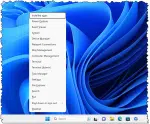
Tip of the Day: Win+X for the Power User Menu
To access this post, you must purchase
The Ask Leo! Tip Of The Day / Bronze Level Patronage
,
Silver: Online Everything
or
Gold: What More Can I Add?
.
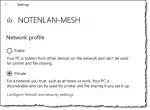
Tip of the Day: Choose the Right Network Type
To access this post, you must purchase
The Ask Leo! Tip Of The Day / Bronze Level Patronage
,
Silver: Online Everything
or
Gold: What More Can I Add?
.
Tip of the Day: Drag and Drop Notification Icons
To access this post, you must purchase
The Ask Leo! Tip Of The Day / Bronze Level Patronage
,
Silver: Online Everything
or
Gold: What More Can I Add?
.
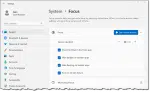
Tip of the Day: Focus Assist
To access this post, you must purchase
The Ask Leo! Tip Of The Day / Bronze Level Patronage
,
Silver: Online Everything
or
Gold: What More Can I Add?
.
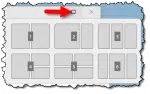
Tip of the Day: Snap Layouts
To access this post, you must purchase
The Ask Leo! Tip Of The Day / Bronze Level Patronage
,
Silver: Online Everything
or
Gold: What More Can I Add?
.
Tip of the Day: Customize Your Start Menu
To access this post, you must purchase
The Ask Leo! Tip Of The Day / Bronze Level Patronage
,
Silver: Online Everything
or
Gold: What More Can I Add?
.
Tip of the Day: 0% Fragmentation Isn’t Worth It
To access this post, you must purchase
The Ask Leo! Tip Of The Day / Bronze Level Patronage
,
Silver: Online Everything
or
Gold: What More Can I Add?
.
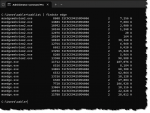
Tip of the Day: Tasklist, the Command Line Task Utility
To access this post, you must purchase
The Ask Leo! Tip Of The Day / Bronze Level Patronage
,
Silver: Online Everything
or
Gold: What More Can I Add?
.
Tip of the Day: Update Windows 10 or 11 on Your Schedule, Sort Of
To access this post, you must purchase
The Ask Leo! Tip Of The Day / Bronze Level Patronage
,
Silver: Online Everything
or
Gold: What More Can I Add?
.
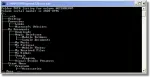
Tip of the Day: The TREE Command
To access this post, you must purchase
The Ask Leo! Tip Of The Day / Bronze Level Patronage
,
Silver: Online Everything
or
Gold: What More Can I Add?
.
Tip of the Day: Encrypt a Folder in Windows
To access this post, you must purchase
The Ask Leo! Tip Of The Day / Bronze Level Patronage
,
Silver: Online Everything
or
Gold: What More Can I Add?
.
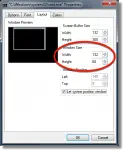
Tip of the Day: Resize the Command Prompt
To access this post, you must purchase
The Ask Leo! Tip Of The Day / Bronze Level Patronage
,
Silver: Online Everything
or
Gold: What More Can I Add?
.
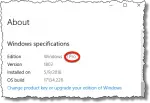
Tip of the Day: Get Pro, not Home, if You Have a Choice
To access this post, you must purchase
The Ask Leo! Tip Of The Day / Bronze Level Patronage
,
Silver: Online Everything
or
Gold: What More Can I Add?
.
Tip of the Day: Get Apps From Anywhere (or Not)
To access this post, you must purchase
The Ask Leo! Tip Of The Day / Bronze Level Patronage
,
Silver: Online Everything
or
Gold: What More Can I Add?
.
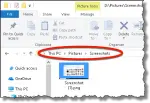
Tip of the Day: Move the Windows Screenshots Folder
To access this post, you must purchase
The Ask Leo! Tip Of The Day / Bronze Level Patronage
,
Silver: Online Everything
or
Gold: What More Can I Add?
.
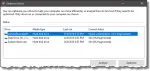
Tip of the Day: Microsoft Defender Offline Scan
To access this post, you must purchase
The Ask Leo! Tip Of The Day / Bronze Level Patronage
,
Silver: Online Everything
or
Gold: What More Can I Add?
.
Tip of the Day: Consider the Mail App
To access this post, you must purchase
The Ask Leo! Tip Of The Day / Bronze Level Patronage
,
Silver: Online Everything
or
Gold: What More Can I Add?
.
Tip of the Day: Why Not WordPad?
To access this post, you must purchase
The Ask Leo! Tip Of The Day / Bronze Level Patronage
,
Silver: Online Everything
or
Gold: What More Can I Add?
.
Tip of the Day: High Contrast in a Keystroke
To access this post, you must purchase
The Ask Leo! Tip Of The Day / Bronze Level Patronage
,
Silver: Online Everything
or
Gold: What More Can I Add?
.
Tip of the Day: Search Within Settings
To access this post, you must purchase
The Ask Leo! Tip Of The Day / Bronze Level Patronage
,
Silver: Online Everything
or
Gold: What More Can I Add?
.
Tip of the Day: Move the Windows 11 Taskbar Back
To access this post, you must purchase
The Ask Leo! Tip Of The Day / Bronze Level Patronage
,
Silver: Online Everything
or
Gold: What More Can I Add?
.
Tip of the Day: Get Notification When Caps Lock is Toggled
To access this post, you must purchase
The Ask Leo! Tip Of The Day / Bronze Level Patronage
,
Silver: Online Everything
or
Gold: What More Can I Add?
.
Tip of the Day: Change Your Browser’s Home Page
To access this post, you must purchase
The Ask Leo! Tip Of The Day / Bronze Level Patronage
,
Silver: Online Everything
or
Gold: What More Can I Add?
.
Tip of the Day: Shutdown or Reboot from the Command Line
To access this post, you must purchase
The Ask Leo! Tip Of The Day / Bronze Level Patronage
,
Silver: Online Everything
or
Gold: What More Can I Add?
.
Tip of the Day: mklink: Hard and Symbolic Links in Windows
To access this post, you must purchase
The Ask Leo! Tip Of The Day / Bronze Level Patronage
,
Silver: Online Everything
or
Gold: What More Can I Add?
.
Newer posts
←
Previous
Page
1
…
Page
4
Page
5