QR Code
Tips, Tricks, and Best Practices for Sharing Links
Sharing a link seems simple, but some methods create long, broken, or trackable URLs. I’ll show you how to copy clean links, strip out tracking codes, shorten long URLs, link to a highlight or video moment, and check that the link will work.
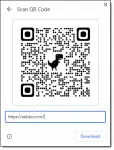

What’s a QR Code, and Can You Trust Them?
QR codes are a nifty way to encode web addresses and other text in a way that’s easy for your smartphone to decode, but they are not without risk.

How to Add Two-Factor Authentication to Your Google Account
Adding the most common and secure form of two-factor authentication to your account.
Another Way to Protect Yourself From 2FA Loss
A little bit of preparation when you set it up can make losing your Google Authenticator 2FA device a minor inconvenience.
