command-prompt

Command Line Search

Tip of the Day: Searching Via the Command Prompt

A bored looking Corgi looking at a PC's computer screen displaying "Working on updates".

How Do I Fix Windows Update?

Windows Update can get stuck, and it’s rarely obvious why. I’ll walk you through Microsoft’s troubleshooter, and provide a full manual reset using command line tools, so you can get your updates flowing again.
CTRL+C

Tip of the Day: CTRL+C to Interrupt Command Prompt

Help piped into More

Tip of the Day: Help and More

Reboot Shortcut

Tip of the Day: Reboot Shortcut

powercfg report

Tip of the Day: Get an Energy Report

Netstat

Tip of the Day: Using Netstat to Examine Network Connections

Command Tab Expansion

Tip of the Day: Filename Expansion

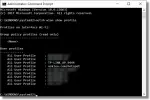
Hotspot List in CMD

Tip of the Day: View Remembered Wireless Networks in Command Prompt

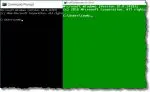
Comparison of Customized CMD

Tip of the Day: Customize the Command Prompt

If you spend any significant time in the Command Prompt, you may want to customize its appearance to be a little more to your liking.

shutdown -r

Tip of the Day: Shutdown or Reboot from the Command Line

Replace Command Prompt

Tip of The Day: Choose Command Prompt Over PowerShell

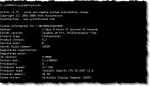
PSInfo

Tip of the Day: The PSTools Suite of Command Line Tools

Product Key in Command

Tip of the Day: View the Windows 10 Product Key in Command Prompt

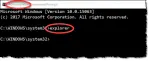
Running Explorer in Command

Tip of the Day: When “Run as administrator” Isn’t Available